If you exported a Tezos seed phrase, then lost it, the first rule is simple: a wallet cannot be restored without some form of key material. Secondary recovery means trying to recover the original export, backup, or private key through legitimate traces. This guide explains what to check, what works, and what usually does not.
First, Clarify What Was Lost
Tezos wallets may use:
- a seed phrase or recovery phrase generated by an HD wallet;
- an encrypted JSON key file;
- a private key such as an edsk string;
- a hardware wallet backup.
If the exported seed phrase had only one copy and it was permanently deleted, there is no mathematical way to reconstruct it. Recovery is possible only when the key material exists somewhere else or when enough backup clues remain.
Quick Diagnostic Checklist
Before using any tool, answer these questions:
- Did you export the phrase into a file, email, note app, cloud drive, or hardware backup?
- Do you still have access to the device where export occurred?
- Can you open the wallet app with a password, biometric unlock, or local data backup?
- Do you know the wallet address, public key, or derivation path?
- Did you delegate, stake, or sign a transaction that proves the address is yours?
If any answer is yes, secondary recovery may be feasible.
Method 1: Recover the Original Export File
When a seed phrase is lost after export, search for the exported artifact before assuming the wallet is gone.
Where to search
- Downloads folder and Documents folder.

- Email drafts, sent mail, spam, and trash.
- Cloud storage: iCloud, Google Drive, OneDrive, Dropbox.
- Password managers and secure notes.
- Messaging apps used for self-backup.
- File-history or backup snapshots on Windows, macOS, and Linux.
Search terms
Try keywords such as: tezos, seed, mnemonic, recovery, wallet, backup, xtz, tz1, tz2, tz3, edsk, private key, and the exact wallet app name.
If the file exists, validate it before copying it into any wallet. Do not paste it into random websites. A legitimate wallet does not need your seed phrase for support.
Method 2: Restore from Wallet App Data or Key Files
Some Tezos users do not store only a seed phrase. They may have a local encrypted wallet database or key file.
Common recovery routes
- Galleon: check for encrypted key backups or seed backups created by the app.
- Temple, Kukai, or browser-extension wallets: inspect exported backups, local storage, and any downloaded
.jsonfiles if the wallet supports export. - Hardware wallets: confirm the recovery phrase backup created during setup, then test restoration on the device or a compatible interface.
- Tezos signer: look for
tezos_signer_backupJSON files and remember the backup password.
If you have an encrypted key file but forgot the passphrase, recovery may still be impossible unless you can recall the passphrase through legitimate memory aids.
Method 3: Use Known Derivation Information
A Tezos HD wallet often derives keys from a seed phrase using BIP39, BIP44, and a Tezos coin type. The common derivation path pattern is m/44'/1729'/....
This information can help only if you still have:
- the complete seed phrase somewhere;
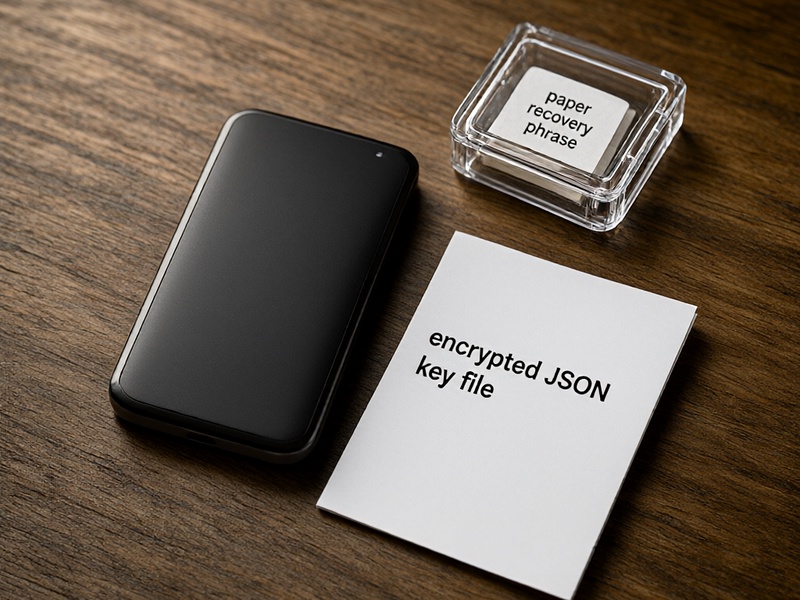
- a hardware device holding the seed;
- an encrypted seed or key backup;
- a partial mnemonic with known word count and strong checksum clues.
If you know the public key and address but have no private key, derivation path clues alone cannot restore access. Public information proves identity but does not replace keys.
Method 4: Professional Device Recovery
If the phrase was exported on an old phone, laptop, or encrypted drive, a lawful forensic approach may help.
Possible actions:
- restore the device from a system backup;
- recover deleted files using reputable data-recovery software;
- search application logs and temporary files;
- check old password vaults;
- contact a trusted data-recovery professional with a privacy agreement.
Always verify the recovered phrase against the expected wallet address before moving funds.
What Usually Will Not Work
These paths are commonly misunderstood:
- Asking Tezos developers or a wallet provider to recover a seed phrase they never stored.
- Using the wallet address, public key, or transaction history to recreate a private key.
- Brute-forcing 12 or 24 BIP39 words from random guesses.
- Trusting online tools that claim to recover lost mnemonics in exchange for partial phrases.
- Restoring a delegated KT1 smart contract or staking position without the controlling key material.
If none of the above artifacts exist, the wallet should be treated as unrecoverable.

Safe Recovery Procedure
When you locate a candidate backup:
- Work offline if possible.
- Use an official wallet app or trusted hardware interface.
- Enter the recovery phrase only into software you have verified.
- Check whether the derived address matches the one holding your Tezos.
- If access is restored, immediately rotate funds to a new wallet with fresh backups.
- Store at least two offline backups in separate secure locations.
If You Cannot Recover the Seed Phrase
You may still have some options depending on the situation:
- If funds are locked in a smart contract with recoverable admin rights, check contract owner storage or documentation.
- If you are a validator or baker, follow the official protocol process for key rotation, provided you retained the correct baker key or backup.
- If the phrase was stored in a password manager but the vault is inaccessible, attempt password-recovery options through legitimate account procedures.
- Otherwise, stop investing money in recovery services that cannot prove access to your key material.
Best Practices for Tezos Wallets
- Backup immediately after creating a wallet, before receiving meaningful funds.
- Store the seed phrase offline, never only in cloud files.
- Include derivation path and wallet app name with the backup.
- Test restoration once using a small amount.
- Keep backups in fireproof, waterproof storage.
- Avoid photographing or emailing the phrase unless encrypted.
A lost Tezos seed phrase can sometimes be recovered from exported backups, local wallet data, hardware devices, or deleted-file traces. If none of those exist, there is no safe secondary recovery method. The best protection is tested, redundant, offline backup before a loss ever happens.