Forgetting the password to a crypto wallet triggers a special kind of panic. One moment you are a confident self-custody user; the next, you are staring at a lock screen wondering whether your funds are gone forever. If you use Cove Wallet and cannot remember your password — and your recovery phrase (also called the seed phrase or mnemonic) is nowhere to be found — this guide gives you the honest answer, plus every legitimate avenue worth trying before you give up.
How Cove Wallet's Security Model Actually Works
To understand what recovery is possible, you first need to understand what each credential protects.
- Your password is a local lock. It encrypts your private keys inside the app's storage on your device. Its job is to keep someone who steals your phone out of your funds.
- Your recovery phrase (the 12- or 24-word mnemonic) is the master key. Your private keys — and therefore your funds on the blockchain — are mathematically derived from it.
- Cove is non-custodial, which means the developers do not store your keys, your password, or a copy of your phrase on any server.
This leads to a crucial insight: the password and the seed phrase protect different things. If the app's encrypted data is still intact on your device, there may be ways back in without the phrase. If the only thing standing between you and your funds is the phrase itself — and you do not have it — no one can conjure it for you.
The Honest Answer: Recovery Depends on Your Situation
In a genuinely non-custodial wallet, no support team, developer, or third-party service can regenerate your keys or reset your password from their side. Anyone who claims otherwise is either mistaken or running a scam.
Whether you can regain access without the mnemonic comes down to which of these scenarios describes you:

Scenario 1: The app is still installed on a device where biometric unlock (Face ID or fingerprint) is enabled.
Your funds are fully accessible. Open the wallet with biometrics, go to settings, and change the password directly. The mnemonic is not required because the keys are already decrypted inside the app.
Scenario 2: You made an encrypted device backup (iCloud or Google Drive) through the wallet.
If the backup contains your encrypted key file and you remember the backup password — or biometrics still work — you can reinstall the wallet on any device, restore the backup, and regain access without ever seeing the seed phrase.
Scenario 3: Fresh device, no backup, no phrase.
This is the hard truth: with only a forgotten password and no recovery phrase, a self-custodial wallet is effectively unrecoverable. The encryption protecting your keys is designed so that neither you nor the developer can bypass it without one of the two credentials above.
A Step-by-Step Checklist to Try Right Now
Before concluding that all is lost, work through this list calmly and completely:
- Try biometric unlock first. If you set up Face ID or fingerprint access, it works even when you have forgotten the password.
- Search your password managers. Check iCloud Keychain, Google Password Manager, browser-saved passwords, and any notes apps where you might have recorded it.

- Attempt your likely password patterns. Most people reuse structures — a base word plus numbers or symbols. Try variants methodically rather than randomly.
- Check every device you own. An old phone or tablet with the wallet still installed and unlocked is a lifeline — move funds out from there immediately and create a fresh, documented backup.
- Look for encrypted cloud backups. Reinstall the wallet and choose the restore-from-backup path instead of creating a new wallet.
- Contact official Cove Wallet support through verified channels only. They cannot recover your keys, but they can confirm whether device-specific recovery options exist for your app version.
- Beware of recovery scams. Never pay anyone who promises to crack your wallet, and never share your seed phrase, backup file, or password with anyone.
Important: There is no legitimate service that can brute-force a wallet password or reconstruct a lost seed phrase. Every 'wallet recovery expert' who asks for upfront payment or your phrase is a scammer — full stop.
If Recovery Fails: What Happens Next
If none of the above works, the funds in that wallet are, for all practical purposes, permanently inaccessible. This is not a bug — it is the core trade-off of self-custody. The same mathematical guarantee that stops hackers from seizing your crypto also stops you when you lose your credentials.
A few practical points at this stage:
- Keep the old encrypted wallet file or device somewhere safe. Future software updates occasionally add recovery options, and holding the encrypted data costs you nothing.
- If you ever find the phrase later — even years from now — the funds will still be there waiting.
- Start a new wallet with proper backups for any future holdings.
How to Make Sure This Never Happens Again
Recovery is painful; prevention is trivial. Once you regain access anywhere, do the following:
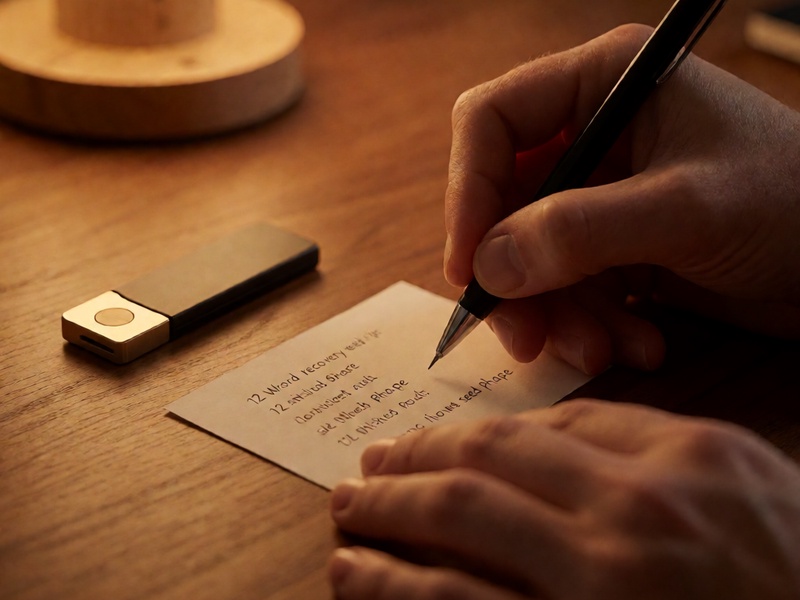
- Write the seed phrase on paper or stamp it into metal. Store it somewhere secure and offline — a safe, a deposit box, or a hidden, fireproof location.
- Keep at least two geographically separated backups. One location lost to fire, flood, or theft should not mean losing everything.
- Never store the phrase digitally in plain text. No screenshots, no cloud notes, no email drafts.
- Record your wallet password in a reputable password manager. Unlike the phrase itself, the password is safe to store digitally.
- Do a practice recovery once a year. Restore your wallet from the phrase on a clean device to confirm the backup actually works.
The Bottom Line
So, can you recover a Cove Wallet without the mnemonic if you forgot your password? Yes — but only if you can still unlock the app data itself through biometrics, a still-logged-in device, or an encrypted device backup. If none of those exist and the recovery phrase is truly gone, a non-custodial wallet cannot be restored by anyone, including the developers. Run the checklist above immediately, ignore anyone selling miracle recoveries, and once you are back in, build a backup system that makes this a one-time scare — never a recurring nightmare.