Why mnemonic recovery is a prime phishing target
A mnemonic recovery phrase—often 12 or 24 words—is not a conventional account password. It is a portable representation of the cryptographic keys that can authorize transactions. Anyone who obtains the phrase may be able to recreate the wallet, even without physical access to the original device.
Attackers know this. They create convincing recovery pages, impersonate support agents, distribute malicious QR codes, and manipulate clipboards precisely when users are expected to reveal sensitive information. The following guide explains how to complete an Ellipal mnemonic recovery safely and what to do if the phrase may have been exposed.
The most important safety rule: Enter your mnemonic only inside the genuine wallet recovery flow that you reached independently. Never enter it through a link, QR code, message, support ticket, cloud form, or remote-control session supplied by someone else.
1. Understand what attackers want
A compromised mnemonic can give an attacker more than a view of your balance. It may allow them to:
- Transfer native tokens, stablecoins, NFTs, and other supported assets.
- Approve malicious token contracts or revoke legitimate permissions.
- Sign messages that impersonate the wallet owner.
- Create convincing social-engineering messages to contacts and exchanges.
- Monitor the wallet indefinitely if they retain the phrase.
Changing a wallet password does not revoke a mnemonic. If an attacker has the recovery phrase, only the creation and use of a completely new wallet phrase can remove their ability to reproduce the old wallet.
2. Recognize the most common recovery phishing schemes
Cloned recovery pages
A fraudulent site may imitate Ellipal’s colors, terminology, and recovery form. The URL may look plausible at a glance but contain an extra word, an unfamiliar subdomain, a lookalike character, or an entirely different registrable domain.
A valid HTTPS certificate is not proof of legitimacy. Fraudulent websites can obtain certificates for free, and the padlock only indicates that traffic is encrypted—not that the operator is trustworthy.
Fake support and social-media messages
Attackers may contact users through Discord, Telegram, X, email, or a messaging app with claims such as:
- “Your wallet needs to be resynchronized.”
- “Your seed phrase is invalid.”
- “A transaction is pending; verify it now.”
- “Ellipal support will recover the wallet for you if you send the phrase.”
The message may include a convincing link, a shortened URL, or instructions to install remote-access software.
Clipboard and browser manipulation
Malicious extensions, infostealers, and clipboard-hijacking software can replace copied words with attacker-controlled words or silently record sensitive input. If clipboard use is unavoidable, verify every word against an offline backup immediately after pasting. Manual entry on a trusted device is generally safer.
Fake applications and QR codes
A cloned mobile application, browser extension, APK file, or QR code may redirect users to a fraudulent recovery portal. Install software only from the official application listing reached independently, and scan recovery QR codes only when they were generated by the genuine application on your trusted device.
Address replacement
Some scams occur after a successful recovery by presenting a fraudulent wallet address for a test payment or migration. Compare the complete address on the Ellipal device or wallet interface with the intended destination. For significant transfers, test with a small amount first.
3. Prepare before starting the Ellipal recovery process
Establish the official route
Begin from a source you already trust, such as:
- The authenticated Ellipal application on your device.
- Instructions included with genuine Ellipal hardware or packaging.
- A previously verified official account or bookmark.
- The official support page reached by typing or selecting a known address yourself.

Do not begin from an unsolicited message, a sponsored search advertisement, a social-media reply, or a QR code received from another person. Search engines can display paid advertisements that resemble official results, so position in the results is not a security signal.
When using a web-based flow, inspect the entire hostname rather than only the first part of the display name. Be alert to lookalike letters, unexpected hyphens, excessive subdomains, spelling variations, and domain names that place the apparent brand name before the real registrable domain.
Because interfaces and supported recovery methods can change, confirm the current procedure through the genuine product or verified Ellipal channel. Avoid relying on an old tutorial, a forwarded URL, or an unofficial community post as the source of truth.
Use a clean, updated environment
- Update the operating system, wallet application, browser, and security software.
- Use a device you personally control and trust.
- Close unrelated tabs, messaging apps, and remote-support sessions.
- Remove suspicious browser extensions, especially clipboard and cryptocurrency tools of unknown origin.
- Do not install remote-access software at the request of a supposed support agent.
- If possible, use a separate browser profile for wallet administration.
A trusted device is especially important if the recovery phrase will be typed on screen. A compromised device can record input even when the website itself appears legitimate.
Know what you are recovering
Before entering the phrase, confirm:
- The exact wallet or account being restored.
- The expected blockchain network.
- The expected token or asset balance.
- The expected derivation path or account index, if the wallet supports multiple accounts.
- Whether a separate optional passphrase is required.
This information prevents repeated recovery attempts through unverified websites when funds merely appear to be missing due to the wrong network or derivation path.
Create a private setting
Recover the wallet somewhere quiet and private. Do not:
- Share or record the screen.
- Let another person watch the recovery process.
- Use cloud notes, online storage, or ordinary photographs for the phrase.
- Paste the phrase into a chat, email, search engine, or third-party phrase validator.
- Leave the phrase visible in a screen-sharing application.
A password manager can protect your Ellipal account credentials, but it should not autofill or synchronize a mnemonic into a website.
4. Complete the recovery securely
Prefer the strongest available local method
If the current Ellipal workflow supports recovery through a native application or direct entry on a trusted hardware device, prefer it. Direct, on-device entry reduces exposure to clipboard monitoring, browser scripts, and compromised computer utilities.
If a desktop or web-based process is required, confirm that it is the current official workflow before entering anything. A legitimate wallet might require the recovery phrase, but it should not also require you to disclose your account password, PIN, two-factor authentication code, or remote access to your device.
Enter the phrase carefully
- Use the exact words in the correct order and spelling.
- Do not normalize, translate, reorder, or “correct” the phrase based on an error message.
- If the phrase appears to be rejected, stop and verify the application, network, derivation path, and optional passphrase instead of trying random websites.
- If using a hardware wallet with a computer companion application, use direct device entry whenever available.
Do not trust pop-ups that appear during recovery
A browser warning, wallet notification, or support message that appears immediately after the phrase is entered may be designed to interrupt you and redirect you to a fake page. Close the unexpected prompt, verify the application locally, and restart from the genuine entry point if necessary.
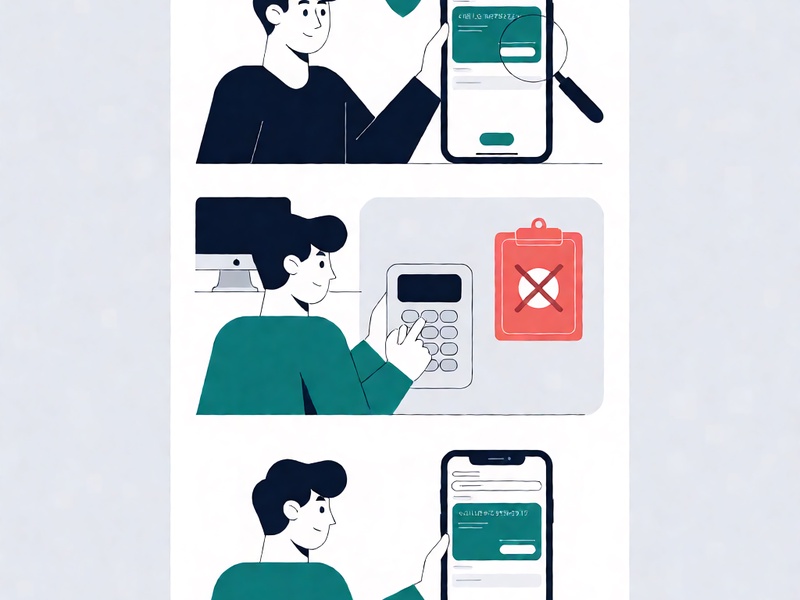
Do not pay to “unlock” the wallet
A legitimate software recovery process does not require an upfront cryptocurrency payment to a stranger. Network fees paid to a blockchain network under normal, independently verified conditions are different from sending funds to an individual or company claiming to restore access.
5. Warning signs that should stop recovery immediately
| Warning sign | Why it is dangerous | Recommended action |
|---|---|---|
| An unsolicited message contains a recovery link | It may lead to a credential-stealing clone | Close the message and navigate independently |
| The domain or application publisher looks unfamiliar | Brand impersonation is a common attack | Verify the exact hostname and publisher |
| The browser displays a certificate warning | The connection may be intercepted or deceptive | Stop and use a trusted connection and official route |
| Support asks for the mnemonic phrase | The phrase can authorize the loss of all wallet assets | End the interaction immediately |
| Support asks for a password, PIN, OTP, or remote access | Legitimate recovery should not require bundled account secrets | Change credentials later if they were disclosed |
| The page uses a countdown or repeated urgency | Scarcity is used to prevent careful verification | Slow down and verify independently |
| A QR code or shortened URL is provided in chat | The destination can be changed without notice | Open the official application yourself |
| The application asks you to disable security controls | Malware often relies on weakened defenses | Cancel and verify the software source |
| A small test deposit is requested | The destination address may belong to an attacker | Verify the address on a trusted device screen |
| Recovery appears successful but the wallet address differs | Address substitution may be occurring | Compare the complete address and derivation path |
6. Know what legitimate support should need
Support personnel may reasonably request non-secret troubleshooting information such as:
- The application version and operating system.
- A redacted error message.
- The steps already attempted.
- A public transaction hash or public wallet address relevant to the case.
- A screenshot that contains no mnemonic, private key, password, account identifier, or other sensitive information.
They should never need:
- Your mnemonic recovery phrase.
- A raw private key or wallet seed.
- Your wallet password, account password, PIN, or passphrase.
- A one-time authentication or two-factor code.
- Remote access while sensitive information is visible.
- A cryptocurrency payment to restore or “verify” the wallet.
Even if a message appears to come from Ellipal, treat any request for secret material as phishing until it is independently confirmed through a channel you initiated. A display name, profile picture, email signature, or verified-looking account can all be copied.
7. Validate the wallet after recovery
Recovery is not complete merely because the interface displays a balance.
- Confirm the network and asset. Verify that the restored asset appears on the intended blockchain.
- Check the wallet address. Compare the full address and account or derivation path with a known-good record.
- Test before moving significant value. If the workflow requires an outgoing transfer, send a small test amount and confirm receipt.
- Review token permissions. If the wallet supports token approvals, inspect and revoke unnecessary permissions.
- Protect the session. Lock the wallet, close the recovery flow, and clear the clipboard and temporary recovery data where appropriate.
- Store the phrase offline. Keep a new phrase on secure offline media or in a properly protected recovery system. Avoid ordinary cloud notes and photographs stored on an internet-connected phone.
- Create a new phrase if exposure occurred. If the original phrase was entered anywhere other than the trusted wallet flow, treat the old wallet as compromised and migrate assets to a wallet with a newly generated phrase.
8. Respond immediately if the phrase was exposed
If you entered the phrase into a suspicious page, shared it with someone, exposed it during screen sharing, or pasted it into a compromised environment, assume that an attacker may control the wallet. Deleting browser history, changing a password, or contacting the platform does not undo the exposure.
Use the following incident-response sequence:
1. Stop interacting with the compromised environment
Close the fraudulent site, stop communicating with the sender, and avoid entering additional information. If malware may be present, do not use that device to create the replacement wallet.
2. Create a clean replacement wallet
On a separate, trusted device, generate a new mnemonic phrase and a new wallet. Do not import the exposed phrase into the replacement wallet.
3. Move every supported asset
Transfer the remaining assets from the old wallet to the new one. Include less obvious holdings such as governance tokens, wrapped assets, NFTs, and tokens on other supported networks. Dust and unknown token balances may reveal hidden wallet activity, so review them carefully.
4. Revoke dangerous permissions
Where applicable, revoke token allowances and smart-contract permissions associated with the compromised address. A phrase thief may use limited approvals to drain funds gradually without making a large, obvious transfer.
5. Rotate related credentials
From a clean device, change any password that was entered on the suspicious site or reused elsewhere. Update the associated email account, enable strong multi-factor authentication, revoke active sessions, and notify relevant exchanges or financial institutions.
6. Preserve evidence and report the incident
Save the fraudulent URL, message timestamps, wallet addresses, transaction hashes, and screenshots that do not contain the phrase. Report the phishing site to its hosting provider, the official wallet project, exchanges that may receive stolen funds, and relevant cybercrime authorities.
7. Warn contacts through a trusted channel
Do not rely on the compromised account to notify friends, colleagues, or support contacts. Use a separate trusted channel so attackers cannot send further warnings or recovery instructions under your identity.
Partial exposure should also be treated seriously. Exposing only one or two words may appear less dangerous, but attackers can combine such information with malware logs, previous breaches, and targeted guessing. Rotate the phrase if there is any doubt about where it appeared.
9. Final Ellipal recovery safety checklist
Before recovery
- [ ] I reached the Ellipal recovery flow independently.
- [ ] I verified the exact application, domain, and publisher.
- [ ] My device is updated, private, and free from suspicious extensions.
- [ ] I know the expected wallet, network, assets, and derivation path.
- [ ] No one is watching or recording my screen.
During recovery
- [ ] I am using a native application or the strongest direct on-device method available.
- [ ] I will not paste the phrase into chat, email, cloud storage, or a third-party validator.
- [ ] I have not disclosed a password, PIN, OTP, or remote access.
- [ ] I have not paid an upfront cryptocurrency fee.
- [ ] Any warning or prompt is being verified independently.
After recovery
- [ ] The network, balances, addresses, and derivation path are correct.
- [ ] Any required test transfer uses a small amount and a verified destination.
- [ ] The original phrase remains offline and is not stored in an ordinary digital note.
- [ ] A new phrase has been created if the original was ever exposed.
- [ ] I have reviewed token approvals and active account sessions.
The safest recovery is a deliberately verified recovery
Phishing succeeds by turning a stressful wallet problem into an urgent request for secrets. The strongest defense is not memorizing complicated warning signs; it is slowing down and verifying the route before the first word is typed.
For Ellipal mnemonic recovery, begin from the genuine application or device, prefer local or on-device entry, keep the phrase isolated from networks and observers, and confirm the restored wallet before transferring value. If anything about the page, messenger, or support request appears unusual, stop and verify through an independently reached official channel.