Recovering a Monero wallet from a mnemonic seed is one of the most sensitive tasks in self-custody. A Monero offline recovery mnemonic tool is built for that moment: it helps you validate and restore a wallet from a 25-word mnemonic while keeping the recovery machine disconnected from the internet. The goal is simple: derive the correct wallet data, verify the address, and protect the seed phrase from malware, phishing pages, clipboard spies, and remote attackers.
What a Monero Offline Recovery Mnemonic Tool Does
An offline recovery tool is not a wallet service. It is a local utility that runs on an air-gapped computer and performs deterministic recovery checks without sending your seed anywhere. Depending on the tool, it can:
- Validate the mnemonic length, word list, and checksum word.
- Convert the 25-word Monero mnemonic into wallet recovery data or keys.
- Derive the primary address so you can compare it with a known address.
- Help generate an encrypted wallet file or export recovery information for a secure device.
- Support restore height entry so the restored wallet can sync efficiently later.
The most important feature is not speed. It is isolation. A proper Monero offline recovery mnemonic tool should never require an internet connection, never log your seed, and never ask you to upload anything.
Why Offline Recovery Matters
A Monero mnemonic is effectively the master key to your funds. Anyone who obtains the words can restore the wallet and spend the balance. Online recovery tools are dangerous because the seed can be captured by:

- Malicious website scripts or fake wallet pages.
- Keyloggers, screen recorders, and clipboard monitors.
- Browser extensions, cloud sync, and remote support software.
- Network interception, even when a site claims to be secure.
- Shoulder surfing, phone cameras, and smart home devices.
An air-gapped recovery environment removes network-based risks. It also gives you more control over the physical space, so you can check for cameras, disable wireless radios, and work without interruptions.
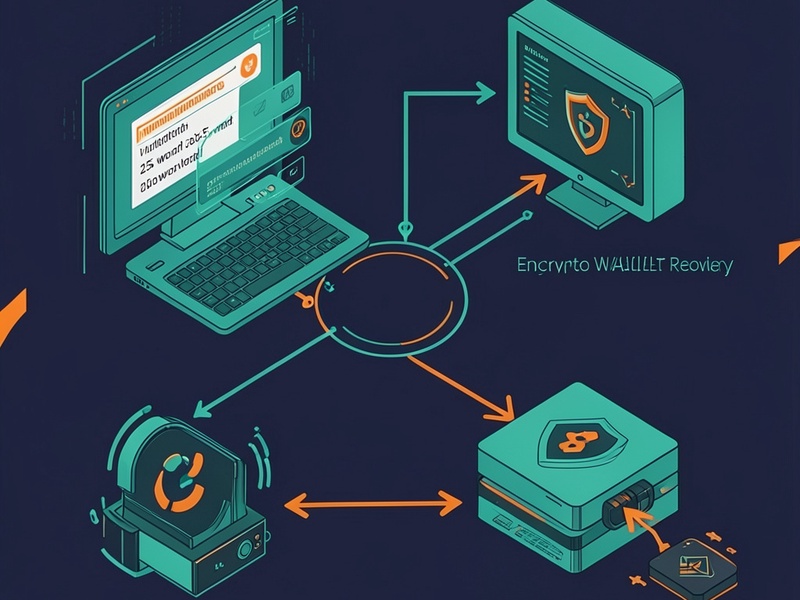
Typical Air-Gapped Workflow
- Prepare a clean computer that can boot from a live Linux USB. Disable Wi-Fi, Bluetooth, and any other radio. Ideally, remove or disconnect internal drives.
- On a separate online machine, download the Monero offline recovery mnemonic tool from its official repository. Verify GPG signatures and checksums before transferring it.
- Move the verified files to the air-gapped machine with a trusted USB drive. Keep the drive encrypted and scan it on a clean system if possible.
- Boot the air-gapped machine and confirm that it has no network connection.
- Enter your mnemonic carefully. Use the original backup and avoid copy-paste. Confirm word order and spelling.
- Let the tool validate the checksum and derive the wallet address. Compare the result with the address you expect.
- Restore the wallet on a secure device or use the tool to prepare recovery data. If you suspect the seed was exposed, create a new wallet and move funds as soon as practical.

- Shut down, remove temporary files, wipe the USB drive, and return the mnemonic to secure storage.
Best Practices for Safe Monero Recovery
- Never enter a Monero mnemonic into a website, chat, email, cloud note, or password manager.
- Use only open-source, audited, and community-reviewed tools. Check that the Monero offline recovery mnemonic tool supports the standard Monero word list and 25-word format.
- Keep the recovery computer permanently offline. Do not connect it to the internet before, during, or after recovery.
- Use a strong wallet password and encrypt any temporary recovery files.
- Work in a private room without cameras, phones, or voice assistants.
- Store the mnemonic on durable media such as stamped metal, and keep a second copy in a separate secure location.
- Test the tool with a small or empty wallet first if you are learning the workflow.
- Verify the derived address before moving significant funds.
Common Mistakes to Avoid
- Downloading a Monero offline recovery mnemonic tool from an unofficial mirror, advertisement, or search result without verification.
- Restoring a wallet on a normal internet-connected computer because it is convenient.
- Ignoring the restore height, which can cause a restored wallet to scan the blockchain from the beginning.
- Storing the mnemonic as a photo, screenshot, text file, or cloud backup.
- Sharing the seed phrase with anyone who offers help, including people claiming to be support staff.
- Failing to compare the recovered address with the original address.
Choosing the Right Tool
A trustworthy Monero offline recovery mnemonic tool should be transparent, reproducible, and focused. Look for:
- Open-source code and clear build instructions.
- No telemetry, no network calls, and no hidden upload features.
- Support for standard Monero mnemonic formats and languages.
- Clear warnings about seed handling and offline use.
- A strong reputation in privacy and Monero communities.
Conclusion
A Monero offline recovery mnemonic tool turns a high-risk seed recovery into a controlled, private process. By validating the mnemonic, deriving the address, and restoring wallet data on an air-gapped machine, you reduce exposure to malware and phishing while keeping full ownership of your funds. Treat your mnemonic like cash, verify every tool, and make offline recovery part of your Monero security plan.