Losing access to a Litecoin wallet is stressful, but a calm and methodical approach often restores control without putting funds at further risk. Recovery is not a password reset offered by a central company. For a self-custody wallet, access depends on material you already hold, such as a seed phrase, an optional passphrase, or an encrypted wallet backup. This guide explains how legitimate recovery works, which habits prevent lockouts, and what anonymized cases teach about preparation.
Start with the Right Mental Model
Litecoin can be held in two very different ways. In a custodial account, an exchange or service holds the keys, and recovery depends on that provider identity checks, account records, and support process. In a non-custodial wallet, you hold the keys. No support desk can recreate a lost seed phrase, and no reputable service will ask you to reveal it.
Treat the seed phrase as the wallet itself. A hardware wallet, a written backup stored offline, and a clear note about whether an extra passphrase was used are the foundation of recovery. Digital photos, cloud notes, email drafts, and chat logs are poor places for that material because they are easy to copy, sync, or expose.
Build a Recovery Plan Before You Need One
Strong recovery starts while the wallet is still accessible.
- Record the wallet name, version, and whether you used a standard seed, a passphrase, or a file-based backup.
- Write the seed phrase clearly and store copies in separate secure locations.
- Store any passphrase apart from the seed phrase, and note that one exists without placing both secrets together.
- Test the backup with a small, controlled restore before you rely on it for a large balance.
- Keep wallet software updated from official sources only.
- Prefer a hardware wallet for long-term holdings so everyday computers are not the only line of defense.
A short written inventory is enough: where the backup lives, who is authorized to access it in an emergency, and which official app you would use to restore it. Avoid storing the secret words in that inventory.
A Safe Recovery Workflow
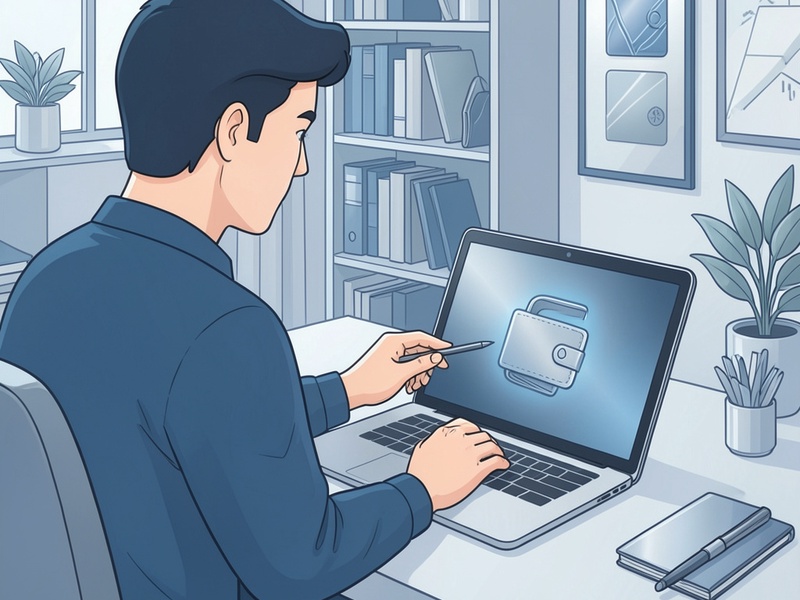
If access fails, slow down before installing unfamiliar tools or accepting help from strangers.
- Confirm whether the coins sit in a self-custody wallet or a custodial account.
- Identify the original wallet software and the backup type you still have.
- Download or open only official software from a verified website or trusted app listing.
- Restore on a clean device if malware is a concern.
- Enter the seed phrase carefully and check each word against the wallet word list.
- If you used an optional passphrase, enter it exactly, including spelling and spacing. A wrong passphrase can open a different, empty wallet that still looks valid.
- Allow the wallet to scan the blockchain, and review both older and newer address formats if your software provides that option.
- Once funds are visible, move them to a new wallet with a freshly generated seed if the old device, backup, or environment may have been exposed.
Never send a seed phrase, private key, wallet password, or screenshot of those secrets to a support agent, recovery service, or chatbot. Legitimate support can explain menus and settings without seeing your secrets.
Common Reasons a Restore Looks Empty
Most failed recoveries come from incomplete records rather than broken cryptography.
- One seed word was copied incorrectly, or two similar words were swapped.
- An optional passphrase was forgotten, so the restore opened a different wallet.
- The new app did not display the same address format used by the old wallet.
- A file backup was incomplete, outdated, or encrypted with a forgotten password.
- The user was looking at a custodial account history while trying to restore a self-custody seed, or the reverse.
Before concluding that funds are gone, verify the backup type, the passphrase status, and the address format. Compare a known receiving address with what the restored wallet can display. If the address never appears, you may be restoring the wrong secret or using software that does not support that wallet setup.
Scams That Target People During Recovery
Panic creates an opening for fraud. Fake recovery sites, unsolicited messages, and remote-desktop requests often appear just when someone is searching for help. A common pattern is a promise to restore lost coins if you install a tool, pay an upfront fee, or validate your phrase on a website.
Stop if anyone asks for your seed phrase, private key, or remote control of your computer. Do not enter recovery words into a browser form. Report the solicitation through the platform where it appeared, and continue only with official wallet software. Urgency is not a reason to trust an unknown intermediary.
Case Notes
The Forgotten Passphrase
A long-term holder restored a seed phrase and saw a zero balance. The software and word list were correct. Months earlier, the holder had enabled a short extra passphrase and stored it separately. After locating that note and entering it exactly, the original addresses appeared. The lesson is to document that a passphrase exists, keep it separate from the seed, and test the full setup while access is still available.
The Hidden Address Format
Another user imported a valid seed into a new mobile wallet and could not find an old receiving address. The earlier software had used a legacy address format, while the new app showed only a newer format by default. After enabling the legacy account view in reputable wallet software, the balance became visible. The user then sent the coins to a new address created under a fresh seed. Matching the wallet address type matters as much as entering the words correctly.
The Unsafe Helper
A third person nearly pasted a seed phrase into a website recommended in a forum reply. They stopped, reset a spare computer, restored with official desktop software, and recovered the funds. They later reported the site. The lesson is that a helpful tone and a technical-looking page are not proof of legitimacy. Official software and a clean device were enough.
After a Successful Restore
Treat recovery as a chance to improve your setup. Generate a new seed if the old one may have been seen, photographed, or typed into an untrusted device. Confirm the new backup with a small test before moving a large balance. Update wallet software from official sources, and review who else could reach your backup locations.
If you also use an exchange account, protect it with a unique password and multi-factor authentication that does not rely on SMS alone. Keep self-custody backups and exchange credentials separate so one incident does not expose both.
When Recovery Is Not Possible
If the seed phrase, passphrase, and encrypted backup are all gone, cryptographic recovery is generally not possible. Be cautious of anyone who promises otherwise in exchange for a fee or your secrets. Appropriate help is limited to reputable support that can guide you through official software without asking you to disclose the seed phrase. For a custodial account, use the provider published account-recovery process and be alert for imitation support accounts.
Key Takeaways
- Know whether your Litecoin is in self-custody or a custodial account.
- Protect the seed phrase and any passphrase as the primary backup.
- Restore only with official software, on a clean device, and never share secrets.
- Check address formats and optional passphrases before deciding that funds are lost.
- If exposure is possible, move funds to a new seed after recovery.
- Ignore helpers who ask for seed phrases, remote access, or upfront payment.
Careful preparation turns wallet recovery from a crisis into a documented procedure. The best recovery is the one you have already tested, stored offline, and kept out of the reach of scams.