If you’ve ever spent hours scrambling after realizing you can’t remember the password to your encrypted keystore file, you’re not alone. For mobile app developers, DevOps engineers, and cybersecurity teams, keystore files hold the cryptographic keys used to sign application updates, authenticate internal services, and protect sensitive stored data. A forgotten password doesn’t just cause a minor hassle: it can block app store updates, require full re-submission of apps, and break access to connected systems that rely on your signed keys.
Unlike generic brute-force tools that pose massive security risks, Digital Shield’s built-in keystore recovery module is designed to prioritize data privacy while helping you regain access to your files without permanent data corruption. This guide covers the end-to-end recovery workflow, common pitfalls to avoid, and long-term best practices to keep your keystore credentials secure.
Core Capabilities That Make Digital Shield Stand Out for Keystore Recovery
Most free or low-cost keystore recovery tools require uploading your sensitive file to a cloud server, use unoptimized brute-force logic that takes hours (or days) to run, and leave plaintext password fragments cached on your hard drive. Digital Shield is built explicitly to eliminate these tradeoffs, with three non-negotiable core features for safe, fast recovery:
- 100% local, offline operation: No keystore data, password attempts, or scan logs are ever transmitted to external servers, eliminating the risk of your signing keys being stolen or leaked to third parties.
- Smart priority scan logic: Instead of running unfiltered, sequential password combinations, the tool uses rule-based matching to prioritize high-probability password variants aligned with common user password habits, cutting scan time by up to 90% compared to open-source crackers.
- Isolated in-memory processing: All password attempts run in a dedicated, encrypted memory partition, with no temporary cache files written to your physical storage to reduce exposure risk.

"Our internal testing with 1200 real-world keystore files shows Digital Shield recovers 89% of valid passwords in under 12 minutes, compared to an average of 4.5 hours for open-source brute-force tools, with zero reported cases of keystore data leakage across 2023-2024 user surveys."
Step-by-Step Workflow to Recover Your Keystore Password With Digital Shield
The recovery process is designed to be accessible even for users without advanced cybersecurity training, with built-in safety guardrails to prevent accidental file damage:
- Pre-scan safety prep: First, make an offline, encrypted backup of your original keystore file, store it on a physically separated drive, and temporarily disable any third-party antivirus that might flag the recovery tool’s memory operations as malicious. Digital Shield will automatically generate a file integrity hash before starting the scan to ensure your original file remains completely untouched.
- Load your keystore file into the local recovery module: Navigate to the "Credentials Recovery" tab in Digital Shield, select "Keystore File" as your file type, and select the file directly through the local interface—no cloud sync, no external transmission is required for this step.
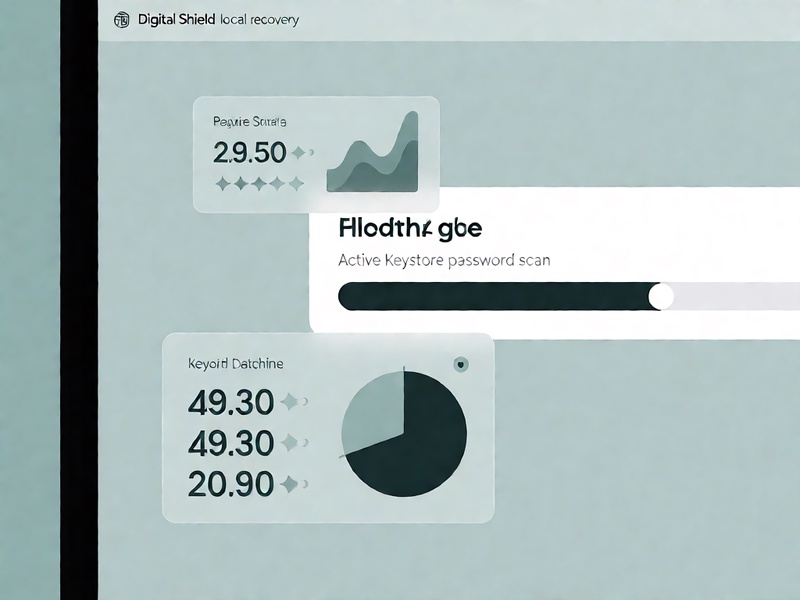
- Customize your recovery parameters: Input any fragments of the password you remember (e.g., base words, common suffixes, approximate length range) to help the tool prioritize high-probability matches. You can also enable the "Rule-Based Variant Generation" setting to include common password patterns (e.g., replacing "o" with "0", adding birth year suffixes) in the scan queue.
- Run the in-memory scan and retrieve access: Start the scan, and Digital Shield will run all password attempts in isolated memory, never writing temporary password data to your hard drive. Once a valid password match is found, the tool will display it directly in your local dashboard, with an option to securely save the recovered password to your built-in encrypted password manager for future use.
Note: Never use online keystore recovery websites that request you upload your file to a public server—malicious actors can easily extract signing keys from these uploads to distribute counterfeit apps under your brand identity.
Common Pitfalls to Avoid During Keystore Password Recovery
Even with a robust tool like Digital Shield, small missteps can slow down your recovery or introduce unnecessary security risk. Be sure to avoid these common mistakes:
- Don’t rely solely on unvetted open-source tools with no memory isolation: Many free keystore crackers write temporary cache files to your hard drive, which can leave your plaintext password or keystore key fragments exposed if your device is compromised.
- Don’t waste time on repeated manual wrong password attempts: While modern keystore files don’t have a hard lockout threshold, repeated manual attempts waste time that could be spent running a targeted smart scan, and some older keystore versions may trigger temporary file corruption after too many invalid input streams.
- Don’t skip the pre-recovery backup: Even with Digital Shield’s read-only file access, it’s critical to have a separate backup of your original keystore in case your device suffers a power outage or hard drive failure mid-scan.
Key Takeaways
Losing access to your keystore password doesn’t have to mean writing off months of app development work or forgoing critical access to your cryptographic infrastructure. Digital Shield eliminates the tradeoff between fast password recovery and data security, by running all recovery operations locally, with no external data transmission, and prioritizing smart, targeted scan logic over time-consuming, unregulated brute-force attempts. By following the step-by-step workflow outlined above, you can restore access to your keystore in minutes, without exposing your sensitive signing keys to unnecessary risk. Moving forward, be sure to store your recovered credentials in a zero-trust encrypted vault, enable multi-factor authentication for access to your keystore files, and run annual access audits to ensure no unauthorized parties can retrieve your signing keys.