MultiDoge is a lightweight Dogecoin wallet that uses deterministic key generation, so its wallet words and seed recovery process sit at the intersection of BIP39 and BIP32. If you have the original seed phrase, recovery is usually a matter of recreating the same deterministic key tree. If you have only partial words, a lost wallet password, or a damaged backup, the problem becomes a careful offline reconstruction task. The blockchain does not store seeds or passwords, so every recovery path depends on rebuilding the right root and deriving the right addresses.
Security comes first: use an air-gapped machine, verify your tools, and never type a seed phrase into a website, chat, cloud note, or online recovery service. For broader checklists and wallet-specific walkthroughs, our Crypto Wallet Recovery Guide keeps the focus on offline safety.
Why BIP32 Matters for MultiDoge Seed Recovery
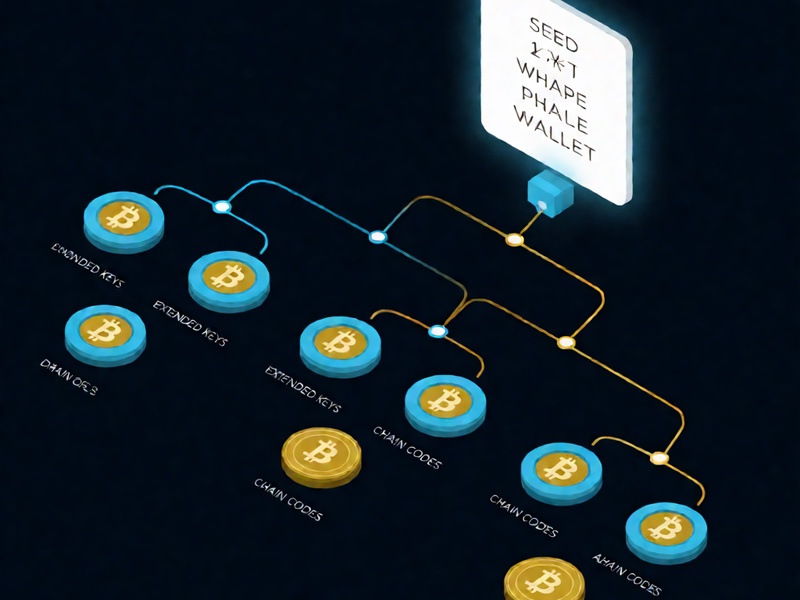
BIP32 defines hierarchical deterministic wallets, often called HD wallets. Instead of generating unrelated private keys, an HD wallet starts with one master seed and derives a tree of child keys. That is why one seed phrase can restore many receiving and change addresses.
At a high level:
- BIP39 converts entropy into a mnemonic phrase, such as 12 or 24 words.
- The mnemonic plus an optional passphrase is stretched into a binary seed, usually with PBKDF2-HMAC-SHA512.
- BIP32 turns that seed into a master extended private key, a chain code, and a derivation structure.
- Child keys are derived along paths, such as account, change, and address index levels.
- Hardened derivation adds a large index offset and prevents certain parent-child key leaks.
For MultiDoge seed recovery, the practical question is simple: can you recreate the same BIP39 seed and BIP32 path that the original wallet used? If yes, the wallet can derive the same private keys and find the same Dogecoin addresses. If no, the wallet may open but show a zero balance because it is looking at the wrong branch of the key tree.
The MultiDoge Recovery Model in Plain English
A typical MultiDoge recovery flow looks like this:
- Enter the wallet words in the exact order and language used at creation.
- Convert those words into a BIP39 seed. If a passphrase was used, it must be entered exactly, including spaces and capitalization.
- Use BIP32 to derive the master key and child keys.
- Derive receiving and change addresses along the wallet's original derivation path.
- Scan the Dogecoin blockchain or a local blockchain copy for transactions tied to those addresses.
- Once the addresses are found, the wallet uses their private keys to sign transactions.
If any input is wrong, the derived addresses will almost certainly be different. That is why recovery is not just about remembering words. It is about remembering or discovering the wallet format, passphrase policy, wordlist, and derivation path.
Paths, Coin Types, and Address Branches
Dogecoin uses coin type 3 under the BIP44 convention. A common Dogecoin path is:
m/44'/3'/0'/0/0
However, MultiDoge is older software and may not always follow the exact BIP44 account structure used by modern wallets. During recovery, test multiple likely paths and account branches. Depending on the tool, useful candidates can include:
m/44'/3'/0'/0/0m/44'/3'/0'/0m/0'/0/0m/0'/0m/0'
If you know one original receiving address, compare it against derived addresses. That is often faster than syncing a full wallet. Also scan several address indexes, because the wallet may have created many unused addresses before the one that received funds. Change branches matter too, since some balances may sit on internal change addresses.
Scenario 1: Full Seed Phrase Is Available
When the full seed phrase is available, recovery is usually straightforward if the wallet format is standard.
Recommended steps:
- Prepare an air-gapped computer or a live Linux USB environment.
- Download MultiDoge or a trusted offline recovery tool from an official source.
- Verify checksums or signatures before running anything.
- Disconnect Wi-Fi, Ethernet, Bluetooth, and other network interfaces.
- Restore the wallet using the wallet words in the exact order.
- Enter the passphrase if one was used. Leave it empty only if you are sure there was none.
- Allow the wallet to sync or rescan the Dogecoin blockchain.
- Confirm that known addresses and balances appear.
- Sweep recovered funds to a new wallet that uses a newly generated seed.
Avoid online seed entry pages, browser extensions of unknown origin, and cloud backup notes. A seed phrase is a spending key, not a password reset code.
Scenario 2: Partial Seed or Unknown Word Order
Partial seed recovery is possible in some cases, but difficulty rises quickly.
- If one or two words are missing and their positions are known, an offline dictionary search may be practical.
- The standard BIP39 wordlist contains 2048 words, so each missing word multiplies the search space by 2048.
- If the word order is unknown, permutations can become enormous, especially for 12 or 24 words.
- BIP39 checksum validation helps eliminate impossible candidates before deriving addresses.
- If MultiDoge used a non-standard wordlist or different mnemonic rules, standard BIP39 tools may fail. Identify the wallet version and wordlist first.
Tools that may help in an offline environment include btcrecover seed recovery modes, custom BIP32 derivation scripts, and carefully written Python search programs. Use known addresses, approximate creation dates, and word hints to reduce the search space. Never run these searches on a machine connected to the internet.
Scenario 3: Wallet Password or Encrypted File
Sometimes the seed phrase is gone but an encrypted MultiDoge wallet file remains. In that case, recovery depends on cracking the wallet password or extracting the necessary data from the file.
- Make multiple copies of the wallet file before experimenting.
- Identify the exact wallet version and file format.
- Extract a compatible hash if the format supports it.
- Use Hashcat or John the Ripper only if a matching hash mode exists.
- Tools such as btcrecover may support some MultiBit or MultiDoge-derived formats depending on version.
- Pywallet can inspect some legacy Bitcoin-family
wallet.datfiles, but Dogecoin and MultiDoge formats require matching parameters.
Password recovery is limited by password strength. A weak password or a small candidate list may be recoverable; a long random password may not be feasible. Always perform cracking attempts offline and record your candidate rules carefully.
Scenario 4: Hardware Damage, File Loss, or No Seed
If there is no seed phrase and no usable wallet file, recovery is generally impossible. The blockchain records transactions, not the private keys or seed that control them. No service can honestly promise to recover funds from nothing.
If a storage device is damaged, professional data recovery may recover files, but it will not recover a seed that was never stored there. For hardware wallets, restore from the seed phrase in a compatible wallet and verify the Dogecoin derivation path. If the seed is lost, the device alone normally cannot restore the wallet after a reset.
Offline Recovery Checklist
Use this checklist before touching meaningful funds:
- Work on an air-gapped machine with no network connection.
- Use a live Linux USB if your main operating system may be compromised.
- Verify software hashes and signatures from official sources.
- Keep the seed phrase on paper or metal, never in photos, email, or cloud storage.
- Record wallet type, derivation path, and passphrase hints in separate secure locations.
- Test the recovery process with a small amount before relying on it.
- After recovery, create a new wallet and move funds to a fresh seed.
Common Mistakes and Misconceptions
- Assuming any 12 words are BIP39. Some wallets use different wordlists, checksums, or mnemonic rules.
- Assuming a seed phrase belongs to only one coin. The same seed can derive many coins through different paths.
- Giving up when a recovered wallet shows zero balance. It may be a path, passphrase, or account branch issue.
- Using online recovery sites because they are convenient. They can steal the exact secret needed to spend funds.
- Believing password cracking can always succeed. Strong passwords may make brute force impractical.
- Treating a MultiDoge wallet file like a standard Bitcoin
wallet.dat. The formats and derivation behavior can differ.
Tools Mentioned in a Safe Context
- MultiDoge itself for native wallet restore.
- An offline copy of a BIP39/BIP32 derivation tool for checking paths and addresses.
- btcrecover for some mnemonic recovery and wallet password scenarios.
- Hashcat or John the Ripper for compatible encrypted wallet hashes.
- Pywallet for inspecting some legacy Bitcoin-family wallet files.
Download tools only from official repositories, verify them, and run them offline. For a wider, security-first workflow, see Crypto Wallet Recovery Guide and its recovery checklists.
Prevention: Make Recovery Boring
The best MultiDoge seed recovery plan is the one you never need.
- Keep multiple backups in separate physical locations.
- Use steel backups for fire and water resistance.
- Consider multisig or Shamir-style splitting for high-value holdings.
- Label backups clearly without exposing the seed itself.
- Document the wallet software, derivation path, and passphrase policy.
- Rehearse a restore before an emergency happens.
- Avoid digital copies, screenshots, and cloud synchronization.
Conclusion
MultiDoge seed recovery under BIP32 is deterministic: mnemonic to seed, seed to master key, master key to child keys, and child keys to Dogecoin addresses. If you can recreate the same inputs and derivation path, you can usually restore access. The hard parts are partial words, missing passphrases, non-standard wordlists, and wrong paths. Work offline, use trusted tools, and never expose your seed. For more wallet recovery guidance and offline methods, visit Crypto Wallet Recovery Guide .