Introduction
Forgetting the password to your O3 Wallet can feel like a crisis. You may worry that your crypto is gone forever. In most cases, it is not, but the solution is different from a normal website password reset. O3 Wallet is a non-custodial wallet, which means the password is stored locally and cannot be reset by O3 Labs or any support team. Your access depends on something more important: your recovery phrase, private key, or wallet backup.
This guide covers practical methods to recover access to an O3 Wallet after a forgotten password. It also explains what to do if you have no backup, how to avoid common scams, and how to prevent this problem in the future.
Key point: The wallet password unlocks the app on your device. The recovery phrase or private key unlocks your funds on the blockchain. If you have the backup, you can usually restore access.
Understand What an O3 Wallet Password Actually Protects
Before you try to recover your O3 Wallet password, it helps to understand what the password is and is not.
- It encrypts local wallet data. The password protects the wallet file stored on your phone or browser extension. It stops someone with physical access to your device from opening the app.
- It is not a server login. O3 Wallet does not keep a copy of your password on a central server, so there is no password reset email or account recovery link.
- It is not the same as your recovery phrase. Your 12-24 word recovery phrase or private key is the true owner of your crypto. Anyone who has it can restore the wallet on a new device and set a new password.
Because of this design, O3 Wallet password recovery usually means restoring the wallet from a backup, not cracking or resetting the original password. If you have no recovery phrase, private key, or backup file, the chance of recovery is extremely low.
Practical Ways to Regain Access to Your O3 Wallet
1. Try Known Passwords Carefully
Start with the simplest possibilities before reinstalling anything.
- Check for Caps Lock, keyboard layout changes, and accidental leading or trailing spaces.
- Try old passwords you commonly used when you created the wallet.
- Search your password manager for O3, wallet, crypto, or the email address linked to the wallet.
- Look in private notes, encrypted files, or a physical notebook where you may have written the password.
Do not keep guessing forever if the wallet is valuable. Some wallets may limit attempts, and too many failed attempts can lock or reset the app. If you are unsure, move to the restore method below.
2. Use an Existing Unlocked Session
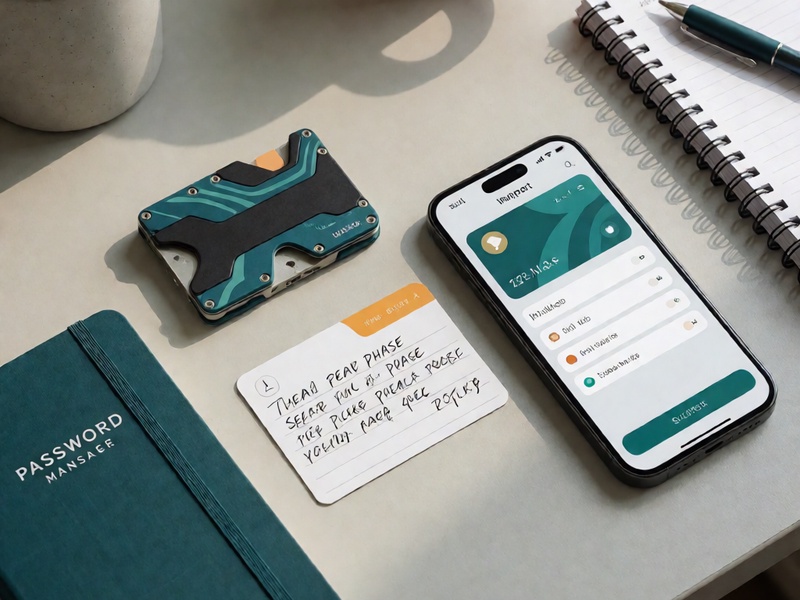
If the O3 Wallet app or browser extension is still open and unlocked, act quickly.
- Go to the wallet settings or security section.
- Find the option to view or back up your recovery phrase or private key.
- Write the backup on paper or another offline medium.
- Create a new wallet with a new password and transfer your funds there if you are worried about the old wallet.
If the app is locked but still logged in on a device with biometric unlock, try using fingerprint or face ID. This may give you enough time to back up the seed phrase before reinstalling.
3. Restore with Your Recovery Phrase or Private Key
This is the most reliable method when you have forgotten the password but still have the wallet backup.
For the mobile app:
- Make sure you have the official O3 Wallet app from the correct app store.
- If needed, uninstall and reinstall the app, or install it on a new device.
- Choose Import Wallet, Restore Wallet, or a similar option.
- Enter your recovery phrase or private key exactly as written.
- Set a new, strong password that you will remember.
- Check that your balances and addresses match your old wallet.
For the browser extension:
- Remove the extension and add it again from the official source.
- Select the import or restore option.
- Enter your seed phrase or private key.
- Create a new password for the extension.
Once restored, your crypto should appear again. The old password is irrelevant because you are rebuilding access from the blockchain backup.

4. Import from a Backup File or Keystore
Some users save an encrypted wallet file, JSON keystore, or exported backup. If you have one, you may be able to import it into O3 Wallet or another compatible wallet.
- Locate the backup file and any password associated with it.
- Use the official import feature in O3 Wallet or a trusted compatible wallet.
- If the file is password-protected and you do not know that password, recovery may not be possible without the original password or seed phrase.
Keep in mind that a backup file is only useful if it is complete and uncorrupted. Test backups before you need them.
5. Contact O3 Wallet Support for Guidance
O3 Wallet support cannot reset your password or restore your funds for you, but they can help with official download links, app behavior, and import instructions.
When contacting support:
- Use only official channels listed on the O3 Wallet website or verified social profiles.
- Never send your recovery phrase, private key, or password to anyone, including support.
- Ask for written steps, not remote access to your device.
Step-by-Step Recovery Checklist
If you want a clear path, follow this checklist:
- Stay calm and secure your device. Disconnect from suspicious networks and avoid installing unknown apps.
- Find your backup. Look for a 12-24 word recovery phrase, private key, keystore file, or exported wallet backup.
- Download the official O3 Wallet. Use the official website or verified app store listing.
- Choose import or restore. Do not create a brand-new wallet unless you intend to start over.
- Enter your backup carefully. Seed phrases are usually lowercase and separated by single spaces. Double-check every word.
- Create a new password. Use a long, unique password and store it in a password manager.

- Verify your assets. Confirm that your addresses and balances match your expectations.
- Move funds if needed. If you suspect the old wallet was exposed, transfer your assets to a new wallet with a new seed phrase.
Common Mistakes and Scams to Avoid
When people search for O3 Wallet forgot password solutions, scammers often appear. Protect yourself by avoiding these mistakes.
- Never share your recovery phrase or private key. No legitimate service needs it to help you recover a password.
- Do not trust password reset services. A non-custodial wallet password cannot be reset by a third party. Anyone who claims otherwise is likely a scammer.
- Avoid phishing apps and websites. Fake O3 Wallet pages can steal your seed phrase when you try to import it.
- Do not store backups in screenshots, email, or cloud notes. These can be hacked or synced to devices you do not control.
- Do not reuse your old wallet password everywhere. If one site is breached, your wallet password could be exposed.
If someone asks for your seed phrase to recover your O3 Wallet password, stop the conversation immediately. That is the clearest sign of a scam.
How to Prevent Future O3 Wallet Lockouts
Once you regain access, take a few minutes to make sure this does not happen again.
- Write down your recovery phrase offline. Use paper or metal backup, and store it in a safe place.
- Use a password manager. Generate and save a strong password for O3 Wallet. You only need to remember the master password.
- Enable biometric unlock. Fingerprint or face ID can reduce the need to type your password every time.
- Test your backup. Restore your wallet on a spare device or in a temporary profile to confirm the seed phrase works.
- Keep multiple secure copies. Store backups in separate physical locations, protected from fire, water, and theft.
- Separate hot and cold storage. For large amounts, use a hardware wallet and keep only spending money in a hot wallet.
Conclusion
Recovering an O3 Wallet password is not about resetting a forgotten login. It is about restoring access with the backup that proves you own the wallet. If you have your recovery phrase or private key, you can usually reinstall O3 Wallet, import the wallet, and set a new password in minutes. If you do not have a backup, there is no reliable or safe way for a third party to recover the password for you.
Act calmly, use only official tools, and never share your seed phrase. With the right backup and a stronger password routine, a forgotten O3 Wallet password becomes an inconvenience, not a permanent loss.