Losing access to a Blixt Wallet can be stressful, especially when Lightning funds are involved. Blixt is a non-custodial, LND-based Bitcoin Lightning wallet. Recovery is not always the same as restoring a standard BIP39 wallet. This guide compares the most useful Blixt Wallet recovery tools and recommends which one to use based on what you still have: a 24-word seed, a channel backup, a wallet file, or only partial memory.
Why Blixt Wallet Recovery Is Different
Blixt Wallet is built on LND and typically uses a 24-word AEZEED recovery seed. AEZEED is not the same as BIP39, so many common BIP39 recovery tools will not work directly. On-chain Bitcoin can usually be recovered from the seed. Lightning funds may also require a Static Channel Backup (SCB) or channel state data. This is why the best Blixt recovery tool depends on your backup situation.
Safety first: never share your seed phrase, wallet file, or passwords with anyone. Run recovery tools on an offline, clean computer whenever possible. Scammers often target people searching for wallet recovery help.
Quick Comparison Table
| Tool | Best For | Blixt Compatibility | Skill Level | Offline Use |
|---|---|---|---|---|
| Blixt Wallet Built-in Restore | Full seed and normal recovery | Native | Beginner | Yes |
| LND + lncli | AEZEED seed restore and SCB | High | Advanced | Yes |
| chantools | Advanced LND and Lightning channel recovery | High | Advanced | Yes |
| btcrecover | BIP39/BIP32 password and seed recovery | Limited / not direct | Intermediate | Yes |
| HashCat | GPU password cracking from hashes | Advanced / custom | Advanced | Yes |
| Ian Coleman BIP39 | BIP39 seed verification and address derivation | Not for AEZEED | Intermediate | Yes |
| Seed Savior | Partial BIP39 mnemonic recovery | Not for AEZEED | Intermediate | Yes |
| FinderOuter | Missing BIP39 words and typos | Not for AEZEED | Intermediate | Yes |
| Pywallet | Legacy Bitcoin wallet.dat recovery | Not for Blixt | Advanced | Yes |
Detailed Blixt Wallet Recovery Tool Reviews
1. Blixt Wallet Built-in Restore - Best Overall for Most Users
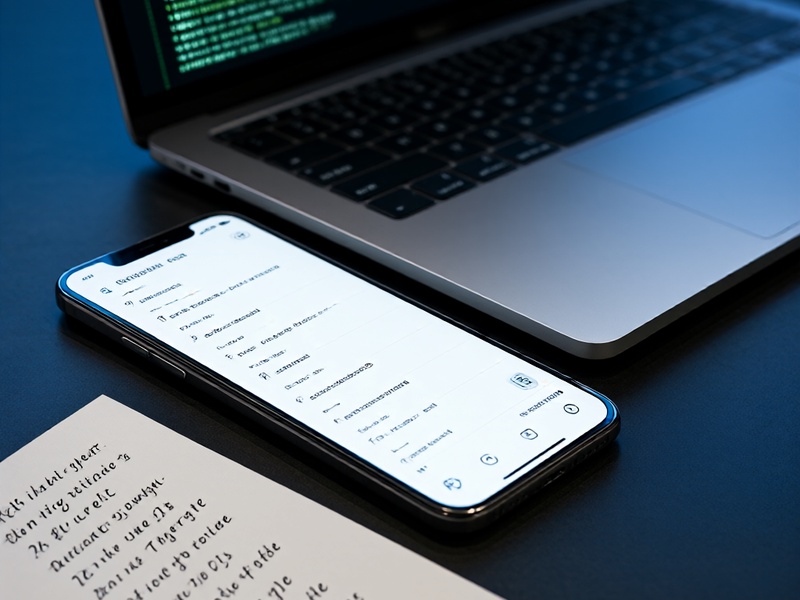
The safest and easiest route is almost always the official Blixt Wallet restore feature. If you have your 24-word seed phrase, you can usually restore your wallet on a new device.
Steps:
- Download Blixt Wallet only from the official website or official app store listing.
- Choose the restore option instead of creating a new wallet.
- Enter your 24-word seed in the correct order.
- Set a new wallet password.
- Restore your channel backup if the app asks for it or if you have an SCB file.
- Wait for chain and Lightning sync, then verify balances.
Pros: Native AEZEED support, handles Lightning recovery better than generic tools, beginner-friendly.
Cons: Requires a complete seed and, for some Lightning funds, a channel backup.
2. LND + lncli - Best for Advanced AEZEED Recovery
Because Blixt is LND-based, advanced users can use LND directly. This is useful if you want more control or if the mobile app restore fails.
A typical workflow involves installing LND, initializing a wallet with your AEZEED seed, and restoring a channel backup with a command such as:
lncli restorechanbackup --multi_file backup.backup
You can then inspect balances with lncli walletbalance and lncli channelbalance.
Pros: Powerful, scriptable, works with LND recovery formats.
Cons: Command-line only, easy to make mistakes, requires a fully synced node or Neutrino setup.
3. chantools - Best for Lightning Channel Recovery
chantools is a well-known collection of LND recovery utilities. It is not a beginner tool, but it can be a lifesaver when normal restoration does not recover Lightning funds. Useful commands include scbforceclose, rescueclosed, forceclose, sweepremoteclosed, and various wallet inspection commands.
Use chantools --help to explore available commands for your version. Always test on a copy of your data and keep your seed and backups secure.
Pros: Recovers channels from backups, force-closes channels, sweeps funds.
Cons: Advanced, command-line, risk of incorrect commands.
4. btcrecover - Best for BIP39 and Password Recovery, Not Direct Blixt
btcrecover is an open-source recovery tool for many Bitcoin and cryptocurrency wallets. It can help recover forgotten passwords, missing seed words, and typos in BIP39 wallets. It supports Electrum, Bitcoin Core, and several other formats.
However, btcrecover does not natively support Blixt AEZEED seeds. Use it if you also have a standard BIP39 wallet or if your Blixt setup exported a compatible seed, which is uncommon. Run it offline.
Pros: Free, open-source, strong for BIP39/BIP32 recovery.
Cons: Not a direct Blixt tool, steep learning curve.
5. HashCat - Best for GPU-Accelerated Password Cracking
HashCat is a powerful password recovery tool that uses CPU or GPU acceleration. If you have an LND or Blixt wallet database and know how to extract the password hash, HashCat may help you brute-force or dictionary-attack a forgotten wallet password.
This is not a seed phrase recovery tool. It requires technical knowledge, a strong GPU, and patience. Success depends on password strength.
Pros: Very fast with GPUs, supports many hash types.
Cons: Complex, not directly designed for Blixt, no guarantee.
6. Ian Coleman BIP39 - Best for BIP39 Seed Verification
The Ian Coleman BIP39 tool is a popular offline utility for deriving addresses and private keys from BIP39 mnemonics. It is excellent for checking whether a 12 or 24-word seed is BIP39 and whether it controls known Bitcoin addresses.
It is not suitable for Blixt AEZEED seeds. If you use it, download the tool and run it offline. Never enter a seed phrase on a live website.
Pros: Great for BIP39 wallets, detailed derivation paths.
Cons: Not for AEZEED, high risk if used online.
7. Seed Savior - Best for Partial BIP39 Mnemonics
Seed Savior can recover missing words from a BIP39 seed phrase. It is useful for standard Bitcoin wallets that follow BIP39. It does not support Blixt AEZEED directly.
Pros: Helpful for partial BIP39 seeds, offline use possible.
Cons: Not for Blixt native seeds.
8. FinderOuter - Best for BIP39 Typos and Missing Words
FinderOuter is another open-source tool for recovering BIP39 seeds with missing or mistyped words. It supports several wallet types but not Blixt AEZEED.
Pros: Good for BIP39 damage control.
Cons: Not a Blixt-specific solution.
9. Pywallet - Best for Legacy Bitcoin wallet.dat
Pywallet is an older tool for Bitcoin Core wallet.dat files. It is not relevant to Blixt Wallet recovery, but it belongs in a complete crypto recovery toolkit for legacy wallets.

Pros: Useful for old Bitcoin Core wallets.
Cons: Not for Blixt or Lightning.
Recommendations by Recovery Scenario
- Full 24-word Blixt seed: Use Blixt Wallet built-in restore first.
- Full seed plus channel backup: Restore in Blixt, then restore the SCB.
- Partial seed phrase: If it is AEZEED, use LND or chantools with expert guidance. If it is BIP39, try Seed Savior or FinderOuter.
- Channel backup only: Use Blixt restore or chantools
scbforceclose. - Wallet database and forgotten password: Consider HashCat or custom scripts, but expect a difficult recovery.
- Lost or broken device: Restore from seed and SCB on a new device.
Safe Blixt Wallet Recovery Workflow
- Stay offline. Use an air-gapped or clean computer if possible.
- Verify every tool from its official GitHub or website.
- Never share your seed, wallet file, or password.
- Make copies of wallet files and backups before running any tool.
- Test recovery with a small amount before trusting the process.
- If the amount is large, consider a professional recovery service with a strong reputation.
How to Prevent Permanent Blixt Wallet Loss
- Write your 24-word seed on paper or metal and store it in multiple secure locations.
- Back up your Static Channel Backup after opening or closing channels.
- Test your restore process before storing significant funds.
- Keep only spending money in Lightning wallets; use hardware wallets for long-term savings.
- Avoid cloud storage unless the backup is strongly encrypted.
- Never type your seed into a website, chat, or email.
Final Thoughts
Blixt Wallet recovery is possible, but it depends on the backups you have. For most users, the built-in Blixt restore is the best and safest option. Advanced users can turn to LND and chantools for AEZEED and Lightning channel recovery. BIP39 tools like btcrecover, Ian Coleman BIP39, Seed Savior, and FinderOuter are valuable for standard wallets but are not direct Blixt solutions. For more step-by-step guides on BIP39/BIP32, MetaMask, Electrum, Ledger, btcrecover, HashCat, Pywallet, and seed phrase recovery, visit Crypto Wallet Recovery Guide.