If you have lost access to your XLM and searched for Stellar wallet recovery software, you have probably seen bold claims. The truth is simpler and stricter: Stellar is a non-custodial network. In most cases, your funds are controlled by a secret key or a recovery phrase, not by a company that can reset your password. The best recovery software is usually a reputable Stellar wallet that can safely import your existing backup. If you do not have that backup, no legitimate tool can recreate it.
Quick Answer
There is no single dedicated Stellar wallet recovery program that works for every situation. The best option depends on what you still have:
- Recovery phrase or secret key: Use a trusted Stellar wallet such as Freighter, Lobstr, Solar, or xBull to restore access.
- Old wallet file and password: Use the original wallet software, such as Stellar Desktop Client, or a reviewed open-source tool only if you fully understand the risks.
- Hardware wallet: Restore with Ledger Live or Trezor Suite using your hardware wallet recovery phrase.
- Custodial exchange account: Contact the exchange. No Stellar recovery software can recover funds held by a third party.
- Only a public address: No software can recover the private key. A public address is not a backup.
- No recovery phrase and no wallet file: Legitimate recovery is practically impossible. Avoid anyone who promises otherwise.
What Stellar Wallet Recovery Software Actually Means
Stellar wallets are usually non-custodial. That means the wallet app does not hold your XLM for you. It simply gives you a way to sign transactions with your secret key. Your recovery phrase or secret key is the real wallet.
Most so-called recovery software falls into one of these categories:
- Wallet restoration features: A normal wallet app imports your recovery phrase or secret key.
- Wallet file decryptors: Tools that open an old encrypted wallet file if you know the password.
- Seed phrase validators: Tools that check whether a recovery phrase is valid, but they cannot recover a missing phrase.
- Blockchain explorers and account viewers: Services that show balances and transaction history for a public address, but cannot restore signing access.
No legitimate Stellar recovery tool can brute-force a lost 24-word phrase or a random secret key. Claims that artificial intelligence, quantum tools, or special recovery services can do this are almost always scams.
Best Stellar Wallet Recovery Options by Situation
1. You Have a Recovery Phrase or Secret Key
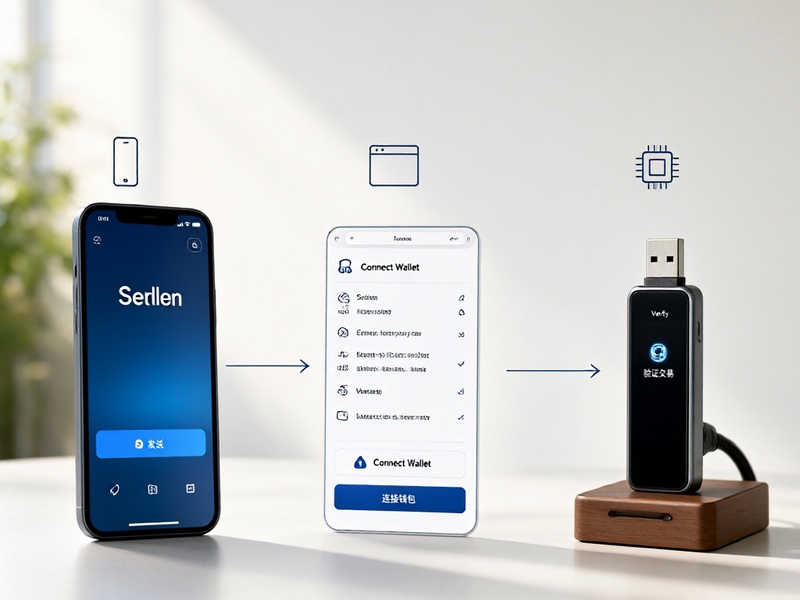
This is the easiest and safest case. You do not need special recovery software. You need a trusted wallet that supports Stellar and lets you import an existing account.
| Tool | Best For | Recovery Method | Platform | Notes |
|---|---|---|---|---|
| Freighter | Browser users | Recovery phrase or secret key | Browser extension | Open-source, clean interface, good for XLM and Stellar assets |
| Lobstr | Mobile beginners | Recovery phrase or secret key | iOS, Android | User-friendly, supports swaps and common Stellar assets |
| Solar Wallet | Desktop and mobile users | Secret key or recovery phrase | Desktop, mobile | Multi-account support and a polished interface |
| xBull | Advanced users | Secret key or recovery phrase | Web, mobile, extension | Open-source and feature-rich |
| Stellar Laboratory | Developers and manual checks | Secret key signing | Web | Not a wallet, but useful for advanced inspection and transactions |
| Ledger Live | Hardware wallet owners | Device seed restore | Desktop, mobile | Best security when paired with a Ledger device |
| Trezor Suite | Hardware wallet owners | Device seed restore | Desktop, web | Strong security when paired with a Trezor device |
For most people, Freighter is a strong choice on desktop, while Lobstr is convenient on mobile. Solar is a good middle ground if you want a desktop and mobile experience. xBull is better for users who want more control and advanced features.
2. You Have an Old Stellar Wallet File
Some older Stellar wallets, including Stellar Desktop Client, stored encrypted wallet files on the user's computer. If you still have the file and remember the password, open the original software and use its import or restore option. Do not upload that file to random websites. If the original software is no longer available, use only a well-reviewed open-source decryptor, preferably offline and after checking the code or getting trusted technical help.
3. You Use a Hardware Wallet
Hardware wallets are designed for secure recovery. If your Ledger or Trezor is lost, damaged, or reset, install Ledger Live or Trezor Suite and restore the device with your recovery phrase. Never type a hardware wallet recovery phrase into a browser wallet, email, chat, or cloud note. The recovery phrase belongs only in the hardware wallet or its official recovery process.
4. Your XLM Is on an Exchange
If your XLM is held on a centralized exchange, you are not using a self-custody Stellar wallet. Contact the exchange support team through its official website. Stellar recovery software will not help because the exchange controls the private keys.
5. You Lost Your Recovery Phrase
If you truly lost your recovery phrase, secret key, and wallet file, there is no reliable software solution. Check old devices, encrypted backups, password managers, paper backups, and safe deposit boxes. Do not share your public address with strangers who claim they can recover your account. They cannot.
How to Choose the Best Recovery Wallet
Use these criteria before importing any Stellar account:
- Open-source code and public audits: Transparency matters when a tool handles secret keys.
- Official website and verified downloads: Fake wallet sites are a common attack vector.
- Non-custodial design: The wallet should never ask you to send funds to a recovery service.
- Strong reputation: Look for long-term community trust, not paid ads.
- Clear import process: You should be able to verify your public address after recovery.
- No secret key requests by email or chat: Legitimate support never asks for your recovery phrase.
- Regular updates: An abandoned wallet may have security flaws.
Safe Step-by-Step Stellar Wallet Recovery
- Prepare a clean device. If possible, use a malware-free computer or a freshly installed browser profile.
- Download from the official source. Type the wallet website manually and verify the domain.
- Install or open the wallet. Choose the import, restore, or recover existing account option.
- Enter your recovery phrase or secret key. Make sure no one is watching and no screen-sharing tool is active.
- Verify the public address. After restoration, confirm that the wallet shows the same Stellar address you expected.
- Check the balance. Use a trusted Stellar explorer if you want a second confirmation.
- Move funds only if needed. If you believe the old key was exposed, create a new wallet and transfer your XLM to the new address.
- Create a new offline backup. Write the new recovery phrase on paper or metal and store it securely.
- Never reuse a compromised key. If someone else may have seen your secret key, treat the account as unsafe.
Common Stellar Recovery Scams to Avoid
Scammers often target people who are already stressed about lost funds. Watch for these red flags:
- Guaranteed recovery for a fee.
- Requests for your secret key or 24-word recovery phrase.
- Fake support agents on Telegram, Discord, X, or Facebook.
- Remote-access requests through AnyDesk, TeamViewer, or similar tools.
- Phishing wallets that look like Freighter, Lobstr, Solar, or xBull.
- Paid browser extensions that claim to recover any Stellar wallet.
- Claims that an AI tool can crack a Stellar secret key.
A real recovery process never requires you to reveal your secret key to another person. If someone asks for it, stop immediately.
FAQ
Is there dedicated Stellar wallet recovery software?
Not in the way most people imagine. Trusted wallet apps can restore access from a recovery phrase or secret key, but no legitimate tool can recover a lost key from nothing.
Which Stellar wallet is best for recovery?
Freighter is excellent for browser use, Lobstr is convenient on mobile, Solar is strong for desktop and mobile, and xBull is good for advanced users. Hardware wallet owners should use Ledger Live or Trezor Suite.
Can the Stellar Development Foundation recover my wallet?
The Stellar Development Foundation does not control non-custodial user accounts. It cannot reset your password or recover your secret key.
Can I recover XLM without a secret key?
Only if a custodial service controls the account and can help you, or if you have an old wallet file and password that can be decrypted with the original software. In a normal non-custodial setup, no.
Are paid recovery services worth it?
Usually not. Most cannot break Stellar cryptography. A legitimate service may guide you through using the right wallet, but it cannot perform impossible recovery.
Final Verdict
The best Stellar wallet recovery software is not a magic recovery tool. It is the trusted wallet that correctly restores your existing backup. If you have a recovery phrase or secret key, use Freighter, Lobstr, Solar, or xBull. If you have an old wallet file, use the original software. If you use hardware, restore through Ledger Live or Trezor Suite. If you have no backup, be extremely careful, because no legitimate Stellar recovery software can create access that the network was designed to prevent.