Introduction
Cardano hardware wallets give you true self-custody of ADA and native assets. They keep private keys offline, but they do not remove the need for a reliable backup. If the device is lost, stolen, damaged, or reset, your recovery phrase is the only way to regain access. This guide explains how Cardano hardware wallet backup and recovery work, what to store, how to restore to a new device, and how to avoid mistakes that can permanently lock your funds.
Why Cardano Hardware Wallet Backup Is Different
A hardware wallet is not a bank account. There is no support team that can reset your password or reverse a transaction. The device is a secure signer, while the recovery phrase is the master backup. Cardano adds important details: wallets use hierarchical deterministic key derivation, typically following CIP-1852, and staking keys, payment keys, and native asset addresses are all derived from the same root seed. That means a correct backup can restore your ADA, tokens, NFTs, and staking rights, but only if you also preserve optional passphrases and understand how wallet interfaces discover accounts.
What You Are Actually Backing Up
When you initialize a Cardano hardware wallet, you are asked to write down a recovery phrase, often 12, 15, or 24 words depending on the device and firmware. This phrase is a human-readable representation of the wallet seed. From it, the device derives every private key and address. You are also backing up the standard used to derive those keys, even if you never write the derivation path on paper. Most Cardano hardware wallet workflows rely on BIP39 for the mnemonic and CIP-1852 for Cardano account structure.
If you enable a BIP39 passphrase, sometimes called the 25th word or hidden wallet passphrase, that passphrase is a second secret. It is not stored on the device and is not part of the recovery phrase. Without it, the restored wallet will open a different set of addresses, usually empty. Your PIN is not a backup. It only unlocks the device. Firmware, app settings, and wallet interface preferences can be reinstalled; the seed and passphrase cannot be guessed.
Before You Back Up: Preparation Checklist
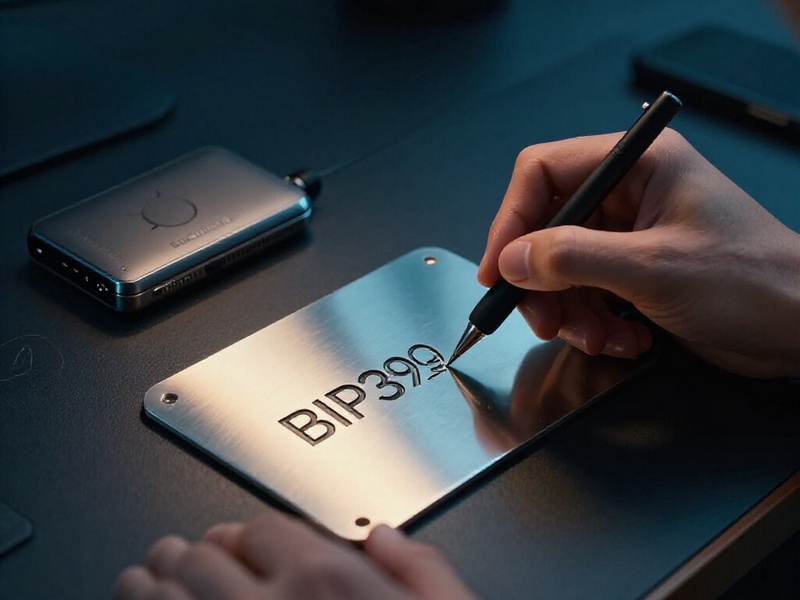
Buy your hardware wallet directly from the manufacturer or an authorized reseller. Avoid used devices, marketplace bargains, and any device that arrives with a pre-written seed phrase. Update firmware using official software. Prepare a pen and a backup medium that resists fire and water, such as a stainless steel seed plate. Choose a private, offline location with no cameras and no smart assistants. Do not photograph your recovery phrase, type it into a computer, store it in cloud notes, email it to yourself, or save it in a password manager. Finally, plan to test the backup with a small amount before moving significant funds.
Step-by-Step: How to Back Up a Cardano Hardware Wallet
- Initialize the device yourself and choose the option to generate a new wallet. Never use a seed phrase supplied by someone else.
- Set a strong PIN that you can remember and that is not easy to guess. The PIN protects physical access, but it does not replace the seed phrase.
- Write the recovery phrase on paper or metal in the exact order shown. Check spelling, spacing, and word order. If the device uses 24 words, do not write only the first 12.
- Complete the device confirmation quiz or verification step. Many hardware wallets ask you to re-enter selected words to prove the backup is correct.
- If you want a BIP39 passphrase, create one and store it separately from the recovery phrase. A passphrase adds plausible deniability, but forgetting it makes the hidden wallet unrecoverable.
- Transfer the phrase to a durable metal backup. Engrave or stamp the words carefully. Test that the plate is readable and that you can reproduce the phrase from it.
- Store at least two copies in separate, secure locations. Avoid labeling them as crypto seed phrases. Consider a safe deposit box, a home safe, and a trusted family member's secure location, depending on your threat model.
- Before large deposits, send a small test amount to the wallet, wipe the device, restore from backup, and confirm that the funds appear. This is the only reliable way to know your backup works.
How to Recover a Cardano Hardware Wallet
Recovery usually means restoring the seed phrase to a compatible hardware wallet. The exact menus vary by brand, but the flow is similar.
Scenario 1: Lost, Broken, or Replaced Device
Obtain a new hardware wallet from an official source. Power it on and choose Restore Wallet or Recover Wallet. Enter the recovery phrase on the device itself, never on a computer keyboard if the device supports on-device entry. If you used a BIP39 passphrase, enter it when prompted or enable the passphrase feature before connecting to a wallet interface. Set a new PIN. Install the official Cardano app for your device. Then connect the device to a compatible Cardano wallet interface such as Eternl, Yoroi, Lace, Daedalus, or another interface that supports your hardware wallet. Add the relevant accounts and allow the wallet to sync with the Cardano blockchain. Your ADA, tokens, NFTs, and staking position should reappear if the seed and passphrase are correct.
If the balance is missing, do not panic. Check that you entered the passphrase exactly, including uppercase and lowercase letters, spaces, and special characters. Confirm that you selected the correct account index. Some wallets scan only the first few accounts, so funds stored in account 10 or account 20 may need to be added manually. Try another compatible wallet interface if your current one does not show the expected addresses.
Scenario 2: Forgotten PIN
A forgotten PIN does not mean lost funds. After the allowed failed attempts, the hardware wallet will reset or wipe itself. You can then restore it using the recovery phrase. If you have a backup, you can set a new PIN and regain access. Without the recovery phrase, the device cannot be recovered.
Scenario 3: Compromised Seed Phrase
If your recovery phrase was exposed, photographed, typed into a phishing site, or stored on an infected computer, treat the wallet as compromised. Create a new hardware wallet with a new seed phrase, then move all ADA and native assets to the new wallet. Do not keep using the old seed phrase, even if the funds are still there. A compromised seed can be used by an attacker at any time.
Scenario 4: Lost or Damaged Backup
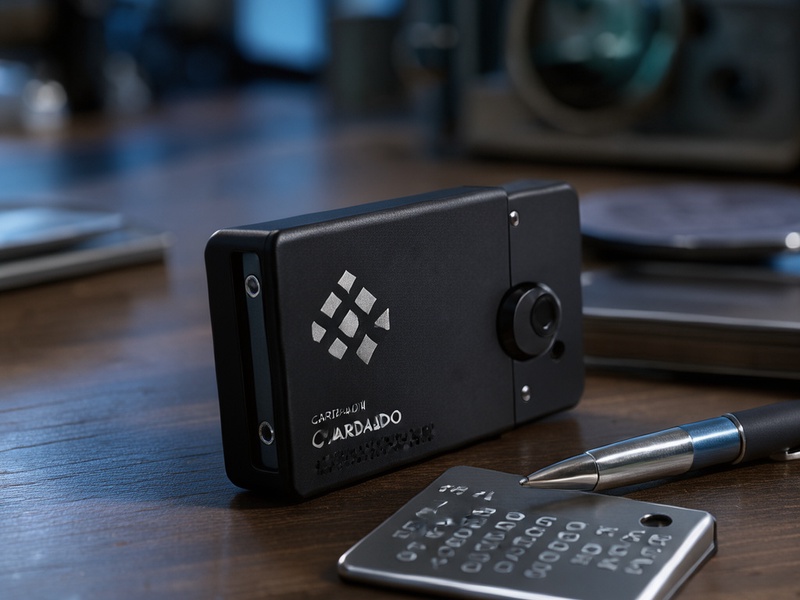
If the only copy of your recovery phrase is lost or damaged beyond reading, recovery is impossible. Cardano has no central authority that can reset your wallet. If a paper backup is partially damaged, do not guess. Use another intact copy. If you have a metal backup, verify it before relying on it. This is why multiple durable backups in separate locations matter.
Scenario 5: Restoring to a Software Wallet
Restoring a hardware wallet seed into a software wallet is risky because the seed leaves the secure element or secure chip environment and may be stored on an internet-connected device. It is also not always compatible. Some software wallets support BIP39 imports, but they may use different derivation paths, account discovery rules, or address types. If you must restore in software, use an air-gapped machine, disconnect from the network, and move funds to a new hardware wallet as soon as possible. The safer approach is always to restore to a hardware wallet.
Cardano-Specific Recovery Notes
Cardano hardware wallets generally derive keys using paths such as m/1852'/1815'/account'/role/index. The 1852 value is the CIP-1852 purpose, and 1815 is Cardano's coin type. The account, role, and index values determine which addresses are generated. A compatible wallet should follow the same standard. If you restore the same seed and passphrase into a properly compatible hardware wallet, you should see the same accounts and addresses.
Staking is also tied to keys derived from the seed. If you delegated your ADA before losing the device, the delegation certificate remains on the Cardano blockchain. After recovery, your stake key should be restored, and your rewards should continue to accrue under the same stake address. Some wallet interfaces may need a refresh, resync, or re-add of the account before the delegation appears. You usually do not need to move funds or re-delegate unless you want to change pools.
Native tokens and NFTs are stored on addresses derived from the wallet. They are not separate accounts. If your seed and passphrase are correct, and your wallet interface scans the right account index, your assets will appear. If you used multiple accounts for organization, remember to check each account.
Security Best Practices for Seed Phrase and Passphrase
Never share your recovery phrase with anyone. Legitimate support teams, wallet developers, and hardware manufacturers will never ask for it. Do not enter it into any website, chat, email, or software wallet unless you fully understand the risk and are performing a deliberate recovery on a secure device. Use a metal backup for long-term durability. Store copies separately so that a single fire, flood, or burglary cannot destroy every backup. Consider Shamir or multi-share backup only if your device and your own operational security can handle it; a complex backup you cannot restore is worse than a simple one you can.
Keep your BIP39 passphrase separate from your recovery phrase. If an attacker finds both, your funds are gone. If you lose the passphrase, your hidden wallet is gone. Use a strong PIN, keep firmware updated, and verify every receiving address on the hardware wallet screen before sending funds. Use a dedicated computer for crypto activity, and be skeptical of unexpected wallet pop-ups, browser extensions, and social media messages.

Common Mistakes to Avoid
The most common mistake is assuming the PIN is the backup. It is not. Another is storing the seed phrase digitally, even as a photo in a locked phone album. Cloud storage, email drafts, and password managers are common failure points. Mixing the passphrase with the seed phrase is also dangerous; keep them apart. Do not buy a used hardware wallet, and do not use a device that came with a seed phrase already written down. Do not skip the recovery test. Do not assume funds are lost just because one wallet interface fails to show them; check the passphrase, derivation standard, and account index first.
Testing Your Backup: The Small-Amount Method
A backup is only useful if it restores correctly. To test it, initialize a new hardware wallet and write down the recovery phrase. Send a small amount of ADA to the wallet. Then wipe the device and restore it from the recovery phrase. If the balance appears and you can sign a small transaction, your backup is valid. If the balance does not appear, stop and fix the backup before adding more funds. After a successful test, you can send the rest of your holdings. For advanced users, a spare hardware wallet can be used for a dry-run recovery, then wiped afterward to reduce risk.
Recovery Checklist
Use this checklist when recovering a Cardano hardware wallet:
- Official hardware wallet from a trusted source
- Correct recovery phrase in the exact order
- Correct BIP39 passphrase, if used
- Cardano app installed and updated
- Compatible Cardano wallet interface
- Correct account index and address type
- Wallet fully synced with the Cardano blockchain
- Staking and rewards checked
- New seed phrase created if the old one was exposed
- Small test transaction signed before moving all funds
Conclusion
Cardano hardware wallet backup and recovery are about preparation, not luck. The device can be replaced, but the recovery phrase and passphrase cannot be recreated by anyone else. Write the seed phrase accurately, store it on durable media in separate secure locations, keep any passphrase separate, and test recovery before you need it. With a solid backup strategy, you can recover your ADA, native tokens, NFTs, and staking position even if your hardware wallet is lost or destroyed. Treat the recovery phrase as the true key to your Cardano sovereignty, and protect it accordingly.