For many wallet users, the seed phrase is the single point of trust. When they search “忘了OpenBlock助记词怎么找回资产,” they are usually facing the same stressful situation: they can no longer access their OpenBlock wallet and need to recover assets safely. The honest answer is that assets can only be recovered through a backup or an alternative control method. If no backup or other key exists, the assets cannot be restored by support, brute force, or a secret recovery service.
First Confirm What Kind of Wallet You Use
OpenBlock-style wallets can work differently depending on the setup:
- Self-custodial wallet: You control the 12, 18, 24, or more mnemonic words. The platform usually cannot reset the password or restore the seed phrase.
- Custodial or account-managed service: The provider controls part of the keys. Recovery may require identity verification and official support.
- Hardware wallet or imported external wallet: You may need the original device, PIN, backup passphrase, or exported recovery data.
- Social recovery or multisig setup: Recovery may be possible through trusted guardians, device passkeys, or a second signing party.
This step matters because the next actions differ completely. A custodial account can often be recovered through official verification. A non-custodial seed phrase cannot be recreated if no backup remains.
What to Do If You Forgot the OpenBlock Seed Phrase
1. Stop and avoid further loss
Before taking action, pause. Many recovery losses happen because users download fake apps, click malicious links, or share secrets with “support agents.” Do not enter any seed phrase on websites that promise to recover lost wallets. Treat unsolicited direct messages and recovery service claims as potential scams.
2. Look for every legitimate backup
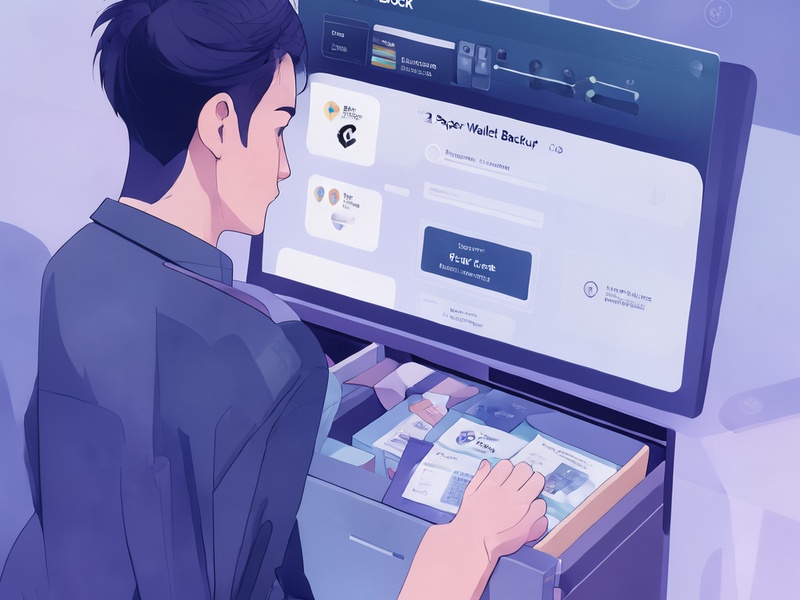
Search for the phrase in places where it may have been saved:
- Paper backup card, notebook, safe deposit box, or printed recovery sheet
- Password manager entry or encrypted notes
- Private email account, cloud note, or encrypted drive
- Old phone, laptop, browser profile, or exported wallet file
- Hardware wallet box, seed plate, or recovery phrase card
- Any backup of a different wallet that may have been reused
If you have a screenshot, photo, or file, verify the words before importing. Do not expose the phrase in public chats, cloud clipboard, or messaging apps. If it was only stored in your browser or local storage, the best action may be to export keys from the original device while it is still unlocked, then store them securely offline.
3. Check for alternative access methods
Forgetting the seed phrase does not always mean losing access. See whether you still have:
- A private key directly exported from the wallet
- A JSON keystore file and its password
- A hardware wallet with the original device PIN
- A biometric or passkey login on a trusted device
- A recovery link, guardian contact, or multisig threshold
- The original account email and identity documents for custodial support
If the original device is still logged in, first try to create a new secure backup. If possible, move critical assets to a newly created wallet with a strong recovery phrase before making further attempts.
4. Contact official support only for custodial accounts
If your OpenBlock assets are stored under a custodial account, the provider may help through account verification. Use only the official website or in-app support channels. Prepare your registered email, identification documents, transaction details, and security questions. Do not send the seed phrase or private key to anyone.
5. If you have only part of the phrase
Partial seed phrases can sometimes be completed by software tools, but the process can be risky. Do not let unknown sites scan your partial phrase. If you know several words but not all, first try to recover them from your own backups, notes, and devices. If you still need assistance, work with reputable security professionals in a read-only or isolated environment, and never share the full phrase.
If There Is No Backup, What Happens?
For a non-custodial OpenBlock wallet, the answer is difficult but important: there is no master password reset. The seed phrase is not forgotten “in a database”; it exists only in your backup. If no copy, screenshot, exported key, device recovery state, or authorized social recovery method remains, the assets are effectively inaccessible. Brute-forcing 12 or 24 words is not practical, and anyone who claims to do it is likely committing fraud.
Safe Recovery Principles
Use these principles during the search:
- Never enter the phrase on untrusted sites.
- Do not trust DM support agents.

- Keep private keys offline.
- Use separate devices and air-gapped storage when possible.
- Verify wallet app updates only through official sources.
- Move assets only after confirming full control of the new backup.
How to Prevent This Situation Next Time
A strong recovery plan reduces the chance of permanent loss:
- Create a clear seed phrase backup during setup and confirm each word.
- Store at least two physical backups in safe locations such as a home safe, safe deposit box, or trusted family location.
- Use encrypted digital backups only as a secondary option, protected with a strong password and two-factor authentication.
- Add a passphrase if you understand how it works; remember that losing the passphrase adds another point of failure.
- Consider multisig or social recovery for large holdings.
- Test your recovery process periodically, without exposing the phrase publicly.
- Document the location of the backup, not the seed phrase itself, for family or emergency access if needed.
Final Takeaway
The key to answering “忘了OpenBlock助记词怎么找回资产” is to distinguish between recoverable access and impossible access. If you still have a legitimate backup, exported key, hardware device, passkey, social recovery path, or custodial account verification route, recovery is possible. If no such backup or control method exists, the assets cannot be recovered, and the safest next step is to stop searching for magical solutions, protect whatever remains, and build a better self-custody practice going forward.