Start with the Right Mental Model
A MetaMask Secret Recovery Phrase is the master key to the wallet accounts derived from it. Anyone who has the phrase can restore those accounts on another device and move funds. The MetaMask password only unlocks the local installation; it is not a backup. Imported private-key accounts are not restored by the Secret Recovery Phrase, so they need separate, equally secure backups.
This guide outlines security-first best practices for MetaMask seed phrase recovery, backup, and restoration. The aim is not only to recover access after a lost device, but to do so without creating new exposure.
Backup Best Practices
1. Write It Down Offline and Verify Accuracy
During wallet creation, MetaMask displays the Secret Recovery Phrase once. Write every word clearly, in order, on paper or a durable backup medium. Double-check spelling, word order, and word count before confirming. Never copy it into a notes app, cloud document, email draft, chat message, or password manager by default; each digital copy expands the attack surface.
2. Use Durable, Tamper-Evident Storage
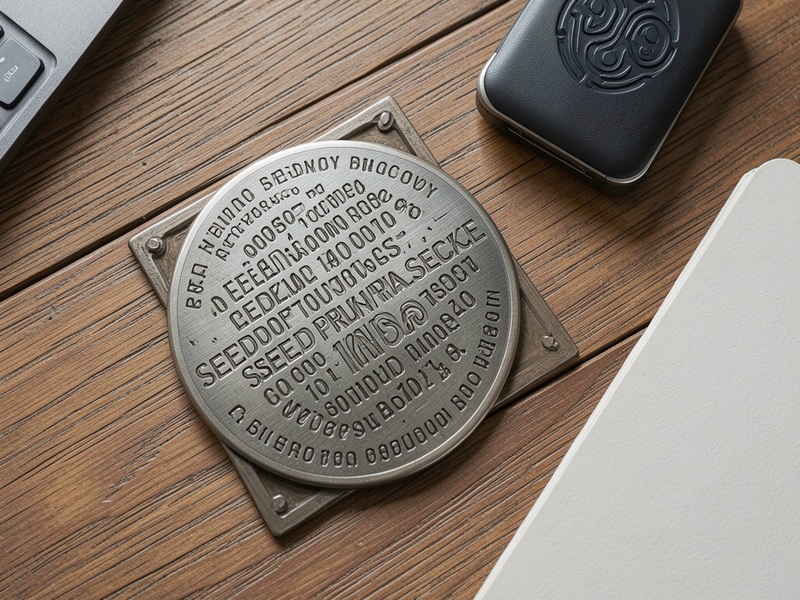
Paper is acceptable for low-value setups, but it can be lost, damaged, or photographed. For meaningful balances, use a fire-resistant and waterproof metal backup plate or stamped metal tiles. Store the backup in a secure location that is not obvious, and consider tamper-evident packaging so you can detect unauthorized access.
3. Keep Multiple Secure Copies in Separate Locations
A single copy is a single point of failure. Keep at least two backups in separate, access-controlled locations, such as a home safe and a bank safe deposit box. Do not label the backup as a seed phrase or crypto wallet. Avoid storing the phrase and the MetaMask password together, because that turns two secrets into one bundle.
4. Avoid Simple Splitting; Use a Proven Scheme If You Must
Splitting the phrase into two halves can make recovery fragile and can increase the chance of loss. If you need geographic redundancy, use a reputable threshold secret-sharing scheme with clear instructions, or rely on a hardware wallet and a carefully designed inheritance plan. Do not invent a custom cipher unless you have tested recovery end to end.
5. Protect Against Social Engineering and Physical Discovery
Never share the phrase with support agents, friends, auditors, or anyone who claims to need it. MetaMask support will never ask for your Secret Recovery Phrase. Be cautious with photos, house cleaners, roommates, and remote-screen sessions. If someone can see the phrase, assume it is compromised.
6. Document the Wallet Map Without Exposing Secrets
Keep an offline inventory of account names, public addresses, networks, tokens, and hardware wallets associated with the MetaMask setup. This helps after recovery because you can compare restored addresses against known records. Store the inventory separately from the seed phrase and never include the phrase itself.
7. Test Recovery Before You Need It
A backup is not real until it has been tested. Before storing large balances, perform a test recovery on a clean device or a separate browser profile using the official MetaMask source. Confirm that the expected account addresses appear. If additional accounts were created, re-add them in the correct order and verify the addresses. If you use imported private keys, test those backups separately.
8. Prefer Hardware Wallets for High-Value Holdings
For significant assets, use a hardware wallet with MetaMask as an interface. The seed phrase should remain offline and should never be typed into a networked computer during routine use. Keep the hardware wallet firmware updated and verify transaction details on the device screen.
Recovery Best Practices
1. Use Only Official Sources
Download MetaMask only from the official website or a verified app store listing. Avoid search ads, sponsored links, and third-party download sites. Check the browser extension details and the official domain before installing. A fake recovery screen is one of the most common ways seed phrases are stolen.
2. Recover on a Clean, Trusted Device
Use a device with updated software, no suspicious extensions, and a trusted operating system. If practical, disconnect from the internet while entering the phrase, then reconnect only after the wallet is restored and verified. Never recover on a shared computer, a device you do not control, or a machine that recently showed pop-ups or unusual behavior.
3. Enter the Phrase Only Inside MetaMask
Open the official MetaMask interface and choose the restore or import wallet option. Type the phrase directly into the MetaMask recovery screen. Never enter it into a website, chat window, email, support form, spreadsheet, or browser console. Do not share your screen while entering it and do not paste it from the clipboard if you can avoid it.
4. Verify Restored Accounts and Addresses
After recovery, compare the restored public addresses with your offline inventory. Recreate additional MetaMask accounts in the same order if needed, and confirm that each address matches. Add custom networks and tokens only from trusted sources. Imported private-key accounts must be restored separately from their own backups.
5. Check Permissions, Approvals, and Connected Apps
If the recovery was prompted by a lost device, suspected malware, or phrase exposure, assume the old wallet may be compromised. Create a new wallet with a new Secret Recovery Phrase, move assets to fresh addresses, and revoke token approvals on the old addresses using a reputable block explorer or approval checker. Do not reuse a compromised phrase.
6. Move High-Value Assets Carefully
After recovery, send a small test transaction before moving large balances. Confirm the destination address on a hardware wallet screen when available. Update recurring payments, staking positions, and connected applications deliberately, and keep records of what was migrated.
Common Mistakes to Avoid
- Taking screenshots of the Secret Recovery Phrase.
- Storing the phrase in cloud notes, email, chat, or unencrypted files.
- Typing the phrase into a website that claims to validate or sync a wallet.
- Sharing the phrase with anyone who offers recovery help.
- Forgetting that imported private-key accounts are not restored by the seed phrase.
- Keeping only one paper copy in a single location.
- Reusing a phrase after it may have been exposed.
Practical Recovery Checklist
- Confirm you are using the official MetaMask source.
- Use a clean, trusted device and close unnecessary browser tabs.
- Retrieve the backup from its secure offline location without photographing it.
- Enter the phrase only in the MetaMask recovery flow.
- Verify restored addresses against offline records.
- Re-add networks, tokens, and additional accounts as needed.
- Test with a small transaction before moving larger balances.
- If exposure is suspected, create a new wallet and migrate assets.
Conclusion
MetaMask seed phrase recovery and backup best practices come down to disciplined secrecy, durable offline storage, and tested restoration. Treat the Secret Recovery Phrase as the master key it is, keep digital copies out of circulation, and verify recovery before an emergency. With a clear backup plan, a clean recovery process, and a willingness to rotate to a new wallet after exposure, users can protect self-custodied assets and recover access with far less risk.