By Crypto Wallet Recovery Guide
If you have forgotten the password to a Samourai Wallet encrypted backup file, you are not alone. Samourai Wallet is a privacy-focused Bitcoin wallet for Android, and its encrypted backups are designed to protect your seed and wallet data. This guide explains how to approach Samourai Wallet password recovery safely, offline, and lawfully. It is intended only for recovering wallets you own or have written permission to access.
Understanding Samourai Wallet Encrypted Backups
Samourai Wallet can export an encrypted backup file that contains sensitive wallet data. The file is protected by a passphrase you chose. Without that passphrase, the backup remains locked. Even if the Samourai Wallet app is no longer available on app stores, the encrypted backup file can still be recovered offline if you can recover the passphrase or crack it with the right tools.
Samourai backups are usually small text files, sometimes with a header, version number, salt, KDF parameters, and encrypted payload. The exact format can vary by backup version. Never share the file, and never upload it to an online service. Anyone who decrypts it may be able to access your Bitcoin.
Before You Start: Safety and Legal Checklist
Only attempt recovery on a wallet you own or have explicit written authorization to recover. Unauthorized access is illegal and unethical.
- Work on an air-gapped computer.
- Make multiple copies of the original encrypted file.
- Verify copies with SHA-256 checksums.
- Use Tails, a Linux Live USB, or a dedicated offline machine.
- Disable Wi-Fi, Bluetooth, and all network connections.
- Never enter your seed, passphrase, or backup into a random website.
- Avoid cloud cracking services, because they expose your encrypted file and possibly your password.
At Crypto Wallet Recovery Guide, we emphasize offline-first recovery. Our other guides cover BIP39/BIP32 mnemonic recovery, MetaMask, MyEtherWallet, Electrum, Ledger, and more.
Step 1: Locate and Preserve the Encrypted File
Search for the backup in common locations:
- Android internal storage, such as Downloads or a Samourai folder.
- Email attachments and cloud drives, but download them to an offline drive and remove cloud copies later.
- SD cards, old phone backups, and computer backups.
- Filenames may contain
samourai,backup,.txt,.json, or.dat.
Once found, copy the file to at least two clean USB drives. Do not edit the original. Work only on copies. If the file is corrupted, try file recovery tools before attempting password cracking.
Step 2: Identify the Backup Format
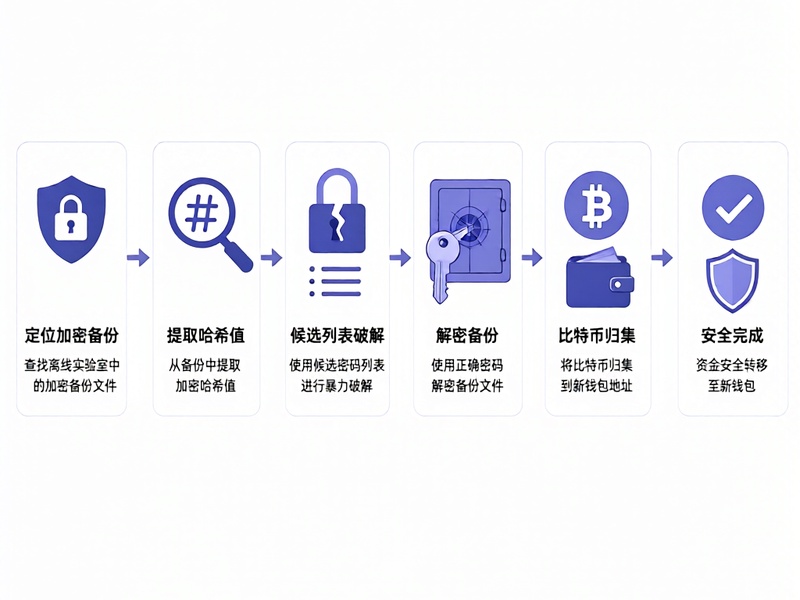
Open a copy in a plain text editor. Do not modify it. Look for:
- A header such as
-----BEGIN SAMOURAI WALLET BACKUP----- - JSON fields, base64 payload, salt, nonce, or iteration count.
- A version number or format identifier.
Understanding the format helps you choose the correct extractor and Hashcat mode. If the format is unclear, check current community documentation or our wallet recovery guide for Samourai-specific notes.
Step 3: Build an Offline Recovery Lab
A safe recovery lab can be simple or advanced:
- An old laptop running Linux or Tails.
- A dedicated NVIDIA GPU for Hashcat, if you need speed.
- Python 3, Hashcat, John the Ripper, and btcrecover.
- A clean USB keyboard and mouse.
- No internet connection.
Install tools from official sources on a separate online machine, then transfer them by USB. Verify checksums before use.
Step 4: Extract a Hash for Cracking
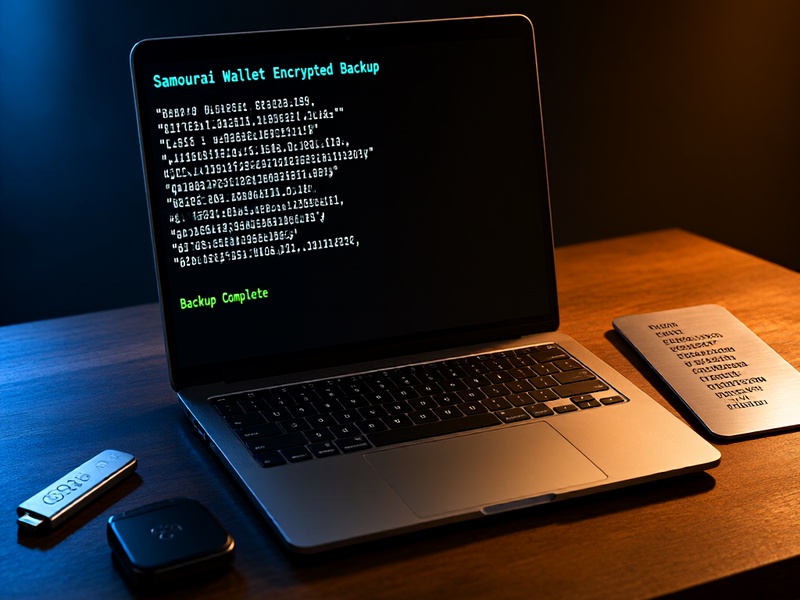
Password recovery tools need a hash or verifier. Depending on the Samourai backup version, you can:
- Use a community extractor such as
samourai2hashcat.pyif available. - Use btcrecover if your version supports
--wallet-type samourai. - Write a custom Python script to parse the salt, iterations, ciphertext, and verification data.
General example, replace placeholders with your actual files and mode:
python3 samourai2hashcat.py samourai-backup.txt > samourai.hash
hashcat -m <mode> samourai.hash wordlist.txt -r rules/best64.rule
If btcrecover supports Samourai wallets in your version:
python3 btcrecover.py --wallet-type samourai --wallet samourai-backup.txt --passwordlist candidates.txt
Always check the latest tool documentation. Modes, flags, and wallet support change over time.
Step 5: Create a Smart Candidate Password List
Brute force only works with good candidates. Start with information only you would know:
- Passwords you commonly use, with case changes.
- Wallet PIN, phone PIN, birthdays, anniversaries, names, and pet names.
- Keyboard patterns such as
qwertyand1qaz2wsx. - Leetspeak:
ato@,oto0,eto3. - Years from 2015 to 2025.
- Combinations of two or three meaningful words.
- Common suffixes:
!,123,2024,!@#.
Expand the list with Hashcat rules:
hashcat --stdout base.txt -r rules/best64.rule > expanded.txt
If you remember the password length, try a mask attack:
hashcat -m <mode> samourai.hash -a 3 ?u?l?l?l?d?d?s
Step 6: Advanced Recovery Options
If simple wordlists fail, move to advanced attacks:
- Hybrid attacks: wordlist plus mask.
- Combinator attacks: combine two wordlists.
- Princeprocessor for passphrase combinations.
- Rule-based attacks with custom rules for your memory fragments.
- GPU cluster or rented GPU only if you can keep the encrypted file and candidates private.
- Custom scripts using PBKDF2, scrypt, or AES decryption.
If you recover only part of a mnemonic, use BIP39 recovery tools such as btcrecover with --bip39. Samourai backups may use strong KDF parameters. If the passphrase is long and random, recovery may be mathematically infeasible. Know when to stop and consider professional help.
Step 7: Verify and Sweep Funds
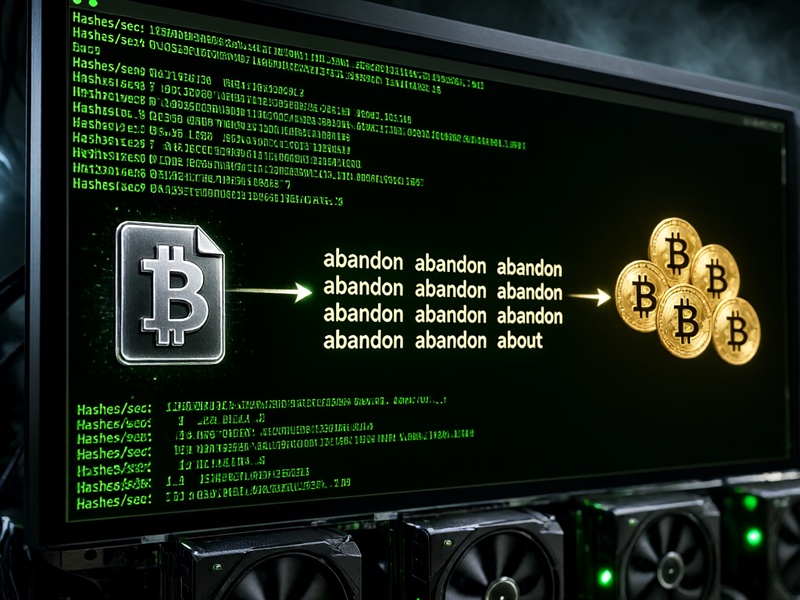
When a tool finds a candidate password:
- Decrypt the backup in your offline environment.
- Confirm the seed, mnemonic, or private keys.
- Import the wallet into a new, secure device.
- Sweep all funds to a new wallet with a new seed.
- Move funds immediately, because the old backup may be compromised.
- Keep the old encrypted backup only if you still need it for records.
Do not broadcast transactions from a compromised device. Use a clean, updated wallet and verify addresses on the device screen.
Step 8: Prevent Future Loss
Prevention is cheaper than recovery:
- Write your seed on metal and store it in multiple secure locations.
- Use Shamir backup or SLIP-39 if your wallet supports it.
- Store the encrypted backup and its passphrase separately.
- Use a reputable password manager with offline backups.
- Test your recovery process before you need it.
- Document the process for your heirs without exposing secrets.
Why Choose Crypto Wallet Recovery Guide?
Crypto Wallet Recovery Guide provides verified, offline-first tutorials for Bitcoin, Ethereum, and major wallets. Our resources cover:
- BIP39/BIP32 mnemonic generation and recovery.
- btcrecover, HashCat, Pywallet, and John the Ripper workflows.
- MetaMask, MyEtherWallet, Electrum, Ledger, and Samourai Wallet.
- Hardware damage, lost files, forgotten passwords, and damaged backups.
Visit our site for step-by-step recovery guides: Crypto Wallet Recovery Guide.
Final Thoughts
Samourai Wallet encrypted file password recovery is possible with the right offline setup, tools, and patience. Start by preserving the original file, build a smart candidate list, and use GPU cracking only on your own backup. If recovery fails, consult a professional and never risk exposing your seed.
Disclaimer: This guide is for educational purposes and lawful recovery of your own wallet. Unauthorized access is illegal.