Losing access to a crypto wallet is stressful. If you forgot the password for your own OneKey wallet, the first thing to understand is that OneKey is non-custodial: there is no central password reset button. Recovery depends on what you still have—your seed phrase, an encrypted backup, your approximate password, or a hardware device with remaining PIN attempts.
This guide explains the legitimate tools and workflows used for OneKey wallet password recovery, how to evaluate them, and how to avoid scams. It is written for wallet owners and authorized recovery professionals. Never use these methods on a wallet you do not own.
Understand what you are recovering
OneKey users often mix up four different secrets:
- App or extension password – encrypts local data but does not replace the seed phrase.
- Seed phrase (12/24 words) – the master backup for standard wallets.
- Passphrase (BIP39 optional word) – creates a hidden wallet; seed alone may not show it.
- Hardware wallet PIN – protects the device and may wipe after repeated failures.
If you have the seed phrase, password recovery is usually unnecessary: import the seed into a trusted OneKey-compatible wallet in a safe environment. If you only forgot the app password but have the seed, restore from seed. If you have neither the seed nor a backup, recovery becomes much harder and sometimes impossible.
Recommended OneKey password recovery tools and methods
1. Official OneKey restore and seed import flows
The safest first step is OneKey’s own restore/import flow. Use official downloads only. On a clean device, consider importing your seed into the official app or a compatible hardware wallet. This is not a password cracker; it is the intended recovery path when the seed phrase is available.
2. Ian Coleman BIP39 tool, used fully offline
The Ian Coleman BIP39 tool is a well-known open-source utility for checking BIP39 seed phrases and deriving addresses. Use it only offline, from a verified download, on an air-gapped computer. It can help verify whether a partially remembered seed phrase is valid and whether it generates the expected addresses. Do not enter a real seed phrase on any online website.
3. btcrecover for partial seed and password recovery
btcrecover is an open-source recovery tool often used for Bitcoin and some Ethereum wallet files. It can help with partial seed phrases, typo correction, and password recovery for supported wallet formats. Support for OneKey-specific encrypted backups may be limited, so verify compatibility before relying on it. Run it offline and use a copy of your backup, never the only copy.
4. Hashcat and John the Ripper for encrypted backups
Hashcat and John the Ripper are general-purpose password recovery tools. They can perform offline dictionary and mask attacks if you have a legally obtained encrypted backup and a supported hash format. They are not point-and-click OneKey tools, and they require technical knowledge. For most users, a professional recovery specialist is safer than building a custom cracking rig.
5. Custom BIP32/BIP39 scripts
Developers sometimes use Python libraries such as bip_utils, mnemonic, and eth_account to generate addresses from seed phrase candidates. This is useful for verifying partial seed memories or checking address derivation paths. It is not a shortcut for guessing an unknown seed phrase. Keep scripts offline, audit them, and test with a throwaway wallet first.
6. Pywallet for legacy wallet files
Pywallet is mainly useful for older Bitcoin wallet.dat files, not for modern OneKey app passwords. It appears in many recovery guides because it can inspect legacy wallet structures. Use it only if you understand the file format and have a backup.
7. Professional recovery services
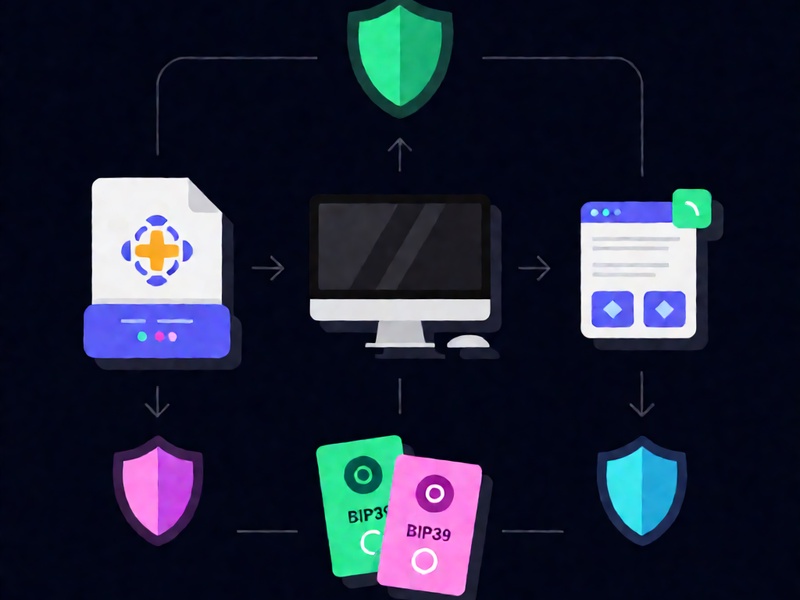
A reputable recovery service can help when the encrypted file is damaged or the password is complex. Choose services that offer a no-recovery, no-fee policy, a written contract, and clear data-handling terms. Avoid anyone who asks for your full seed phrase through chat, remote access to your computer, or payment in crypto before any work is done.
A safe recovery workflow for your own OneKey wallet
- Stop and verify ownership. Confirm you own the wallet and have legal authority to recover it.
- Preserve evidence. Make byte-for-byte copies of wallet backups and store them on offline media.
- Work offline. Use an air-gapped computer for seed and password recovery. Disconnect Wi-Fi and Bluetooth.
- Start with the seed phrase. If available, restore from seed instead of attacking a password.
- List likely password patterns. Use only your own memory and documents. Do not use stolen data.
- Use a test wallet. Verify tools with a small, empty wallet before handling real assets.
- Set realistic limits. Unknown 12-word seeds are practically impossible to brute-force. A short forgotten password with known patterns is more feasible.
- Document attempts. Track candidate passwords and seed variants to avoid repeating work.
- Move funds after recovery. Once access is restored, create a new wallet and transfer assets to fresh keys.
OneKey-specific cautions
- OneKey cannot reset your password because it does not hold your keys.
- If you used a BIP39 passphrase, importing the seed alone may open an empty wallet. You must also recover the passphrase.
- Hardware wallet PIN retry limits can trigger a wipe. Do not guess randomly on a device holding significant funds.
- Encrypted backups may be protected by device-specific or app-specific formats. Generic cracking tools may not support them.
- Cloud backups can be convenient but increase exposure. Keep encrypted offline copies as well.
How to avoid recovery scams
Be skeptical of any service or tool that promises to crack any OneKey wallet instantly, asks for your seed phrase, requests remote access, or demands large upfront crypto payments. Legitimate recovery is technical, time-consuming, and limited by cryptography. A good provider will explain the limits before taking your case.
Prevention is the real recovery plan
The best recovery tool is preparation. Write your seed phrase on durable offline media, test your backup before storing significant funds, use a separate passphrase with a documented recovery plan, and keep multiple encrypted backups in separate locations. For more step-by-step guides on BIP39/BIP32 recovery, MetaMask and Electrum restoration, and offline wallet security, visit Crypto Wallet Recovery Guide.
Final thoughts
OneKey wallet password recovery is possible only when you have enough remaining information: the seed phrase, a supported encrypted backup, or a strong memory of the password pattern. Use official restore flows first, then open-source tools offline, and consider a professional only after careful vetting. Never sacrifice security for speed, and never attempt recovery on a wallet you do not own.