Losing the seed phrase to a Bisq wallet is not the same as losing the password to an exchange account. Bisq is a decentralized, non-custodial trading network — there is no support ticket to file, no password reset email, and no company holding a backup of your keys. If you have lost your Bisq seed phrase, the situation is serious, but it is not always hopeless. Depending on what you still have — a running app, an old laptop, a data directory backup, or even a partial memory of the words — you may still have one last chance to recover your funds. This guide walks through every realistic Bisq wallet recovery path, in order of priority.
Why a Lost Bisq Seed Phrase Is Uniquely Dangerous
Bisq's built-in Bitcoin wallet (based on BitcoinJ) holds your trade funds, security deposits, and mining fee reserves. Three factors make seed loss especially risky here:
- No custodian: The Bisq network cannot freeze, reset, or restore your wallet. There is no admin key.
- Funds may be locked in multisig: BTC committed to open offers or ongoing trades sits in 2-of-2 multisig addresses. Even with a working wallet, you need protocol cooperation to unlock them; without any wallet access at all, they may be permanently stuck.
- BSQ and DAO stake: If you hold BSQ, losing your keys means losing its trading-fee and governance utility forever.
The flip side: because Bisq stores everything locally, your recovery odds depend entirely on what data still exists on your devices — not on anyone else's permission.
Step 1: If Bisq Still Runs, Act Immediately
This is your single best scenario, and many users don't realize it: you do not need your written seed phrase if the application still opens.
- Go to Account → Wallet Seed and write down the 12 words plus the wallet date shown on screen. Verify every word twice against the official BIP39 spelling.
- Don't stop there: first complete or close any open offers and trades, then use the wallet's send function to move all BTC to a fresh wallet you fully control — for example, a new Electrum wallet or a hardware wallet.
- Only after the evacuation should you worry about rebuilding a clean setup.
Evacuate, Don't Repair
Think of this as an evacuation, not a repair. The seed words are the building; the coins are the occupants. Get the occupants out first, then worry about the architecture.
Step 2: Recover From the Bisq Data Directory
If Bisq won't start, or you've switched machines, your next lifeline is the data directory — the folder where Bisq keeps the wallet file, trade state, and its own automatic backups.

Default locations:
- macOS:
~/Library/Application Support/Bisq - Windows:
%APPDATA%\Bisq(typicallyC:\Users\<you>\AppData\Roaming\Bisq) - Linux:
~/.local/share/Bisq
Inside, the critical file is the wallet file (commonly bisq_BTC.wallet under the btc_mainnet path, varying slightly by version). Bisq also maintains rolling wallet backups in the same area and supports restoring a full data-directory backup from within the app.
Recovery playbook:
- Search every device and drive that ever ran Bisq: old laptops, external HDDs, USB sticks, disk images, Time Machine or Windows File History snapshots.
- If you find a data directory, copy the entire folder — never move your only copy — place it at the default path on your current machine, and start Bisq. If it opens, return immediately to Step 1 and evacuate the funds.
- If you find only the
.walletfile, you still have a strong option — proceed to Step 3.
Do this work offline wherever possible, and never upload the wallet file to any website or send it to strangers offering "recovery services."
Step 3: Use the Emergency Wallet Tool
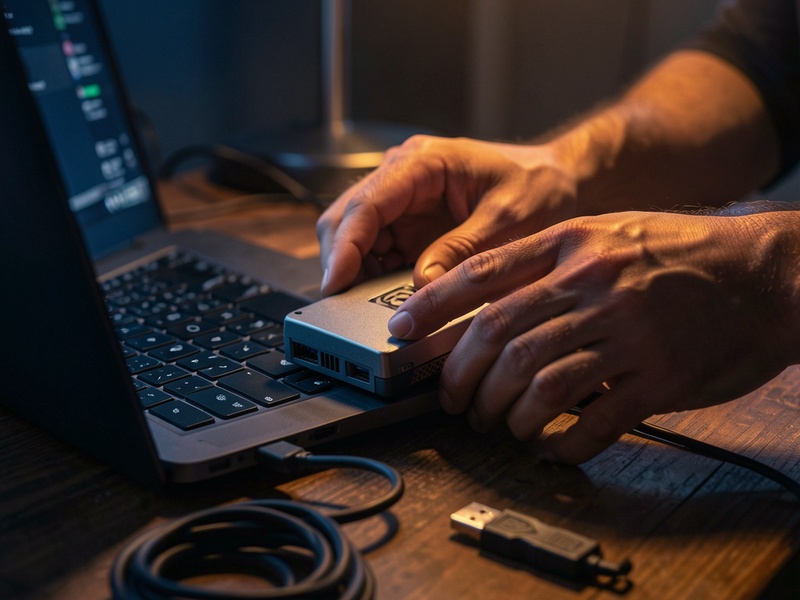
Bisq maintains an open-source emergency wallet tool — a small BitcoinJ-based utility that reads your wallet file directly and sweeps the balance to any address you choose, without needing the full Bisq application to run.
Typical flow:
- Download or build the tool only from the official Bisq GitHub organization; verify signatures where provided.
- Run it offline against a copy of your wallet file, keeping the original untouched.
- Enter a destination address you control, generate the sweep transaction, and broadcast it — you can relay the signed transaction from an online machine afterward.
This is the classic "last resort" for users whose app is corrupted but whose wallet file survived. At Crypto Wallet Recovery Guide (/), we publish detailed, offline-first walkthroughs for tools in exactly this category, and the same safety discipline always applies: verify downloads, work on copies, and keep key material off networked machines until the moment you broadcast.
Step 4: Partial Seed Phrase Recovery
Maybe you wrote down 10 of 12 words, or you have all 12 but doubt the order, or one word is smudged. This is far more recoverable than most people assume, because the BIP39 standard embeds a checksum that eliminates the vast majority of invalid combinations.
When Partial Recovery Works Well
- Missing 1–3 words: A tool like btcrecover, run offline with the official 2048-word English wordlist, can brute-force the gaps in minutes to days depending on the gap count.
- Wrong order: Knowing all the words but not the sequence sounds hopeless, yet the checksum prunes nearly all permutations, making it computationally feasible.
- One wrong or misspelled word: Typos usually map to a nearby wordlist entry, and checksum filtering finds it quickly.
The workflow: install btcrecover on an air-gapped machine, enter your partial seed with placeholders, and give it a known address from your Bisq wallet so it can verify matches. If you've never done this, the step-by-step btcrecover tutorials at Crypto Wallet Recovery Guide cover missing words, seed typos, and passphrase mistakes in depth.
When It Doesn't
Honesty matters here: if you remember zero words and have no wallet file and no backup, brute-forcing a full 12-word seed is computationally impossible. Anyone claiming otherwise is selling something.
Step 5: Funds Locked in Open Trades or Offers
The hardest case. BTC in active trades lives in a 2-of-2 multisig with your trading peer, and deposits on open offers are similarly encumbered.
- If you recover any working wallet state (Steps 1–3) with trade data intact, you can complete or close trades normally, or request mediation/arbitration so funds release through the delayed payout transaction.
- If the data directory is gone entirely, your peer can still be reimbursed by the arbitrator after the trade period expires — but your side of the deposit may be unrecoverable without your keys. This is exactly why evacuation speed matters.
What NOT to Do
In the panic after losing a seed phrase, users make irreversible mistakes:
- Never type seed words into a website, "validation tool," or cloud document. Online seed checkers are harvesters.
- Never share your wallet file or partial words with anyone DMing you "recovery help." Scammers monitor forums for precisely this situation.
- Don't reinstall Bisq on the only machine holding the data directory before copying the folder — reinstalls can overwrite critical files.
- Don't brute-force on a cloud VM. Seed material touching a third-party server is a compromise, even if recovery succeeds.
Lock It Down: Never Need This Guide Again
Once you've recovered — or rebuilt — your setup:
- Write the 12 words on paper, then stamp them into steel. Paper burns; steel doesn't.
- Keep copies in two geographically separate locations, and consider Shamir-style splitting for large balances.
- Export a full data-directory backup after every trade cycle and store encrypted copies on two external drives.
- Record the wallet date alongside the seed — Bisq asks for it during restore, and it dramatically speeds up the rescan.
- Test your backup: restore on a spare machine once a year. A backup you've never tested is a rumor.
Frequently Asked Questions
Can Bisq support recover my seed phrase?
No. Bisq is a decentralized protocol; no one involved with Bisq has ever seen your keys. Anyone claiming to be "Bisq support" offering recovery is a scammer.
I have the seed but forgot the wallet date. Am I stuck?
No. The date only optimizes the blockchain rescan. You can estimate it or rescan from genesis — recovery still works.
Does this apply to Bisq 2?
Bisq 2 uses a different architecture and backup model, but the core principle is identical: the keys live with you, so your backups are your only safety net.
Final Word
A lost Bisq seed phrase is a race against your own remaining data: a running app, a wallet file, a backup drive, or a partial piece of paper. Work through the steps above methodically, offline, and without trusting strangers. And if you need deeper tooling tutorials — from btcrecover wordlist attacks to hardware wallet restores — Crypto Wallet Recovery Guide (/) maintains a full library of verified, safety-first recovery playbooks. Your last chance is often better than you think — but only if you take it carefully.