A damaged Zeus hardware wallet can feel like a catastrophe, but panic is the enemy of recovery. Whether the device has a cracked screen, a dead USB port, water damage, or a failed secure element, the right response depends on one question: do you still control the recovery phrase, PIN, and any passphrase associated with the wallet? This guide explains the realistic options for private key extraction and wallet recovery, the risks to avoid, and the ethical and legal boundaries that should govern every step.
1. Stop, Document, and Preserve Evidence
Before any repair attempt, stop powering the device repeatedly. Further power cycles can worsen electrical faults or corrupt evidence if professional forensics become necessary.
- Photograph the device, screen, ports, and any error messages.
- Record the wallet model, firmware version if known, purchase date, and prior symptoms.
- Keep the device in an anti-static bag or clean dry container.
- Do not open the case, heat the board, or connect it to unknown software.
If the wallet contains significant funds, treat the device as a forensic artifact rather than a DIY project.
2. Understand What a Hardware Wallet Protects
A modern hardware wallet such as a Zeus device is designed so the private key never leaves the secure element in plaintext. The recovery phrase is the primary backup. The PIN, and often an optional passphrase, unlock or derive the wallet. A damaged device may fail at several different layers:
- Physical damage: broken display, damaged USB connector, water ingress, or cracked PCB.
- Electrical damage: failed power regulation, short circuit, or unstable USB communication.
- Firmware or secure-element failure: boot loop, corrupted firmware, locked chip, or failed self-test.
- User-access failure: lost PIN, lost recovery phrase, or forgotten passphrase.
The recovery path changes dramatically depending on which layer has failed. A dead screen does not necessarily mean the private key is lost; a lost recovery phrase is a much more serious problem.
3. The Safest Route: Restore from the Recovery Phrase
If you have a verified recovery phrase, you usually do not need to extract the private key from the damaged device at all. Restore the wallet to a new, reputable hardware wallet or a trusted offline software wallet in a secure environment.
Key precautions:
- Use only the official manufacturer documentation and verified firmware.
- Never enter the recovery phrase into a website, chat, email, or cloud note.
- Restore in a private room without cameras or networked devices.
- Verify the recovered addresses against your records before moving funds.
- Send a small test transaction first.
- After migration, generate a new recovery phrase and move remaining assets to the new wallet.
This approach avoids invasive extraction and reduces exposure. For most owners, seed-phrase restoration is faster, safer, and more reliable than repairing the original device.
4. If You Do Not Have the Recovery Phrase
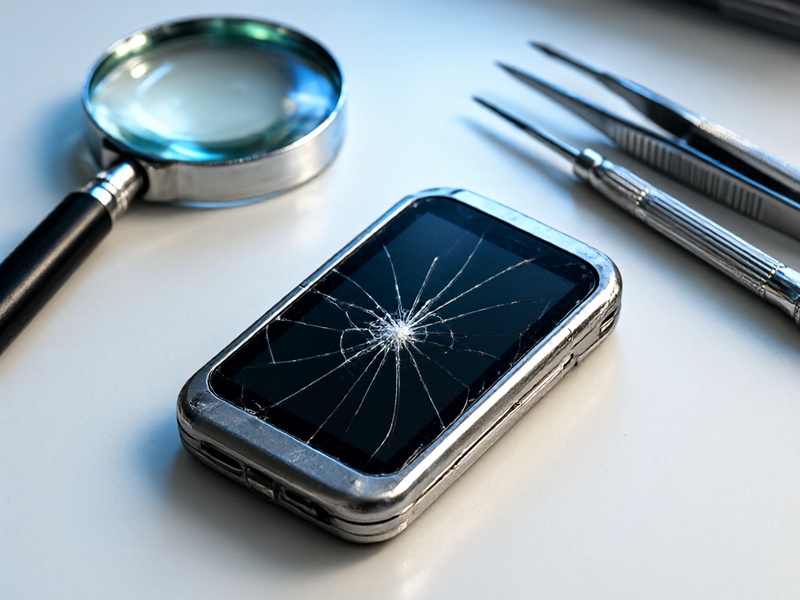
Without a recovery phrase, recovery becomes a specialist data-recovery and forensics problem. It is not a simple software task, and it may not be possible at all. In a Zeus hardware wallet, the private key is likely stored encrypted inside a secure element or protected microcontroller. A professional recovery attempt may involve:
- Non-destructive diagnosis of the board and power system.
- Authorized firmware analysis through manufacturer-supported channels.
- Secure-element access only with proof of ownership and legal authorization.
- Controlled data extraction from memory or backup partitions, if the architecture permits it.
Do not attempt chip-off, voltage glitching, or brute-force PIN attacks unless you are an authorized professional working within the law. These techniques can permanently destroy the device, expose secrets, or create legal liability. They can also be used maliciously, which is why responsible recovery services require strict ownership verification.
5. Use Manufacturer Support and Authorized Recovery Services
Contact the wallet manufacturer first. Ask specifically about:
- Warranty and repair options.
- Whether the company offers an official recovery or migration service.
- Which data is recoverable after physical or electrical damage.
- How proof of ownership is verified.
- What security controls protect the device during transport and repair.
Choose a recovery provider with transparent chain-of-custody, insurance, secure facilities, and written procedures. Avoid unknown services that promise guaranteed private key extraction, request your seed phrase, or ask you to ship the device without a documented process. A legitimate provider will never need your recovery phrase to diagnose a damaged device.
6. Legal and Ethical Boundaries
Private key extraction is only appropriate for the lawful owner of the wallet. Before any recovery attempt, be prepared to prove ownership through purchase records, wallet addresses, transaction history, or other evidence. Unauthorized access to a hardware wallet is theft, even if the device was found or purchased secondhand.
If the wallet is part of an estate, business, or dispute, involve legal counsel and document every action. Recovery professionals should follow applicable laws, data-protection rules, and chain-of-custody requirements.
7. Common Mistakes That Make Recovery Harder
- Repeatedly powering a damaged device.
- Connecting the wallet to random repair software.
- Sharing the recovery phrase with a helper.
- Buying a used replacement device without verifying its firmware.
- Skipping the test transaction after restoration.
- Leaving old approvals or connected apps active after migration.
8. After Recovery: Secure the New Setup
Once funds are accessible, treat the old wallet as compromised until proven otherwise. Generate a fresh wallet, write the new recovery phrase on durable metal backup, store it in multiple secure locations, and test restoration before relying on it. Revoke token approvals, update account permissions, and monitor addresses for unexpected activity.
Conclusion
A damaged Zeus hardware wallet does not automatically mean lost funds. If the recovery phrase is available, restore to a new device in a secure environment. If it is not, work with the manufacturer or an authorized forensic recovery provider and accept that extraction may be impossible or impractical. The safest strategy is disciplined, legal, and professional—never a rushed attempt that risks both your assets and your security.