Losing your Exodus mnemonic phrase can feel like a disaster. Exodus is a non-custodial wallet, which means your 12-word secret recovery phrase is the master key to your funds. Exodus support cannot reset it or recover it for you. The right emergency response depends on what you still have: the device, the app password, a partial phrase, or a backup.
This guide from Crypto Wallet Recovery Guide walks you through urgent actions, safe recovery options, and prevention. All serious recovery work should be done offline.
First 10 Minutes: Emergency Checklist
- Do not uninstall, reset, or update Exodus. Uninstalling can destroy local wallet data that might still be useful. Do not wipe the device.
- Check every possible backup. Look for paper backups, metal seed plates, password manager entries, encrypted cloud notes, photos, email drafts, safes, and family storage. Search for 12 words, not just the word Exodus.
- If Exodus still opens, move funds to a new wallet now. Treat the old wallet as compromised. Create a new wallet on a clean device or hardware wallet, back up the new phrase, and transfer all assets.
- If the device is lost or stolen, assume the wallet is at risk. Crypto transactions cannot be reversed. Secure your email, exchange accounts, and any related passwords.
- Never share your phrase or private keys. No legitimate support agent, recovery service, or moderator will ask for your 12 words.
Understand What You Lost
Exodus uses a 12-word BIP39 mnemonic phrase. This phrase restores all accounts and addresses in the wallet. The Exodus password is different: it encrypts the local wallet file on your device.
- Lost phrase but have device and password: You may still be able to open the wallet and move funds, but you must migrate to a new wallet immediately.
- Lost password but have phrase: Restore the wallet from the phrase and set a new password.
- Lost phrase and lost device: Recovery is usually impossible unless you have a backup of the wallet file and the password.
- Partial phrase: Recovery may be possible with offline BIP39 tools if only a few words are missing.
Scenario 1: You Still Have the Device and Password
If Exodus opens on your device:

- Go to Settings > Security > Recovery Phrase and check whether Exodus will display the phrase. You may need your password.
- If the phrase is visible, write it down on paper or metal immediately. Do not photograph it or store it in an unencrypted digital file.
- Create a new wallet on a clean, trusted device or hardware wallet. Back up the new recovery phrase.
- Send a small test transaction first, then transfer the rest of your assets.
- After confirming the transfer, wipe the old wallet and revoke any related permissions.
If Exodus does not display the phrase, you may still be able to export private keys for some assets. Use only official Exodus features. For long-term safety, migrate to a new wallet with a known, backed-up phrase.
Scenario 2: You Have a Partial Mnemonic Phrase
If you remember most of the 12 words but are missing one or more, do not give up immediately. BIP39 phrases have a built-in checksum, which can help validate guessed combinations.
Safe offline recovery steps:
- Write down every word you remember and its exact position. Exodus uses the BIP39 English wordlist by default.
- List likely candidates for missing words based on memory, spelling, and context. Remember that BIP39 words are unique in their first four letters.
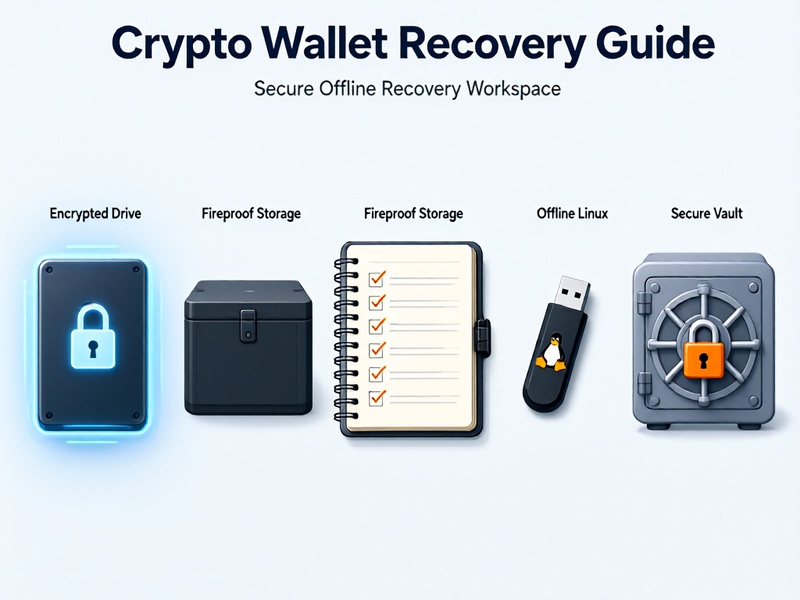
- Use an air-gapped computer with no internet connection. Boot from a clean Linux USB if possible.
- Use open-source recovery tools such as btcrecover, an offline BIP39 mnemonic converter, or a custom Python script that validates checksums and derives addresses.
- Compare derived addresses with a known Exodus receiving address. If you find a match, move funds to a new wallet immediately.
Do not use online seed recovery websites. They can steal your funds. Do not enter your phrase into a chat, cloud note, or support ticket.
Scenario 3: You Have the Wallet File but Forgot the Password

Exodus stores encrypted wallet data locally. If you have the device or a backup of the Exodus data folder, preserve it before doing anything else.
Common Exodus data locations:
- Windows:
%APPDATA%\Exodus - macOS:
~/Library/Application Support/Exodus - Linux:
~/.config/Exodus
Copy the entire folder to an encrypted external drive. Do not overwrite or delete the original. If you have the recovery phrase, simply restore from the phrase. If you do not have the phrase, password recovery may be possible with offline brute-force tools such as HashCat, btcrecover, or custom scripts. Success depends on password strength and your hardware. This is an advanced process, so proceed carefully and stay offline.
Scenario 4: Device Lost or Damaged and No Phrase
If you have no recovery phrase, no wallet file, and no password, there is no technical way to recover the wallet. The blockchain has no reset button. Exodus cannot recover the phrase for you.
Anyone who claims they can recover your funds without a phrase or wallet file is almost certainly a scammer. Do not pay upfront fees. Do not grant remote access. Do not send crypto to a recovery service.
Safe Recovery Rules
- Work offline whenever possible.
- Never share your mnemonic phrase or private keys.
- Download tools only from official or trusted open-source repositories.
- Verify checksums and signatures before installing anything.
- Use a clean, malware-free computer.
- Test recovery with a small amount before moving your full balance.
- Keep backups in multiple secure locations.
Prevention After Recovery
Once your funds are safe, build a stronger backup system:
- Store your seed phrase on fireproof metal, not only paper.
- Keep multiple copies in separate geographic locations.
- Consider Shamir backup or multisig for high-value holdings.
- Use a hardware wallet for long-term storage.
- Test your backup by restoring a small wallet before you need it.
- Keep your Exodus password strong and unique, but remember that the phrase is more important than the password.
How Crypto Wallet Recovery Guide Can Help
At Crypto Wallet Recovery Guide, we provide detailed, safety-first tutorials for Exodus, MetaMask, MyEtherWallet, Electrum, Ledger, and other major wallets. Learn how BIP39 and BIP32 work, how to recover partial 12-word and 24-word phrases, how to use btcrecover, HashCat, Pywallet, and other open-source tools, and how to design a backup strategy that prevents permanent loss.
Whether you are a beginner or an advanced user, our guides cover basic troubleshooting, offline dictionary attacks, hardware wallet recovery, and advanced scripting. Visit us now to get the complete crypto wallet recovery playbook.
Final Thoughts
If you lost your Exodus mnemonic phrase, act quickly and safely. If the app still opens, migrate to a new wallet. If you have a partial phrase, try offline BIP39 recovery. If there is no phrase and no device, do not trust scammers. Secure what remains, learn from the incident, and build a better backup system for the future.