As the official wallet of the MultiversX (formerly Elrond) ecosystem, Xportal stores thousands of users’ EGLD tokens, NFTs, and DeFi assets. Unlike custodial wallets, Xportal is non-custodial: only you hold the 12 or 24-word BIP39 seed phrase that grants access to your funds. If you’ve partially lost or forgotten your seed phrase, an offline dictionary attack is one of the only safe, reliable ways to regain access — no risky online tools, no third-party access required.
What Is Xportal and Why Seed Phrase Recovery Matters?
Xportal is the go-to wallet for MultiversX users, supporting mobile, desktop, and browser-based access to the chain’s full suite of features. Your seed phrase is the master key to your wallet: if you lose your device or uninstall the app, you can only restore your wallet with this unique sequence of words.
Common reasons users need seed recovery include:
- Damaged or smudged paper backups with missing words
- Partial memory loss of the seed phrase sequence
- Misordered words from a handwritten backup
Because Xportal is non-custodial, the support team cannot reset or recover your seed phrase for you. This makes DIY recovery with secure offline methods the only viable option for users with partial seed information.
What Is an Offline Dictionary Attack for Seed Recovery?
Important Legal & Ethical Note: This guide is intended solely for recovering seed phrases for wallets you own or have explicit written legal permission to access. Unauthorized attempts to access others’ crypto wallets violate cybersecurity and theft laws in nearly every country, carrying fines and felony prison sentences.
An offline dictionary attack for seed recovery is a targeted, permissioned process that uses a custom list ("dictionary") of candidate seed phrases to find the one matching your known public wallet address. Unlike malicious brute-force attacks that try every possible combination (a mathematically impossible task for 12+ word BIP39 seeds), dictionary attacks rely on clues you provide about your seed to narrow down candidates drastically.
Key benefits of offline dictionary attacks for Xportal recovery:
- 100% air-gapped: No seed data ever touches the internet, eliminating phishing and hacking risks
- Checksum-optimized: BIP39 seeds include a built-in checksum, so invalid candidates are automatically discarded, cutting recovery time by ~90%
- Fully user-controlled: You never share your seed or partial seed with any third party
Prerequisites for a Successful Recovery
Before you start, gather these required items to maximize success and security:
- Your Xportal wallet’s public address (used to verify candidate seeds; this is public on-chain information and poses no security risk)
- Partial known details about your seed phrase (e.g., 7 out of 12 words, fixed positions for certain words, word length/starting letter clues, or confirmation all words follow the BIP39 standard)
- An air-gapped (internet-isolated) computer (e.g., an old laptop with Wi-Fi/Bluetooth hardware removed, or a fresh OS install with all network drivers disabled)
- A brand-new or fully wiped USB drive to transfer offline tools (never use a drive that has been connected to an untrusted internet-connected device)
- Open-source recovery software: We recommend
btcrecover, a community-audited tool that supports BIP39 wallets including Xportal/MultiversX
Step-by-Step Guide to Recover Xportal Seed with Offline Dictionary Attack
Follow these steps carefully to ensure security and maximize your chance of recovering your seed.
Step 1: Set Up Your Air-Gapped Workstation
First, prepare a completely offline computer to avoid any risk of seed leakage:
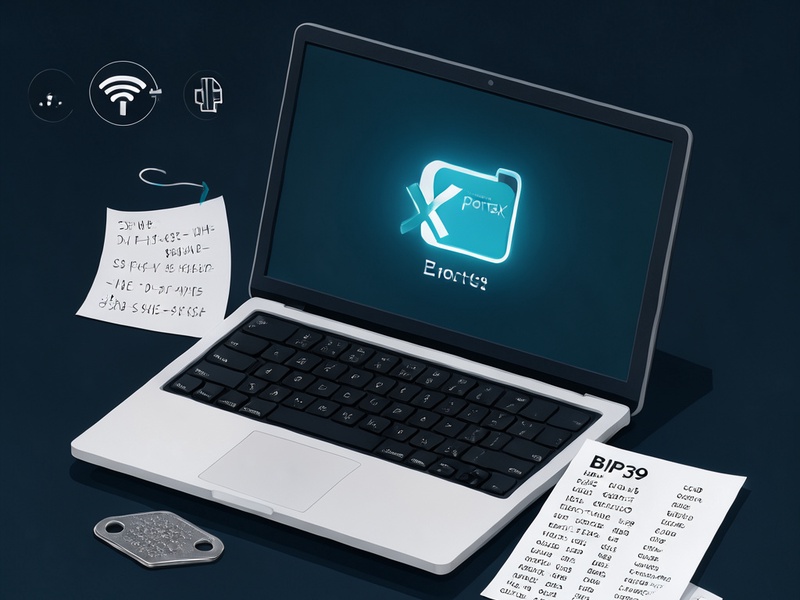
- Use a dedicated old laptop or desktop that you can fully isolate from the internet
- Physically remove Wi-Fi/Bluetooth cards if possible, or disable all network adapters in the BIOS/OS settings
- Install a lightweight, secure OS (e.g., an offline Linux distribution) and verify no network connections are active
- Do not connect any peripherals (mice, keyboards, drives) that may have been used with internet-connected devices unless they are fully wiped
Step 2: Curate a Targeted Custom Dictionary
The size and quality of your dictionary is the single biggest factor in recovery success. A smaller, more targeted dictionary will run far faster than a broad, unfiltered one. Build your dictionary based on your specific clues:
- Known words with fixed positions: If you know 9 out of 12 words and their exact positions, create a list of candidate words for each missing position based on memory clues (e.g., "the 5th word starts with 'b' and is 4 letters long")
- Known words, unknown order: If you have all 12 words but they are out of order, generate a permutation list, and enable BIP39 checksum filtering to eliminate invalid combinations automatically
- Vague memory clues: If you only remember themes (e.g., "I used nature-related words"), filter the full 2048-word BIP39 list to match your criteria
You can build your dictionary with simple spreadsheet tools, Python scripts, or btcrecover’s built-in dictionary generation features.
Step 3: Transfer Verified Tools to Your Air-Gapped Device
Never download recovery tools directly on your air-gapped machine. Instead:
- On a separate internet-connected computer, download the latest version of
btcrecoverfrom its official GitHub repository - Verify the software’s SHA256 hash matches the hash published by the developers to confirm it has not been tampered with
- Copy the verified
btcrecoverfiles and your custom dictionary to your clean USB drive - Eject the USB drive safely, then plug it into your air-gapped workstation
Step 4: Configure Recovery Parameters
btcrecover supports MultiversX/Xportal wallets via the BIP39 standard with the derivation path m/44'/508'/0'/0/0 (MultiversX’s registered coin type is 508). Run the tool with parameters tailored to your known seed information.
Example command for a 12-word seed with 2 missing positions:
python3 btcrecover.py --wallet-type multiversx \
  --addr erd1qqqqqqqqqqqqqqqqqqqqqqqqqqqqqqqqqqqqqqqqqqqqqqqqqqqqqyq0 \
  --seed "apple banana cherry date elderberry ? grape honey ? jackal kiwi lemon" \
  --bip39-checksum \
  --dictionary custom_candidates.txt
Parameter breakdown:
--wallet-type multiversx: Tells the tool to use Xportal/MultiversX’s derivation path

--addr: Your public Xportal wallet address, used to verify matching seeds--seed: Your partial seed phrase, with?replacing unknown words--bip39-checksum: Enables checksum filtering to skip invalid seed candidates--dictionary: Path to your custom candidate dictionary
Step 5: Run the Attack and Validate the Recovered Seed
Once you run the command, the tool will test each candidate seed against your public address. Recovery time varies from a few seconds to several hours depending on dictionary size.
When a match is found:
- Write down the full seed phrase on a piece of paper immediately
- Verify it by generating the first wallet address with an offline BIP39 tool and confirming it matches your public address
- Back up the seed to a durable, fireproof/waterproof metal seed plate for long-term storage
- Never store the seed phrase on any internet-connected device
Critical Best Practices for Safety and Success
Follow these rules to avoid common mistakes and protect your assets:
- Never use online recovery tools: Any website or service that asks for your seed phrase (even partially) is almost certainly a phishing scam. All recovery work must happen 100% offline.
- Prioritize dictionary curation over brute force: A 12-word BIP39 seed has 128 bits of entropy, making pure brute-force recovery impossible even with state-of-the-art supercomputers. Spend time refining your clues to narrow your dictionary as much as possible.
- Always verify tool integrity: Malicious actors distribute fake recovery tools loaded with malware designed to steal seeds. Always check the SHA256 hash before use.
- Wipe all data after recovery: Once you’ve safely backed up your seed, fully wipe the air-gapped computer’s hard drive and the USB drive used for transfer, or physically destroy them if they are no longer needed.
- Start with BIP39 standard words: Xportal uses the official BIP39 2048-word list by default. Exhaust all BIP39 candidates before adding custom, non-standard words to your dictionary.
Common Mistakes to Avoid
Steer clear of these pitfalls that can waste time or put your funds at risk:
- Skipping the air-gapped setup: Even a brief internet connection can expose your seed to keyloggers or remote access malware.
- Using an overly broad dictionary: A dictionary with millions of unfiltered candidates will take weeks or months to run, and may never complete.
- Forgetting the BIP39 checksum: Disabling checksum filtering wastes time on thousands of invalid seed combinations that can never work.
- Failing to back up the recovered seed immediately: It’s easy to lose the seed again if you don’t store it in a secure, offline medium right away.
Final Thoughts
An offline dictionary attack is the safest, most reliable way to recover a partially lost Xportal seed phrase, as it keeps all sensitive data completely off the internet. While it cannot recover fully unknown seeds (a mathematical impossibility for BIP39 wallets), it is extremely effective for users who have at least 60-70% of their seed phrase or clear clues about its contents.
The best way to avoid needing seed recovery is to back up your seed phrase properly when you first create your Xportal wallet: use a metal seed plate, store copies in multiple secure locations, and never save your seed on a phone, computer, or cloud storage. If you do lose access, following the steps in this guide will give you the best chance of regaining your funds safely.