Losing access to a wallet is stressful, but the root cause is often not the wallet itself. In many cases, recovery fails because the mnemonic backup was incomplete, untested, poorly stored, or paired with unknown passphrase settings. The following guide explains practical, responsible ways to improve the success rate when you legitimately need to restore your own Bixin mnemonic.
Why Mnemonic Recovery Often Fails
Mnemonic phrases, also called seed phrases, are sensitive keys, not casual passwords. Recovery problems usually come from:
- Partial backups: missing words, duplicated words, or unreadable handwriting.
- No passphrase documentation: restoring the seed phrase without the correct passphrase may produce a different wallet.
- Wrong wordlist or language: non-standard abbreviations or altered words can fail validation.
- No recovery test: users discover broken backups only after an emergency.
- Single-point storage: one damaged paper, fire, flood, loss, or device failure can destroy access.
1. Create a Complete and Legible Backup
The first step is accuracy. Write down the mnemonic from a trusted official interface and verify each word carefully. If Bixin provides checksum verification or displays the phrase in word tiles, use that feature before accepting the backup.
Best practices:
- Store the words in the exact order shown.
- Do not abbreviate, translate, or paraphrase the mnemonic words.
- Keep punctuation simple and avoid extra numbering that may confuse a reader.
- Take a photo only if it is encrypted or stored in a secure, non-public vault; physical media is often safer.
2. Validate the Mnemonic Before You Rely on It
A recovery success rate improves dramatically when the backup is validated. Use a safe, offline validation workflow:
- Create a disposable test wallet using a small amount of funds or an isolated environment.
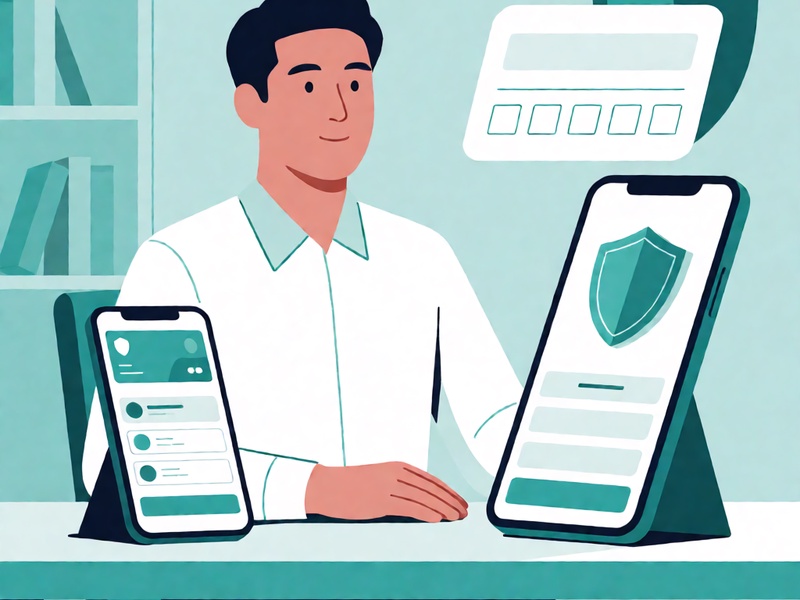
- Restore it only from the backup.
- Confirm the derived addresses match the expected wallet.
- Document the result with a version number and date.
If you do not know how to validate a Bixin mnemonic, use the official app or trusted documentation instead of unofficial websites, random browser extensions, or unsolicited chatbot tools.
3. Protect Passphrases, PINs, and Custom Derivation Details
Some wallets combine a mnemonic with an optional passphrase. If the passphrase is forgotten, the correct seed phrase may still restore a different, empty, or unexpected wallet. Treat it as a second key.
Consider storing:
- The passphrase separately from the mnemonic.
- The wallet software version used for the test.
- The derivation path or account type if available.
- Instructions that do not reveal secrets, such as “restore in the Bixin mobile app” or “use hardware wallet integration.”
4. Use Multiple Secure Storage Methods
A reliable recovery plan uses redundancy without increasing exposure. Choose methods suited to your risk tolerance:
- Paper backup in a waterproof, fire-resistant pouch: low cost but vulnerable to water and physical damage.
- Metal plate or steel punch backup: highly durable and resistant to fire and corrosion.
- Hardware wallet or secure enclave: useful for everyday signing, but it does not replace mnemonic recovery instructions.
- Geographically separated copies: keep at least two independent locations to avoid disaster loss.
Do not store the entire recovery package in one place. A practical rule is to keep the mnemonic or encoded fragment in one location, the passphrase in another, and the recovery instructions in a third location.
5. Consider Split-Backup Techniques Carefully

Shamir-style secret splitting, multi-signature setups, or trusted-holder arrangements can improve resilience, but they add complexity. Before using a split backup, ensure:
- You understand the threshold, such as needing two of three shares.
- Each share is tested in a controlled environment.
- If any share is lost, you have a documented replacement process.
- You are not relying on unverified third-party custodians.
6. Maintain a Recovery Calendar and Emergency Guide
Recovery readiness is not a one-time task. Schedule periodic checks, such as annually or after major app updates. A simple emergency guide might include:
- “Do not panic. The mnemonic backup is the source of truth.”
- “Restore only on devices you control.”
- “Never enter the mnemonic into a browser extension or website without verifying the domain and app version.”
- “If the wallet was created with a passphrase, restore the mnemonic first, then apply the documented passphrase step only in the official interface.”
- “After recovery, change exposed credentials and monitor transaction history.”
7. Avoid Common Mistakes That Lower Success Rates
To prevent recoverable losses, avoid these habits:
- Copying a mnemonic into clipboard managers, notes apps, screenshots, or cloud backups without strong encryption.
- Using non-standard BIP39 word spellings or translated wordlists without verification.
- Restoring a wallet on a device that may be compromised.
- Keeping only a hardware wallet and assuming the mnemonic is unnecessary.
- Leaving critical recovery details in email, social media, messaging apps, or unsecured folders.
8. Plan for Inheritance Without Revealing Secrets
A good recovery plan should survive you. Instead of sharing your mnemonic directly, consider an emergency access plan:
- A sealed physical note kept in a safe deposit box or family trust document.
- A trusted executor who knows where to find the backup instructions.
- Multi-signature or socially controlled accounts if your risk model allows them.
The important point is to make recovery easier for legitimate owners while harder for attackers.
9. Important Limitation
If the mnemonic is unknown or completely lost, there is generally no safe, legitimate way to reconstruct it from memory or guess it with tools. Do not use unofficial “seed phrase finder” services, clipboard hooks, or random web tools. Recovery planning should focus on testing the backup you already own through trusted, official interfaces.
Practical Checklist for Higher Recovery Success
- [ ] The full mnemonic is written in the exact order.
- [ ] All words are validated against the official backup screen.
- [ ] A test restore has been completed with a disposable or small-balance wallet.
- [ ] The passphrase is documented separately from the seed phrase.
- [ ] Derivation path, account type, and wallet version are recorded.
- [ ] At least one durable backup exists, such as metal or encrypted offline media.
- [ ] Backup copies are stored in separate physical locations.
- [ ] A written emergency guide is available to you or a trusted person.
- [ ] The backup is checked every year or after major updates.
Final Thought
Improving Bixin mnemonic recovery success is less about advanced tools and more about disciplined habits. Accuracy, validation, redundancy, and careful separation of secrets form a simple framework that greatly reduces the chance of being locked out. When the backup plan is tested before it is needed, recovery becomes a calm process instead of an emergency.