Losing access to a Bitcoin or Ethereum wallet is stressful, but recovering it with the wrong tool can be even more dangerous. At Crypto Wallet Recovery Guide, we help users recover BIP39/BIP32 seeds, forgot passwords, and damaged wallet files with proven, security-first methods. The most common risk people overlook is a recovery tool that looks helpful but contains a hidden backdoor. An AirGap Wallet workflow prevents that failure mode by separating private-key operations from the internet, verifying software provenance, and ensuring seed phrases never leave a controlled environment.
What AirGap Wallet Really Means
An AirGap Wallet approach uses two isolated environments: a hot device for creating transactions and receiving addresses, and a cold device for holding private keys and signing offline. In wallet recovery, the same principle applies: any tool that touches a seed phrase, xprv, private key, password hash, or mnemonic entropy should run in an air-gapped or otherwise isolated, offline environment.
This matters because recovery tools often ask for exactly the data that would destroy your funds if leaked:
- Full 12 or 24-word BIP39 mnemonic seed
- BIP32 extended private keys xprv
- Wallet passwords or private key files
- Partial seed clues and entropy data
- Hardware wallet seed or encrypted exports
If a malicious recovery program can read those inputs, it can copy them to a remote server, replace the recovered keys, or trigger a software update that steals funds later. AirGap controls reduce that risk, but only if combined with provenance verification and disciplined recovery practices.
Common Backdoor Vectors in Recovery Tools
Malicious dependencies
Many recovery utilities are Python scripts or Node.js applications. A backdoor can live in a package imported from a compromised repository, a typo-squatted library, or a bundled dependency that silently exfiltrates data. Even open-source tools can become risky if the installer, plugin, or dependency chain is not verified.
Unsigned binaries and fake releases
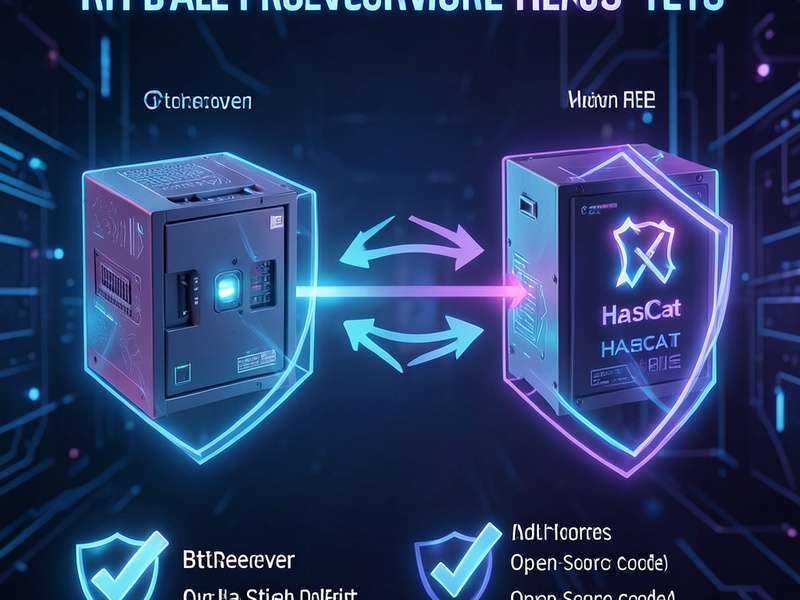
A tool may be advertised as btcrecover, HashCat, Pywallet, or a hardware-wallet recovery app, but downloaded from a lookalike site. The binary can log keyboard input, capture screenshots, or copy the clipboard. The correct defense is to use official repositories, signed releases, and checksum verification.
Web-based seed-phrase recovery
Never paste a seed phrase into an online recovery tool, browser extension, web app, or chatbot. A website that appears to recover your Ethereum MetaMask password, Electrum wallet, or Ledger seed may silently transmit your secret to a remote server. Online convenience is one of the fastest ways to lose self-custody funds.

Clipboard and keylogger risks
On a connected computer, recovery software can monitor clipboard, keystrokes, and screen activity. If you are entering a password hint, partial mnemonic, or xprv, a backdoor can reconstruct the secret from fragments. AirGap devices eliminate most network-connected attack paths, but trusted execution still matters.
How an AirGap Wallet Workflow Prevents Recovery-Tool Backdoors
1. Keep the secret environment offline
The cold recovery device should not have a network adapter enabled, no browser history, no automatic updates, and no remote access. Use a clean operating system, ideally booted from read-only media or a dedicated offline machine.
2. Use verified, open-source recovery tools
Our guides at Crypto Wallet Recovery Guide focus on verifiable open-source methods such as:
btcrecoverfor password recovery on wallet files- HashCat-style offline GPU cracking for known password patterns
Pywalletfor legacy Bitcoin wallet.dat analysis- BIP39 checksum validation and partial mnemonic reconstruction
- BIP32 derivation checks for Bitcoin and Ethereum wallets
Before running any tool, verify the source repository, release tag, author signature, and file hash. If you cannot verify it, do not trust it with a seed phrase.
3. Prefer code signing and reproducible builds
A secure recovery tool should be signed, auditable, and reproducible. Reproducible builds allow you to compare your local compile against official binaries, making hidden binary tampering much harder. Code signing proves the release was made by the expected maintainer key, while checksums prove the downloaded file has not changed.
4. Minimize what the tool can access
Do not give recovery software broad access. It should not need network permission, microphone, camera, browser extensions, or arbitrary file-system writes unless there is a clear, verifiable reason. If a recovery tool demands administrator privileges before you understand why, stop.
5. Test with dummy data first
Create a new BIP39 mnemonic and derive test addresses before running a recovery workflow on production keys. Confirm the tool recovers your test seed correctly, stores nothing in logs, and produces expected results. For password recovery, use a dummy wallet file with no funds.
Step-by-Step: Recovering a Bitcoin or Ethereum Wallet Safely
Step 1: Inventory what you have
Write down the missing information without connecting it to the internet:
- Wallet app or service: MetaMask, MyEtherWallet, Electrum, Ledger, Trezor, BitPay, and similar self-custody tools
- Chain: Bitcoin, Ethereum, or token holdings
- Evidence: partial 12/24 words, seed fingerprint, xpub, password hints, wallet.dat, keystore JSON, BIP39 passphrase
- Hardware: device model, firmware version, backup type
Do not expose private keys or full seeds in cloud notes, screenshots, chat, or email.
Step 2: Prepare a clean air-gapped machine
Use a laptop or mini PC with network disabled. Boot from a clean OS install or live system. Disable Bluetooth, browser extensions, cloud sync, and telemetry. If using a VM, make sure it has no network adapter and the host is trusted.
Step 3: Download recovery tools from a trusted online device
From a separate online device, download official source files or binary releases. Verify SHA256 checksums and GPG signatures when available. Transfer files to the air-gapped machine using a write-protected USB drive or read-only SD card if possible.
Step 4: Validate the data before recovery

For mnemonics, check BIP39 checksum validity. For partial seeds, use offline wordlist-based reasoning and dictionary attack only after confirming candidate words are within the official BIP39 wordlist. For xprv and keystore files, validate format before attempting derivation.
Step 5: Run offline recovery tools
Use tools such as btcrecover to test password patterns based on your own hints, HashCat-style GPU attacks when the password is likely weak, and Pywallet or Electrum-style file analysis when wallet.dat or Electrum files are involved. For Ethereum, validate derived addresses against known receiving addresses before moving funds.
Step 6: Move funds conservatively
After recovery, create a fresh wallet with a new backup if the original environment was compromised. Send a small test amount first, then transfer the rest. If you used an online tool or suspect malware, treat the old wallet as exposed.
How Crypto Wallet Recovery Guide Helps You Avoid Backdoors
At Crypto Wallet Recovery Guide, our tutorials are written for self-custody users who need practical recovery steps without gambling with security. We explain BIP39/BIP32 seed generation, partial mnemonic word reconstruction, offline dictionary attacks, hardware wallet backup recovery, and safe use of open-source tools. Our guidance is intentionally offline-first: we teach users to validate checksums, verify downloads, use isolated machines, and avoid pasting secrets into websites.
If you have lost 1 to 8 words, forgotten a wallet password, corrupted a keystore file, or need to recover Bitcoin/Ethereum funds from Ledger, Trezor, MetaMask, MyEtherWallet, Electrum, or a legacy wallet.dat, start with a structured recovery plan before exposing anything online.
Prevention: Stop Losing Access in the First Place
The safest recovery method is a good backup system. Use multiple backups stored separately: steel plate, encrypted USB, Shamir shares, or multisig. Keep at least one backup offline and never share the complete seed phrase. For advanced protection, consider Bitcoin multisig, Ethereum multisig, or hardware-based key custody with verified recovery procedures.
Final Checklist
- Never enter a seed phrase on a website or social app
- Never trust unsigned recovery binaries
- Verify open-source code, releases, and hashes
- Use air-gapped offline machines for recovery experiments
- Test tools with dummy wallets first
- Minimize access rights and avoid automatic updates
- After recovery, migrate to a fresh backup if security is uncertain
AirGap Wallet practices do not just protect cold storage; they protect recovery itself. A malicious recovery tool can be more dangerous than a network attack because it asks you to hand over the exact data that controls your Bitcoin and Ethereum funds. By combining offline execution, verified open-source tools, and careful backup discipline, you can recover lost access while keeping the chance of backdoors extremely low.