Losing access to a TRON wallet can feel like losing a bank vault key. Most TRON wallets, including TronLink, rely on a mnemonic seed phrase to recover accounts. When that phrase has a typo or a missing word, the wallet cannot restore your funds. This guide explains how mnemonic validation works, why phrases fail, and how to repair them safely.
How TRON Mnemonics Work
TRON wallets generally follow the BIP39 standard. A seed phrase is a list of 12 or 24 words taken from a fixed list of 2,048 English words. The phrase is converted into a binary seed, and the wallet derives TRON addresses from it using the standard path m/44'/195'/0'/0/0.
Because the word list is fixed, every valid word can be checked against it. That property is the foundation of validation.
The Checksum: Your First Line of Defense
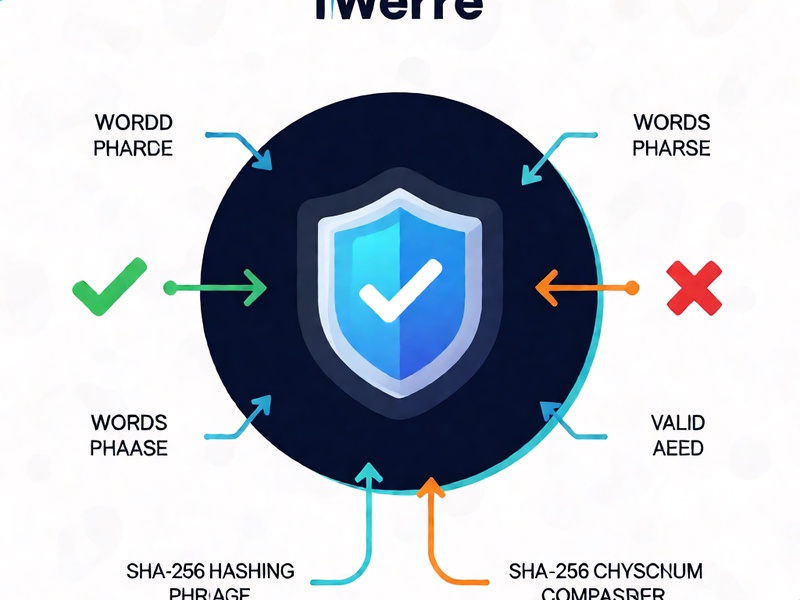
The last word of a BIP39 phrase does more than identify a word. It also contains a checksum, a short fingerprint of the entropy.
- A 12-word phrase encodes 128 bits of entropy plus 4 checksum bits.
- A 24-word phrase encodes 256 bits of entropy plus 8 checksum bits.
To validate a phrase, the software converts the words back into bits, splits off the checksum, hashes the entropy with SHA-256, and compares the first bits of the hash to the stored checksum. If they match, the phrase is internally consistent.
Common Causes of Invalid Phrases
- Misspelled words that are not in the BIP39 English list
- Words in the wrong order
- A missing or extra word, which changes the word count
- Extra spaces, line breaks, or punctuation pasted from notes
- Words copied from a different wallet or from an outdated backup
Validating a Phrase Safely
Validation should always happen offline, on a device you control.
- Confirm the word count is 12 or 24.
- Confirm every word appears in the BIP39 English wordlist.
- Run the checksum check using a well-maintained, open-source library.

- Derive the address and compare it with an address you already know.
Never paste a seed phrase into an online checker. Doing so exposes your funds to anyone who controls that website.
Repairing a Phrase
Repair is only possible when most of the phrase is known. The BIP39 list helps here, because every word can be identified by its first four letters. Typos can often be corrected by matching against that list.
For a missing or uncertain word, a repair tool can test candidate words and keep only combinations that pass the checksum. The search space grows quickly with each unknown position, so the fewer unknowns, the more practical the recovery.
Keep in mind that a valid checksum only means a phrase is consistent. It does not prove the phrase controls your wallet. Always confirm the derived address matches the address you expect before moving any funds.
Red Flags: Recovery Scams
Recovery scams are common. Be cautious of anyone who:
- Asks for your seed phrase to 'repair' or 'unlock' your wallet
- Offers guaranteed recovery for a fee paid upfront
- Sends you a repair tool through a direct message or an unofficial download
Legitimate recovery work happens offline on your own machine. No honest support team needs your full phrase.
Best Practices for Long-Term Safety
- Write your phrase on paper or metal and store copies in separate secure locations
- Never store the phrase in cloud notes, screenshots, or messaging apps
- Test recovery with a small amount before moving significant funds
- Keep wallet software updated from official sources only
Conclusion
Mnemonic validation is a simple and reliable way to catch errors early. Understanding the checksum helps you spot problems before they become permanent losses. Handle your seed phrase offline, verify every step, and treat anyone who asks for it as a threat.