Losing your phone is stressful. If you also use a Keystone hardware wallet, it can feel terrifying: Are my crypto assets gone? In most cases, the answer is no. Keystone is designed to keep private keys and your seed phrase offline, away from your phone. Your assets live on the blockchain, not inside the device. Your phone is usually just a companion screen for viewing balances and preparing transactions. The real question is whether your seed phrase, passphrase, or any hot-wallet private keys were exposed on the lost phone.
What a Lost Phone Means for a Keystone Wallet
A Keystone wallet is an air-gapped hardware signer. It stores the keys that control your crypto, while your phone runs a companion app or watch-only wallet. That app can show balances and help build transactions, but it generally cannot move funds without approval from the Keystone device.
This means:
- Your assets do not disappear just because the phone is gone.
- A thief usually cannot sign transactions with the Keystone app alone.
- Your recovery phrase is the master key. If it was never stored on the phone, your funds are probably safe.
- Risk increases if you saved your seed phrase, passphrase, PIN, or hot-wallet private keys in notes, photos, cloud backups, or password managers on that phone.
The blockchain does not care which phone you use. It cares who can prove ownership with the right keys.
If the lost phone only had a watch-only Keystone setup, you can often restore access by pairing your Keystone device with a new phone. If the phone contained seed material, treat the wallet as compromised and move your assets as soon as possible.
Immediate Steps After Your Phone Is Lost
Act calmly and in order. Panic leads to mistakes, and scammers often target people who announce a crypto emergency online.
- Remote lock or erase the phone. Use Find My for iPhone or Find My Device for Android if available. This reduces the chance that someone can open your apps and notes.
- Secure your accounts. Change passwords for email, cloud storage, exchanges, and any account connected to crypto. Enable two-factor authentication with an authenticator app or hardware security key, not SMS when possible.
- Assess what was on the phone. Ask yourself: Did I store my Keystone seed phrase there? Did I use a software wallet with private keys? Was the phone unlocked or easily guessable? Was my Keystone app only watch-only?
- Do not share your seed phrase with anyone. Official support, wallet companies, and legitimate recovery services will never ask for your 12- or 24-word phrase.
- If your seed phrase was exposed, move fast. Restore the wallet on a safe device, create a new wallet with a new seed phrase, and transfer all assets to the new wallet.
How to Restore Your Keystone Assets
The right recovery path depends on what you still have: the Keystone device, the seed phrase, or both.
Option 1: You still have the Keystone device
This is the easiest situation. Your keys are still protected by the hardware wallet.
- Install the official Keystone companion app on a new phone from the official website or trusted app store listing.
- Pair the app with your Keystone device using the supported method, such as QR code or SD card.
- If you use a BIP39 passphrase, enter it on the Keystone device when prompted.
- Verify that the receiving addresses match your previous wallet.
- Your balances should appear once the wallet is synced.
You usually do not need to enter your seed phrase into the phone. Keep it that way.
Option 2: You have the seed phrase but not the Keystone device
You can restore the wallet on a replacement Keystone or another trusted hardware wallet that supports the same standard.
- Buy a new hardware wallet from the official manufacturer. Avoid second-hand or pre-initialized devices.
- Update the firmware using the official app or website.
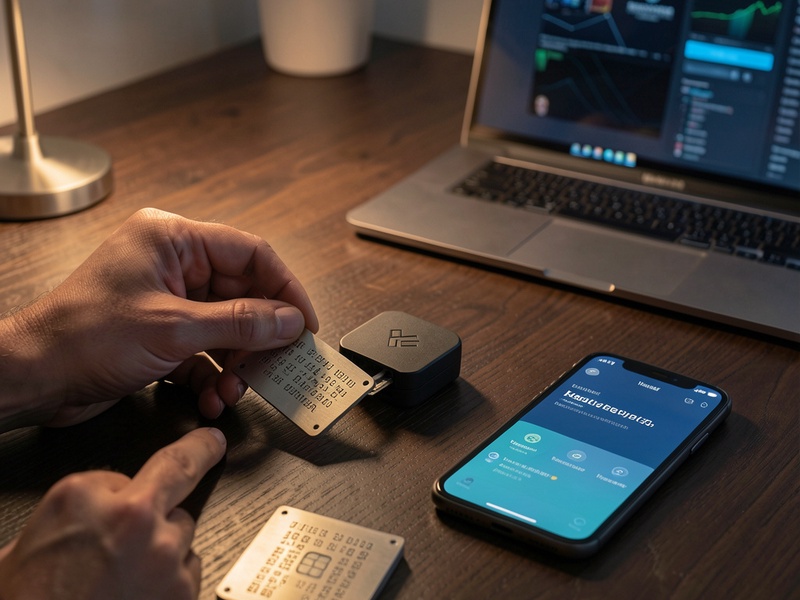
- Choose the restore or import wallet option.
- Enter your 12- or 24-word recovery phrase directly on the hardware device. If you used a passphrase, add it exactly as before.
- Verify the first receiving address against any old records, screenshots, or exchange withdrawal history.
- Connect the restored wallet to a new phone and confirm your balances.
After restoring, create a new wallet with a new seed phrase and move your assets there. This is especially important if the old phone may have contained your seed phrase or passphrase.
Option 3: You must use a software wallet temporarily
Software wallets are convenient but less secure. If you have no hardware wallet available, you may need to restore in a reputable software wallet to regain access.
- Use a clean, updated device that you trust.
- Download the wallet only from the official source.
- Import your seed phrase and add the passphrase if needed.
- Immediately send your assets to a new hardware wallet with a new seed phrase.
- Do not use the restored software wallet for long-term storage.
Remember: once a seed phrase is entered into a phone or computer, it should be considered exposed. Move the assets to a fresh wallet.
If You Cannot Find the Seed Phrase
Without the seed phrase or a working Keystone device, recovering the wallet is usually impossible. This is not a flaw; it is the security model that protects crypto from unauthorized access.
- No company, including Keystone, can reset your seed phrase or reverse transactions.
- Check all backups: paper, metal plates, safes, safety deposit boxes, and trusted family members. Do this privately.
- Never send your seed phrase to anyone offering recovery help. Those offers are almost always scams.
- If you only have part of the phrase, it is not enough. Guessing is impractical and dangerous.
If the funds are significant, consider consulting a reputable security professional, but do not give them your seed phrase. Ask them to help you design a safer recovery and storage process.
How to Protect Your Assets After Recovery
Once you regain access, use the event as a security reset.
- Store your seed phrase offline. Write it on paper or stamp it into metal. Keep multiple copies in separate secure locations.
- Never store seed phrases on a phone. Avoid photos, notes, email, cloud drives, and messaging apps.
- Use a BIP39 passphrase for extra protection. Store it separately from the seed phrase and understand that losing it means losing access.
- Test your backup. Before storing large amounts, practice restoring a small wallet to confirm your backup works.
- Keep firmware and apps official. Download only from trusted sources and verify URLs.
- Consider multisig for large holdings. Multisig reduces single points of failure and can protect against one lost device or seed.
- Separate risk. Use a dedicated phone for crypto if possible, and keep high-value assets in cold storage.
Final Thoughts
Losing your phone with a Keystone wallet is usually an inconvenience, not a catastrophe. If your seed phrase stayed offline and your Keystone device is safe, your crypto remains on the blockchain and can be accessed again through a new phone. If the seed phrase was exposed, restore quickly and move your assets to a new wallet. If the seed phrase is lost entirely, no one can recover the funds for you.
The rule is simple: protect the seed phrase, verify every recovery step, and never let urgency push you into sharing secrets with strangers.