Introduction
A lost BitBox seed phrase is one of the most stressful situations a Bitcoin or crypto holder can face because the seed phrase, or recovery mnemonic, is the master key to all wallets and addresses derived from the device. Without a valid seed phrase, private keys cannot be regenerated. That said, a lost phrase does not always mean lost funds. Depending on your backups, device status, and how many words you still remember, there may be realistic recovery options. This guide explains a practical, safety-first method for recovering access when a BitBox seed phrase appears to be missing.
1. Stop, Secure the Situation, and Avoid Mistakes
When a seed phrase seems lost, panic can lead to irreversible actions. Do not factory reset the BitBox, do not update firmware until you understand the state, and do not enter sensitive information into websites, random recovery tools, or direct messages. Use a clean, trusted computer. If possible, disconnect from the internet while searching local notes, old devices, or storage locations. The first rule is to preserve every existing backup, password, device, and note before attempting recovery.
2. Identify Exactly What Is Missing
Recovery depends on what remains. Ask whether you have lost only the written seed phrase, or also the device password, microSD backup, backup password, or another hardware wallet that shares the same seed. BitBox02 users may have created multiple backup paths: a seed phrase written on paper or metal, a microSD backup, or another backup method supported by the device. These are not identical. A seed phrase can be used in compatible wallets, while an encrypted backup may only restore to the expected BitBox environment and may require its backup password.
3. Search Every Physical and Digital Backup Location
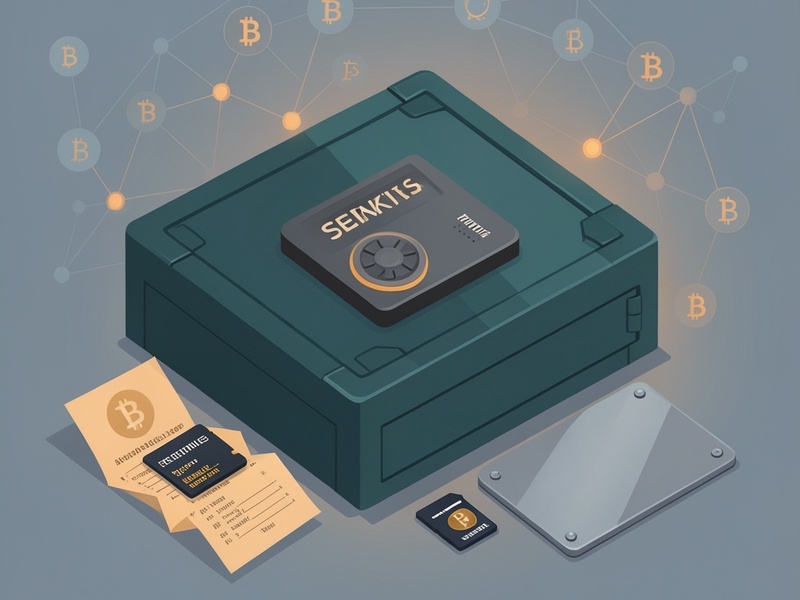
Systematically search places where you may have stored the phrase. Check notebooks, wallets, safe deposit boxes, metal backup plates, card boxes from the original BitBox packaging, old phone notes, printed receipts, scans, cloud photo folders, and email drafts. Also check whether you saved a recovery instruction sheet or wrote a different seed from an earlier setup. If you use a password manager, search carefully only if you are certain you stored something sensitive there. A phrase stored digitally creates its own risk, so after finding it, move to an offline backup if recovery is successful.
4. Restore from a BitBox02 Backup If You Have One
If you created a backup file, such as a microSD backup or another supported backup medium, and you still know the backup password, this may be the fastest route. Connect the backup to a BitBox02 that supports that backup type, follow the official recovery flow, and restore the device. After restoration, if your BitBox allows you to view or export the seed phrase in a trusted offline interface, create a new seed backup immediately. Do not assume the backup file itself is a replacement for a seed phrase; some backups are device-specific or encrypted.
5. Check Whether the Seed Phrase Can Be Shown on the Unlocked Device
Some BitBox devices or firmware versions may provide an advanced option to display the seed phrase after unlocking, usually as a self-service recovery feature. If your device is unlocked and you can access official settings, this may solve the problem without third-party tools. Work slowly, write the words in order, and verify the checksum. If the device does not offer this feature, stop and do not look for unofficial firmware or extraction software; those methods are dangerous and can expose keys.
6. Look for Other Wallets or Devices Created from the Same Seed
If you previously imported the same seed into another hardware wallet, mobile wallet, or desktop wallet, the other device may help you recover access. However, most secure wallets intentionally do not show the seed phrase after import. Still, checking your other devices can remind you where you originally saved the phrase, or reveal that you have a separate backup. If any other wallet controls the funds, secure that wallet and its backup first.
7. Try Careful Offline Recovery When You Remember Part of the Mnemonic
If you remember most of the words but not all, the missing words may reduce the possible combinations. BIP39 mnemonics have a checksum, which limits valid guesses, but the remaining search space can still be enormous. One missing word may be plausible for offline testing, two missing words can become time-consuming, and three or more are usually impractical unless you remember strong clues. Never paste partial seeds into public websites. If you attempt this, use a known offline wallet derivation process and understand the correct account paths used by BitBox for the coins and addresses you own. If you are not comfortable with command-line tools, seek help only from trusted technical advisors who can work offline.
8. Understand the Limits of Encrypted Backups and Passwords
If a backup was protected by a password and you lost that password, recovery becomes much harder. Encrypted backups cannot be decrypted without the password or another key material, and brute-forcing unknown passwords may be impossible if the password is strong. Try carefully with a trusted offline process if you remember likely patterns, but be realistic. If you have the backup file but not the password, there may be no recovery path. Contact official support only for guidance on what the backup format means and what can be safely attempted.

9. Contact Official Support, Not Recovery Scammers
Official BitBox support can help clarify firmware behavior, backup types, and whether your device appears to have recoverable data. They cannot magically recreate a lost seed phrase, and they should never need your seed phrase, backup password, private keys, or full backup contents. Avoid anyone offering guaranteed wallet recovery, sending direct messages about lost funds, asking you to install remote-control software, or demanding payment upfront. Recovery scams exploit exactly this moment of urgency.
10. If Recovery Is Impossible, Protect What You Still Can
If all backups, devices, and partial-phrase options are exhausted, the honest conclusion may be that the funds tied to that seed cannot be accessed. This is painful, but it is better than risking further loss through scam services. Secure any remaining devices, rotate email and password-manager security, and document the loss with a calm plan for future backup habits.
11. Build a Better Seed Backup Plan After Recovery
Once access is restored, create a stronger backup protocol. Write the full seed phrase on acid-free paper or stamp it on metal. Store copies in separate physical locations, avoid photos and cloud notes unless encrypted with a strategy you understand, and test a small-value recovery process. If you use an encrypted backup, also store the backup password or its secure fragments offline. Include trusted inheritance information so loved ones can locate backups without exposing them to attackers.
Conclusion
A BitBox seed phrase loss should be treated as an urgent but structured incident, not a hopeless one. The most promising recovery methods are finding a physical seed backup, restoring from a valid BitBox backup you still know how to decrypt, revealing the phrase from an unlocked official interface when available, and carefully attempting offline partial-mnemonic recovery only when enough words are remembered. If none of these paths remain, funds may be unrecoverable. The lesson is clear: the seed phrase is the real account, and backups are the responsibility of the wallet owner.