Introduction
Mycelium Wallet is one of the most popular open-source, non-custodial Bitcoin wallets for mobile users, praised for its privacy features and support for BIP39/BIP32 standards. However, many users face the stress of losing access to their encrypted private keys — whether from forgotten wallet passwords, corrupted backup files, partially lost seed phrases, or damaged mobile devices.
Unlike paid recovery services that risk exposing your sensitive key data, open-source recovery tools offer transparent, backdoor-free, and cost-effective solutions to regain access to your funds. This guide walks you through verified, safety-first methods to recover your Mycelium Wallet encrypted private key using trusted open-source tools, with all steps designed for offline execution to prevent key theft.
Pre-Recovery Preparation: Safety & Required Materials
Before starting any recovery process, prioritize these non-negotiable safety rules and prep steps:
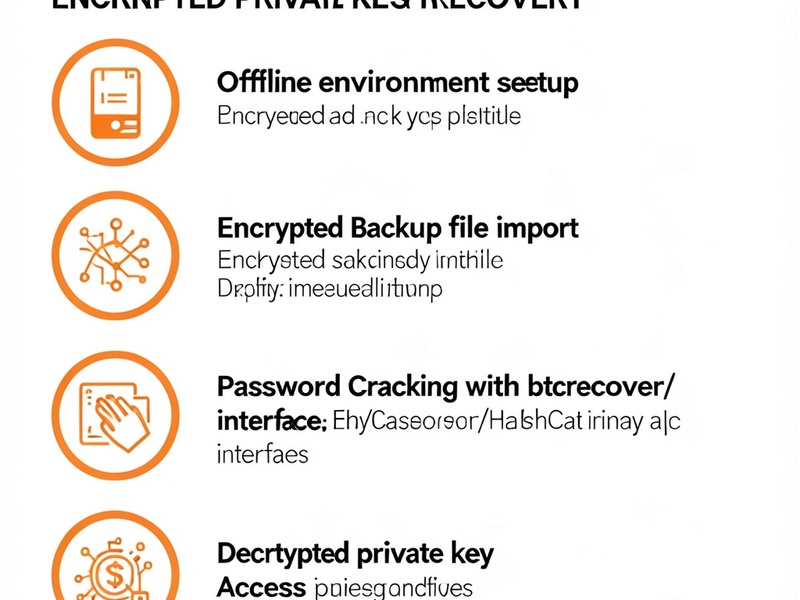
- Use an air-gapped offline environment: Run all recovery tools on a device with no internet connection (we recommend using a Tails OS live USB to avoid leaving traces on your main device). Never connect the recovery device to Wi-Fi, ethernet, or any network during the process.
- Verify all open-source tools: Only download tools from their official GitHub repositories or trusted open-source platforms. Always check GPG signatures or SHA-256 checksums to confirm the files have not been tampered with.
- Gather available materials: Collect any relevant data you have, including:
- Encrypted Mycelium backup files (e.g.,
mycelium-backup.dator exported encrypted JSON files) - Partially remembered passwords or seed phrase words (with position details if possible)
- A public receiving address from your Mycelium wallet (for verifying recovered seed phrases)
- A blank USB drive for transferring tools to your offline device
- Encrypted Mycelium backup files (e.g.,
Method 1: Recover Mycelium Encrypted Backup Password With btcrecover
btcrecover is a leading open-source password recovery tool designed exclusively for cryptocurrency wallets, with official support for Mycelium encrypted backups. It works with dictionary attacks and mask-based brute-force attacks to crack forgotten passwords for encrypted wallet files.
Step-by-Step Workflow:
- Set up your air-gapped recovery device, then transfer the verified btcrecover installation file and your Mycelium encrypted backup to the device via USB.

- Create a custom password dictionary file (
.txt) based on your partial memory — include keywords, numbers, special characters, and password patterns you commonly use. For better results, use a tool likecommon-passwords.txtas a base and add personalized terms. - Open a terminal in the btcrecover directory, then run the following command, replacing the placeholders with your file paths:
python btcrecover.py --wallet /path/to/your/mycelium-backup.dat --passwordlist /path/to/your/password-dictionary.txt --wallet-type mycelium - Wait for the tool to test password combinations. If your dictionary contains the correct password, btcrecover will display it once found.
- Use the recovered password to decrypt your Mycelium backup, then access your private key or seed phrase to restore your wallet.
Method 2: Restore Mycelium Private Key From Partial BIP39 Seed Phrases
Most modern Mycelium Wallet versions use the BIP39 standard for 12 or 24-word seed phrases. If you have lost some words of your seed phrase but remember a portion, you can use the open-source seedrecover utility (included with btcrecover) to generate and test valid BIP39 combinations.
Step-by-Step Workflow:
- Confirm your Mycelium wallet uses BIP39 seeds (check your original backup notes or Mycelium’s official documentation for your version). Note the total number of seed words (12 or 24) and the positions of any words you remember.
- Have at least one public receiving address from your Mycelium wallet ready — this is used to verify which generated seed phrase matches your wallet.
- On your offline recovery device, open the btcrecover directory and launch seedrecover with the command:
python seedrecover.py --wallet-type bip39 --addr-type bitcoin --address "your-public-receiving-address" --wordlist /path/to/bip39-wordlist.txt - Follow the on-screen prompts to enter the number of total words, the known words and their positions, and any other details you remember.
- The tool will generate all valid BIP39 seed phrases that match your known words, then check each one against your public address. Once the correct seed is found, you can import it into a fresh Mycelium wallet (offline) to access your funds.
Method 3: GPU-Accelerated Mycelium Key Recovery With Hashcat
If you have a powerful GPU and need to crack a complex password faster than btcrecover’s CPU-based approach, you can use the open-source Hashcat tool — a popular password cracking utility that supports Mycelium encrypted backup hashes.
Step-by-Step Workflow:
- First, extract the password hash from your Mycelium encrypted backup using btcrecover’s hash extraction feature:
python btcrecover.py --wallet /path/to/mycelium-backup.dat --wallet-type mycelium --extract-hash mycelium-hash.txt - Transfer the extracted hash file and verified Hashcat installation to your air-gapped GPU-equipped recovery device.
- Create a password mask or dictionary file tailored to your partial password memory (e.g., if you know your password starts with "Btc" and ends with "2024", use a mask like
Btc?l?l?l2024for 3 unknown lowercase letters). - Run Hashcat with the correct hash type for Mycelium backups:
(Note: Hashcat mode 11300 is for Bitcoin/Litecoin wallet.dat files, confirm the correct mode for your Mycelium backup version in Hashcat’s official documentation.)hashcat -m 11300 /path/to/mycelium-hash.txt /path/to/password-list-or-mask - Once Hashcat cracks the password, use it to decrypt your Mycelium backup and access your private keys.

Critical Safety Rules to Avoid Key Theft
All recovery operations carry some risk of key exposure — follow these rules to minimize risk:
- Never share your seed phrase or private key: No legitimate recovery tool or service will ask you to provide your seed phrase, private key, or password online.
- Test with small amounts first: After recovering access, send a small test transaction to confirm the wallet works before moving large amounts of funds.
- Avoid web-based recovery tools: Never use online tools to recover your keys — these are often designed to steal your seed phrase or private key.
- Wipe the recovery device after use: If you used a spare device or live USB for recovery, securely wipe all data afterward to eliminate leftover traces of your keys.
Prevent Future Mycelium Wallet Loss
To avoid needing recovery in the future, follow these best practices:
- Create multiple redundant backups of your seed phrase, stored offline in separate physical locations.
- Use sharded backup solutions (like Shamir’s Secret Sharing) to split your seed phrase into parts, so no single backup contains the full key.
- Test your backups regularly by importing them into an offline wallet to confirm they work.
- Use a hardware wallet for long-term storage of large crypto holdings, with multiple backups of the seed phrase.
Get More Crypto Wallet Recovery Guides
If you need more detailed walkthroughs for Mycelium Wallet recovery, or step-by-step guides for other popular wallets like Electrum, MetaMask, Ledger, Trezor, and MyEtherWallet, visit Crypto Wallet Recovery Guide — your trusted source for verified, open-source crypto wallet recovery solutions.
We cover everything from basic troubleshooting to advanced script-based recovery for BIP39/BIP32 standard wallets, with tutorials tailored for both beginners and advanced crypto users. All our guides prioritize offline safety to protect your assets from theft or exposure. Whether you’ve lost your seed phrase, forgotten your wallet password, or suffered hardware damage, we have tested solutions to help you minimize asset loss. Get your complete crypto wallet recovery playbook today.