Forgotten passwords are stressful in self-custody wallets, but the right fix depends on which credential you lost. SafePal is non-custodial, so no support team can reset your wallet password or recover funds without your recovery phrase or private key. The SafePal wallet password forgotten solutions below focus on safe, official steps and on protecting your seed phrase.
Identify What You Forgot
- SafePal App password: This unlocks the mobile app. It is not the same as your blockchain private key.
- Hardware wallet PIN: This unlocks your SafePal hardware device. Repeated incorrect attempts may reset or lock the device depending on the model.
- BIP39 passphrase: This is an optional extra word or phrase that creates a hidden wallet. It is not the same as your app password.
Solution 1: Reset or Restore the SafePal App Password
- Try biometric unlock if you enabled fingerprint or face unlock.
- If the official SafePal app offers a password reset flow, use it only inside the official app.
- If no reset option is available, reinstall the official SafePal app and restore your wallet using your 12- or 24-word recovery phrase or private key. Then set a new app password.
- Confirm that the restored wallet shows the expected addresses and balances before moving funds.
Solution 2: Forgot the Hardware Wallet PIN
- Do not guess endlessly, because repeated wrong attempts can trigger a reset or lock depending on your device model.
- Reset the hardware wallet and restore it using your recovery phrase. This wipes the device and lets you set a new PIN.
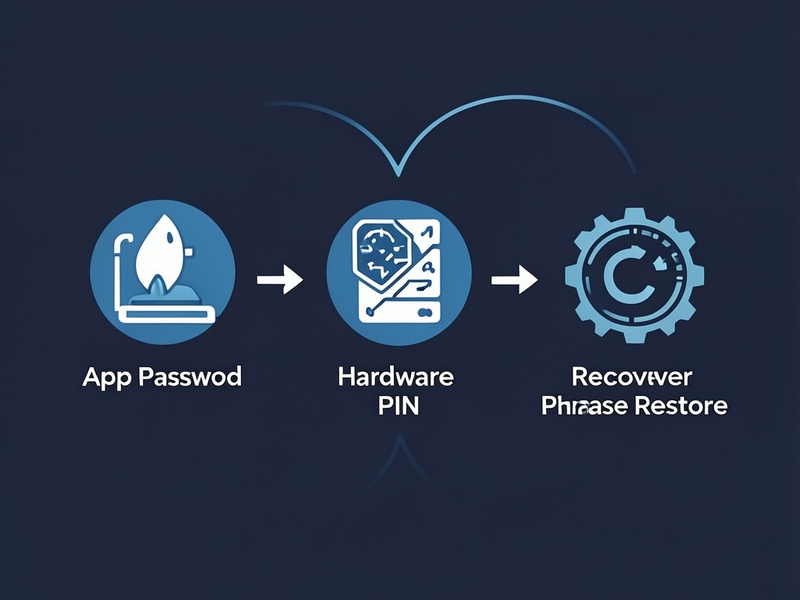
- If you do not have the recovery phrase, there is no legitimate PIN recovery method. Contact official SafePal support only for guidance, and never pay someone who claims they can recover your wallet for you.
Solution 3: The Recovery Phrase Is Also Missing
- Check secure offline backups, emergency kits, and any physical locations where you may have stored the phrase.
- Understand that SafePal cannot centrally reset your wallet or restore funds without the recovery phrase or private key.
- Beware of phishing sites, fake support agents, and recovery scams. Official support will never ask for your seed phrase or private key.
Safe Recovery Checklist
- Use only the official SafePal app or website, and verify the URL carefully.
- Work in a private environment and avoid screen sharing while entering recovery information.
- Never share your recovery phrase or private key with anyone.
- If your seed phrase may have been exposed, create a new wallet and move your funds to it.
- After recovery, set a strong app password and PIN, enable biometrics if available, and store your backup securely.
Prevention Tips
Use a password manager for your app password, keep your recovery phrase offline, and consider a durable metal backup. Test your backup process before an emergency, avoid screenshots of seed phrases, and keep your hardware wallet firmware and official app updated.