Introduction
A Stellar hardware wallet is designed to keep private keys away from an internet-connected computer, but the mnemonic backup remains a critical single point of failure. Paper cards can burn, metal plates can corrode, ink can fade, and a single missing or misread word can make a backup appear useless. For Stellar users, the challenge is more specific than generic seed recovery: the mnemonic must derive the correct Stellar account through the expected derivation path, and any BIP-39 passphrase must also be known.
This guide presents a safe, offline-oriented repair plan for a damaged Stellar hardware wallet mnemonic backup. It covers damage triage, checksum validation, careful partial reconstruction, Stellar-specific verification, and secure migration to a new wallet. The objective is not to encourage risky shortcuts. It is to help legitimate owners recover access without exposing secrets to websites, cloud services, chat tools, or untrusted software.
What the Backup Actually Represents
Most Stellar hardware wallets use a BIP-39 mnemonic and derive Stellar keys at a path such as m/44'/148'/0'. Some devices support different account indexes or optional BIP-39 passphrases. Other devices may use SLIP-39 or vendor-specific backup schemes. Before attempting repair, identify the exact backup standard, word count, and whether a passphrase was used.
The mnemonic is not the Stellar public address, and it is not usually the Stellar secret key that begins with S. It is the entropy source from which keys are derived. A backup can therefore be structurally damaged while the underlying entropy is still recoverable, but only if enough correct information remains. If every copy of the mnemonic is lost and the hardware device no longer functions, recovery is generally impossible through legitimate means.
Safety Rules Before Any Repair Attempt
- Stop exposing the backup. Do not type it into websites, chat applications, email, cloud notes, password managers, or online seed checkers.
- Work offline. Use a clean, air-gapped computer or a trusted hardware wallet recovery workflow. Disconnect network adapters and disable wireless interfaces where practical.

- Prefer the hardware wallet first. If the device still works, create a new wallet and move funds before attempting any mnemonic reconstruction.
- Verify tools from source. If offline software is required, use reputable open-source tools obtained from official repositories and verify signatures when possible.
- Never photograph the backup. Avoid storing images of seed words on phones or cameras.
- Test with a small amount first. Any recovered wallet should be validated before large transfers are made.
Step 1: Triage the Damage
Begin by documenting the condition of the backup without altering it further. Determine whether the issue is physical, such as a torn card, water damage, faded stamping, or corroded metal. Then determine whether the issue is logical, such as missing words, uncertain words, wrong word order, checksum failure, or an unrecorded passphrase.
Count the words and compare them with the expected standard. BIP-39 backups are commonly 12 or 24 words, while SLIP-39 uses shares and thresholds. Record which words are clearly legible, which are ambiguous, and which are completely missing. Do not guess silently. Write down the known sequence and mark uncertain positions. If multiple backup copies exist, compare them carefully in an offline environment. A second copy may resolve an ambiguity without exposing the full phrase.
Step 2: Validate the BIP-39 Checksum Offline
BIP-39 includes a checksum. If one or more words are wrong, the checksum will usually fail. A checksum failure is useful diagnostic information because it confirms that the phrase is not currently valid. It does not prove that the original entropy is lost.
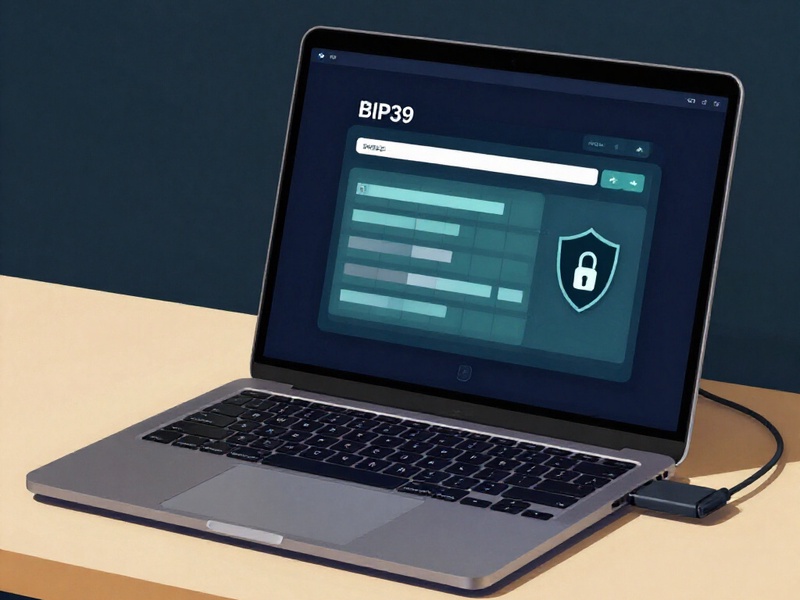
Use an offline BIP-39 validation tool on an air-gapped machine or a hardware wallet recovery screen. Enter the candidate words only in that isolated environment. If the checksum passes, the mnemonic may already be intact and the problem may be a wrong derivation path, a missing passphrase, a different account index, or confusion between a Stellar secret key and a mnemonic backup. If the checksum fails, proceed to constrained reconstruction rather than random guessing.
Step 3: Repair Missing or Ambiguous Words Carefully
Partial reconstruction is possible only within strict limits. A single missing BIP-39 word can be tested against the 2048-word list, and the checksum will eliminate most candidates. Two or more missing words create a much larger search space. Reconstruction becomes practical only when additional constraints exist, such as known word positions, damaged letters, a known Stellar public address, or multiple partial backup copies.
Use the BIP-39 word list, checksum rules, and the expected Stellar public address as filters. For each candidate phrase, derive the Stellar key at the correct path and compare the resulting public address with the known address. This validation step is essential because a checksum-valid phrase can still be the wrong wallet. Perform all candidate testing offline. Do not send candidate phrases to a third-party recovery service. If the value at risk is significant, consider consulting a reputable professional who specializes in hardware wallet recovery and can work under a clear confidentiality agreement.
For SLIP-39 or vendor-specific backups, do not apply BIP-39 assumptions. Use the official reconstruction procedure and the required threshold of shares. For devices that support a BIP-39 passphrase, remember that the passphrase is a separate secret. A correct mnemonic with the wrong passphrase will derive a different wallet.
Step 4: Confirm the Stellar Derivation and Passphrase
Stellar hardware wallet recovery is not complete until the derived account matches the expected public address. Confirm the derivation path, commonly m/44'/148'/0' for the first Stellar account, and check whether a different account index was used. Confirm whether a BIP-39 passphrase was enabled. Some users record the passphrase separately from the mnemonic, and a damaged mnemonic backup may be only half of the recovery problem.
Use a hardware wallet recovery check or an offline Stellar wallet that supports the same derivation scheme. Compare the public key and account address carefully. If the address matches, the repair has succeeded. Immediately create a new wallet, verify its new backup, and migrate the assets. If the address does not match, revisit the passphrase, account index, word order, and candidate word set before risking any transfer.
Step 5: Migrate Funds and Retire the Damaged Backup
Once the old Stellar account is accessible, treat the recovered wallet as compromised or fragile. Create a new hardware wallet with a fresh mnemonic, verify the backup by restoring it on a second trusted device or offline check, and test with a small transaction. Then migrate the Stellar account balances.
For a full Stellar account migration, account for the minimum reserve, trustlines, open offers, and account data. Remove or settle unnecessary trustlines and offers before attempting an account merge. If an account merge is not appropriate, transfer the assets to the new account and leave enough XLM to satisfy the reserve requirement. After migration, retire the damaged backup securely. Do not destroy evidence until the new wallet is fully verified and all assets are confirmed on the new account.
When Recovery Is Not Feasible
If the hardware device is lost or failed, and the mnemonic backup has too many missing words, recovery may not be technically or economically feasible. No legitimate service can reconstruct a wallet from insufficient entropy. Be cautious of anyone who promises guaranteed recovery from a badly damaged backup. If the hardware device still powers on and unlocks, use it to migrate funds immediately. If the device is physically damaged, contact the manufacturer's official support channel for guidance, but do not send seed words to support staff.
Prevention for the Future
Store at least two backups in separate secure locations, preferably using fire-resistant and corrosion-resistant metal. Verify each backup by performing a restore test before funds are deposited. Record the backup standard, word count, derivation path, account index, and whether a passphrase is used, while keeping the passphrase separate from the mnemonic. Avoid digital copies. If supported, consider Shamir backup or a multi-location scheme, but only after understanding the recovery threshold and testing the process.
Conclusion
A damaged Stellar hardware wallet mnemonic backup requires patience, isolation, and verification. The safest sequence is to assess the damage, validate the BIP-39 checksum offline, reconstruct only under strict constraints, confirm the Stellar derivation path and passphrase, and migrate funds to a new wallet as soon as access is restored. If recovery is impossible, avoid scams and focus on securing any remaining assets through the hardware device or official support channels. The best repair plan is still a prevention plan: multiple durable backups, tested restore procedures, and a clear separation between the mnemonic and any passphrase.