Introduction
Pywallet is a Python-based tool used to inspect Bitcoin Core-style wallet.dat files and, when used correctly, to export private keys for backup, migration, or recovery. In Chinese-speaking communities this workflow is often called Pywallet导出钱包私钥与恢复, which means Pywallet private key export and wallet recovery. This guide explains the purpose, risks, and high-level recovery process without encouraging unauthorized access.
What Pywallet Does
Pywallet can read a local wallet file and dump useful information such as addresses, transactions, and private keys in wallet import format. It is most often associated with older Bitcoin Core wallets, but some forks and compatible clients use similar wallet.dat structures. The main value is access: if the original software no longer runs, or if you need to move keys to a more modern wallet, Pywallet can help you extract the key material you already own.
Key points:
- Pywallet works on wallet files, not on seed phrases.
- It cannot recover keys that are not present in the file.
- An encrypted wallet still requires the correct passphrase.
- Private keys are bearer assets. Anyone who sees them can spend the funds.
Legal and Ethical Boundaries
Use Pywallet only on wallets that you own or are explicitly authorized to recover. Never attempt to access someone else's wallet, and never share exported private keys with anyone. If you are helping another person, get written permission and work on a copy. The goal is legitimate recovery, not surveillance or theft.
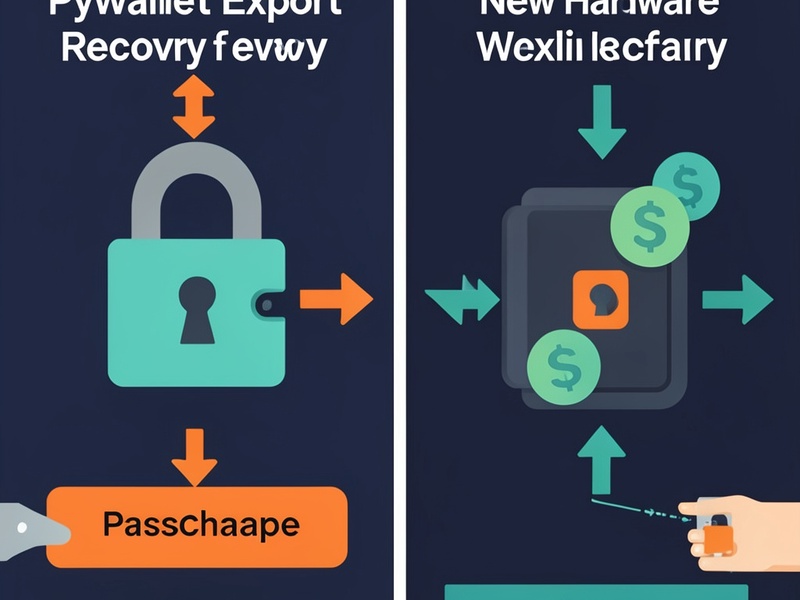
Before You Export: Essential Preparation
A safe recovery begins before any command is run.
- Back up the original
wallet.datfile to at least two encrypted locations. - Work only on a copy. Keep the original untouched.
- Use an offline or air-gapped computer whenever private keys are visible.
- Download Pywallet from a trusted source and verify checksums if available.
- Scan the working machine for malware and avoid cloud sync folders.
- Have a destination wallet ready for sweeping or importing keys.
Exporting Private Keys with Pywallet
The exact command depends on the Pywallet version. Most workflows involve pointing the tool at a copy of wallet.dat and using options such as --dumpwallet, --dumpkeys, or --exportkeys. If the wallet is encrypted, you must provide the passphrase through the supported option. The output may be JSON, text, or a structured dump containing addresses and corresponding private keys.
Treat the output as highly sensitive. Save it to an encrypted USB drive or encrypted container, and never paste it into email, chat, cloud notes, or a website. After export, disconnect the machine from the internet before reviewing the keys.

Recovering a Wallet from Exported Keys
Recovery means turning exported private keys back into usable access.
- Verify that each exported address matches the funds you expect to recover.
- Choose a trusted destination wallet that supports private key import or sweeping.
- For Bitcoin Core,
importprivkeycan import a WIF private key. - For Electrum and many mobile wallets, use the sweep function to move funds to a new wallet.
- Allow the wallet to rescan the blockchain. This can take time.
- Once funds are visible, send them to a newly created secure wallet, preferably backed by a hardware device.
If you are recovering many keys, keep a clear record of which address belongs to which key. Avoid improvisation: a single mistake can send funds to the wrong address or expose keys.
Common Problems
- Encrypted wallet: without the passphrase, export will fail. Pywallet cannot guess a strong passphrase.

- Corrupted wallet file: stop writing to the storage device and try recovery on a copy.
- Unsupported format: some altcoins use different wallet structures and may need coin-specific tools.
- Missing balance: the wallet may need a full rescan, or the keys may belong to a different address type.
- Compromised machine: if malware sees the keys, consider the wallet compromised and move funds immediately.
Security Checklist After Recovery
- Create a new wallet instead of continuing to use exposed keys.
- Move funds to hardware-backed storage.
- Store backups offline and encrypt them.
- Test the restore process with a small amount before trusting it.
- Never share seed phrases or private keys, even with support staff.
Conclusion
Pywallet private key export and wallet recovery is a powerful capability for legitimate owners of old or damaged wallets. It requires careful preparation, an isolated environment, and strict key hygiene. By backing up first, working offline, verifying every step, and migrating recovered funds to safer storage, you can restore access without turning a recovery task into a security incident.