Losing access to a Solana cold wallet does not have to mean losing your SOL, SPL tokens, or NFTs forever. In almost every real-world case, whether recovery succeeds comes down to one thing: how well you backed up your recovery phrase before something went wrong.
This guide covers everything you need to know about backing up and recovering a Solana cold wallet — from how Solana's key derivation actually works, to step-by-step recovery for lost devices, missing words, and the dreaded zero balance after a restore. Whether you use a Ledger, Keystone, or a paper backup, you will find practical, security-first instructions here. For recovery topics covering other chains, our Crypto Wallet Recovery Guide on the homepage (/) dives deeper into Bitcoin and Ethereum scenarios as well.
What Is a Solana Cold Wallet?
A Solana cold wallet is any wallet whose private keys are generated and stored entirely offline, never touching an internet-connected device. Common forms include:
- Hardware wallets — Ledger Nano S Plus / Nano X / Stax, Keystone, Ellipal, and Trezor Safe models, all of which support Solana
- Paper or metal seed backups — a handwritten or stamped copy of your recovery phrase stored physically
- Air-gapped computers — offline machines used to generate and sign transactions
This contrasts with hot wallets like the Phantom or Solflare browser extensions, where keys live on an internet-connected device. Cold wallets sign transactions inside the device, so the private key itself is never exposed to your computer or the web.
How Solana Wallet Backup and Recovery Works Under the Hood
Understanding the mechanics makes every recovery scenario far less stressful:
- BIP39 mnemonic: Your 12 or 24 recovery words come from a standardized 2048-word list and include a built-in checksum, which is why a single typo usually triggers an invalid phrase error.
- HD derivation (BIP32/BIP44): Solana's registered coin type is 501. The standard derivation path is m/44'/501'/0'/0', and additional accounts increment the account index.
- Ed25519 curve: Unlike Bitcoin and Ethereum (which use secp256k1), Solana uses Ed25519 signatures. Solana derivation is hardened-only, meaning the path must match exactly to regenerate the same address.
- Passphrase (25th word): An optional extra word layered on top of your seed. It creates a completely separate set of wallets — powerful for security, but unrecoverable if forgotten.
Practical consequence: after restoring a seed, you may see an empty wallet until you select the correct derivation path or account index. Your funds are rarely gone — they usually sit at a different derived address. The same seed also produces completely different addresses on Solana versus Ethereum, so never expect an EVM address to appear.
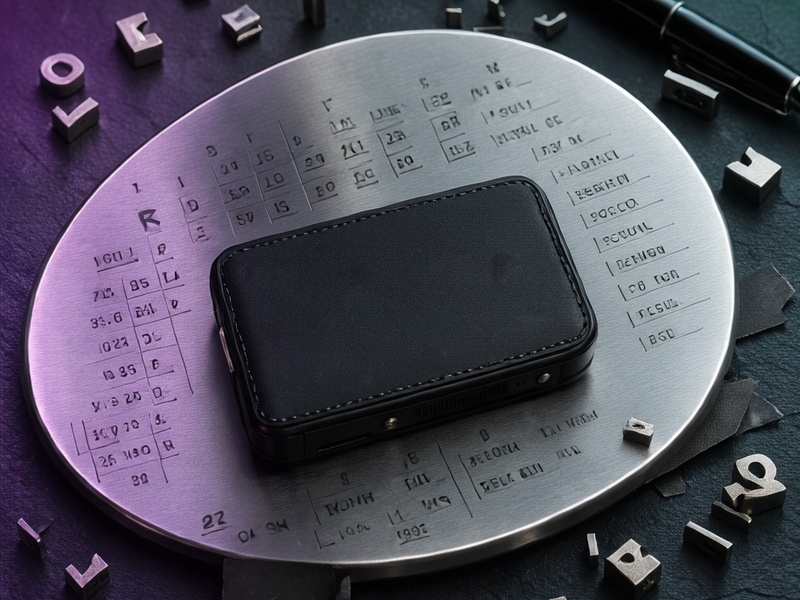
Best Practices for Backing Up a Solana Cold Wallet
- Handwrite the seed phrase on paper — twice. Never print it, photograph it, or dictate it to any device.
- Verify the backup before funding the wallet. Do a test restore on a second device (or after a deliberate wipe) and confirm the generated address matches.
- Upgrade to a metal backup. Stamped or engraved steel plates survive house fires and floods that destroy paper in minutes.
- Distribute copies geographically. Keep at least two backups in separate secure locations — a home safe plus a bank deposit box, for example.
- Decide on a passphrase deliberately. It adds strong protection against physical theft, but losing the passphrase means losing the funds. Store it separately from the seed.
- Never digitize the seed. No photos, screenshots, cloud drives, email drafts, notes apps, or password managers. Every digital copy is an attack surface.
- Label discreetly. Avoid writing crypto or wallet on the outside of anything; use neutral labeling only you understand.
Step-by-Step Recovery Scenarios
Scenario 1: Hardware Wallet Lost, Stolen, or Damaged (Seed Phrase Intact)
- Purchase a replacement device directly from the manufacturer or an authorized reseller — never second-hand or pre-initialized.
- During setup, choose Restore from recovery phrase instead of creating a new wallet.
- Enter your 12 or 24 words directly on the device, offline. The device's checksum validation will catch typos immediately.
- Complete firmware updates and reinstall the Solana app.
- Reconnect to your wallet interface (Ledger Live, Solflare, Phantom) and verify the derived address matches your original one on a block explorer.
- Re-add token accounts (ATAs) so all SPL tokens and NFTs display correctly.
Scenario 2: Emergency Recovery into a Software Wallet
If you need urgent access and no hardware device is available:

- Use a clean, malware-free computer — ideally freshly updated and offline except for the wallet download.
- Install Phantom or Solflare from the official website only and select I already have a wallet.
- Import the seed phrase, verify the address, and move only what you need.
- Treat this wallet as hot from now on. As soon as possible, transfer assets back to a freshly initialized cold wallet with a new seed.
Scenario 3: Partial or Corrupted Seed Phrase
Common causes include smudged handwriting, word order mistakes, and confusing similar BIP39 words (e.g., legal vs. legacy).
- The BIP39 checksum means most typos are detectable — use a wallet's validation to narrow down which word position is wrong.
- For one or two missing or uncertain words, open-source tools such as btcrecover can systematically test candidate words against a known address. Run it fully offline on an air-gapped machine, using a token list, and wipe the environment afterward.
- If three or more words are unknown, brute-force recovery becomes impractical. This is exactly why redundant backups matter more than recovery tools.
Never type your seed into any website claiming to validate or synchronize your wallet — these are phishing pages and remain the number one cause of drained Solana wallets.
Scenario 4: Wallet Restored but Balance Shows Zero
Don't panic. Work through this checklist:
- Look up your expected address on a Solana explorer (Solscan, SolanaFM) to confirm funds are still on-chain.
- Check the derivation path and account index — Ledger Live, Solflare, and Phantom can enumerate multiple accounts from one seed.
- If you used a passphrase, a single character difference (including capitalization or spaces) derives a completely different wallet.
- Manually re-add SPL token accounts; they don't always auto-appear after a fresh restore.
Common Mistakes That Cause Permanent Loss
- Storing the seed phrase in cloud notes, email, or phone photos
- Entering the seed into fake validation, airdrop, or support websites
- Keeping the only copy in a single location exposed to fire, flood, or theft
- Forgetting a passphrase, or forgetting that a passphrase was ever set
- Buying used or pre-initialized hardware wallets with tampered seeds
- Assuming a Solana seed will reproduce an Ethereum address (it will not)
- Skipping the test recovery and discovering a transcription error years later
Advanced Protection for Larger Holdings
- Multisig: Use a Solana multisig solution like Squads with a 2-of-3 configuration, so no single lost key can lock or drain funds.
- Split storage: Store the seed and passphrase in separate locations, or explore Shamir-style secret sharing where supported.
- Inheritance planning: Write clear recovery instructions for trusted heirs without exposing the seed itself during your lifetime.
Key Takeaways
- Your 12/24-word BIP39 seed phrase — plus the passphrase if you set one — is the single master key to every Solana account derived from it.
- Solana uses Ed25519 with coin type 501; matching the exact derivation path resolves most missing balance scares.
- Metal backups, geographic redundancy, and a verified test restore prevent nearly all permanent-loss scenarios.
- Partial seed recovery with tools like btcrecover is possible for one or two words, but only in a fully offline environment.
- No legitimate service will ever ask for your seed phrase. Anyone who does is attempting theft.
Final Thoughts
A Solana cold wallet is only as safe as its backup. Spend one focused hour today: verify your seed, upgrade paper to steel, distribute your copies, and document a recovery plan your future self can actually follow. If you're also managing Bitcoin or Ethereum wallets — or facing password and partial-seed recovery challenges — explore the full range of tutorials and tool walkthroughs in our Crypto Wallet Recovery Guide, starting from the homepage (/). Prevention is always cheaper, faster, and far less stressful than recovery.