Recovering a cryptocurrency wallet is stressful enough. Doing it in an offline environment adds another layer of complexity—and, when handled correctly, a powerful layer of security. An offline recovery means your seed phrase, private keys, and signing operations never touch the internet. This guide explains how to plan, execute, and verify a wallet offline environment recovery without exposing your funds to malware, phishing, or network surveillance.
What Wallet Offline Environment Recovery Really Means
Wallet offline environment recovery is the process of restoring access to your crypto assets using an air-gapped computer, hardware wallet, or another isolated device. The goal is simple: keep secrets offline while still confirming balances and authorizing transactions.
Common scenarios include:
- A hardware wallet is lost, damaged, or reset.
- Wallet software fails or becomes unavailable.
- You need to restore on a new machine after a security breach.
- You are preparing an inheritance or emergency recovery plan.
The core principle is easy to remember: the seed phrase is the wallet. If you have it, you can recover your funds. If someone else gets it, they can steal them.
If you would not read your seed phrase aloud in public, do not type it into any device that can reach the internet.
Building a Safe Offline Recovery Workspace
Before touching your seed phrase, prepare a clean environment. You do not need a professional lab, but you do need discipline.
Your offline recovery kit should include:
- A dedicated computer that can be wiped, or a Live Linux USB such as Tails or Ubuntu.
- Verified, open-source wallet software such as Electrum, Sparrow Wallet, or your hardware wallet vendor's app.

- A hardware wallet for signing, if available.
- Your BIP39 seed phrase backup, ideally stamped into metal.
- A camera or QR scanner for moving unsigned and signed transactions between devices.
- A reliable power source and no network connection.
Follow these setup rules:
- Disconnect Wi-Fi and Ethernet, and disable Bluetooth.
- Boot from a Live USB and avoid mounting internal drives.
- Verify software checksums and signatures before moving the installer to the offline machine.
- Keep the recovery machine offline for the entire restore and signing process.
- Work in private, with cameras covered and no smart speakers or voice assistants nearby.
Step-by-Step: Recovering a Wallet in an Air-Gapped Environment
Once your workspace is ready, follow a repeatable sequence.
1. Retrieve and inspect your backup
Find your seed phrase backup. Check that every word is legible and in the correct order. If you use a BIP39 passphrase, locate it separately and confirm its exact spelling, capitalization, and symbols.
2. Restore on the offline device
Open your verified wallet software on the air-gapped machine. Choose the restore or import option and enter the seed phrase. If you are using a hardware wallet, enter the seed directly on the hardware device whenever possible.
3. Verify addresses and derivation paths
Different wallets may use different derivation paths, such as BIP44, BIP49, or BIP84. Compare the first few receiving addresses against old records or a watch-only wallet. If the balance looks wrong, the issue is often the derivation path or a missing passphrase, not a lost wallet.
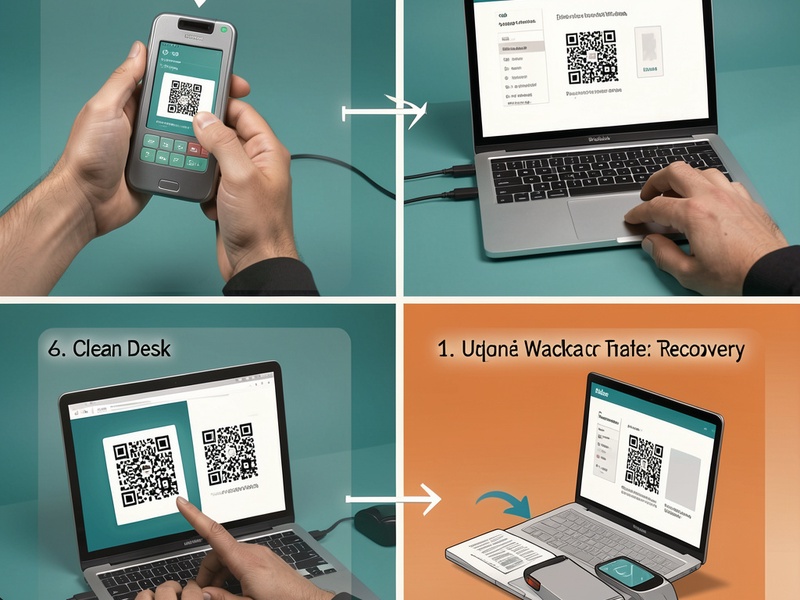
4. Create a watch-only wallet online
Export the extended public key, often called an xpub or zpub, from your offline wallet. Import it into an online watch-only wallet. This lets you monitor balances and create unsigned transactions without exposing private keys.
5. Build an unsigned transaction
Use the watch-only wallet to create a transaction. Export the unsigned transaction as a QR code or file, then move it to the air-gapped signer.
6. Sign offline
Import the unsigned transaction into your offline wallet or hardware device. Verify the recipient address, amount, and network fee on the trusted screen. Sign the transaction.
7. Broadcast safely
Move the signed transaction back to an online device using a QR code or USB drive. Broadcast it through your own node or a reputable wallet. Confirm the transaction on a block explorer.
Common Mistakes That Break Offline Recovery
Offline recovery fails more often because of process errors than broken hardware. Watch for these pitfalls:

- Using a compromised recovery device. A machine that previously surfed the web or opened unknown files is not truly clean.
- Skipping software verification. Fake wallet downloads are a common way to steal seed phrases.
- Forgetting the BIP39 passphrase. A seed alone will not restore a wallet hidden behind an additional passphrase.
- Choosing the wrong derivation path. Funds can appear missing even when the seed is correct.
- Storing the seed digitally. Photos, cloud notes, email drafts, and password managers expand your attack surface.
- Testing only after a disaster. Practice with a small amount or a dummy seed before you need the real thing.
- Broadcasting from the air-gapped machine. Connecting it to the internet at the final step defeats the purpose.
- Keeping only one backup. A single metal plate or paper sheet can be lost in a fire, flood, or move.
Testing, Maintenance, and Inheritance
A recovery plan is only useful if it works when you are stressed, rushed, or unavailable.
- Run periodic recovery drills using a small test wallet.
- Keep at least two backups in separate, secure locations.
- Consider multisig or Shamir backup for high-value holdings.
- Document the recovery process without revealing the seed phrase or passphrase.
- Share access instructions with a trusted executor or family member through a secure inheritance plan.
- Update firmware and wallet software only through verified, offline-friendly methods.
Conclusion
Wallet offline environment recovery is not about convenience. It is about control. With a clean air-gapped workspace, verified tools, and a tested process, you can restore access to your crypto while keeping private keys away from the internet. Prepare before you need it, verify every step, and treat your seed phrase as the master key it is.