Recovering a Bither wallet is not just about finding a restore button. It is about matching the backup format to the right tool, preserving privacy, and avoiding private-key exposure. Bither is a Bitcoin wallet with hot and cold wallet workflows, and its backups may not behave like standard BIP39 seed phrases. This review compares the main recovery routes and explains when each one makes sense.
What Counts as a Bither Recovery Tool?
Most users encounter four recovery routes:
- Official Bither app restore for standard encrypted Bither backups.
- Dedicated Bither recovery utility for older, unusual, or app-incompatible backups.
- Third-party Bitcoin wallets such as Electrum, Sparrow, or Bitcoin Core for importing exported keys.
- Manual offline recovery for high-value or forensic cases where no packaged tool is trusted.
These routes are not interchangeable. A tool that works with a WIF private key will not automatically understand a Bither-specific encrypted backup, and a standard BIP39 import flow may not match Bither's derivation path or address type.
Quick Comparison
| Recovery Route | Best For | Security Profile | Compatibility | Ease of Use | Main Risk |
|---|---|---|---|---|---|
| Official Bither app | Standard encrypted Bither backups | High when using official binaries on a clean device | Best with Bither-specific backups | High | Fake apps or restoring on an infected device |
| Dedicated Bither recovery utility | Extracting keys from older or unusual Bither backups | Medium to high if run offline and verified | Narrow but targeted | Medium | Unverified builds and phishing sites |
| Third-party Bitcoin wallets | Moving recovered keys into a standard Bitcoin workflow | High when offline and verified | Depends on WIF, xprv, or descriptor export | Medium | Format mismatch and wrong address type |
| Manual offline recovery | High-risk, high-value, or forensic cases | Highest when air-gapped and verified | Requires technical skill | Low | Human error and irreversible mistakes |
1. Official Bither App Restore
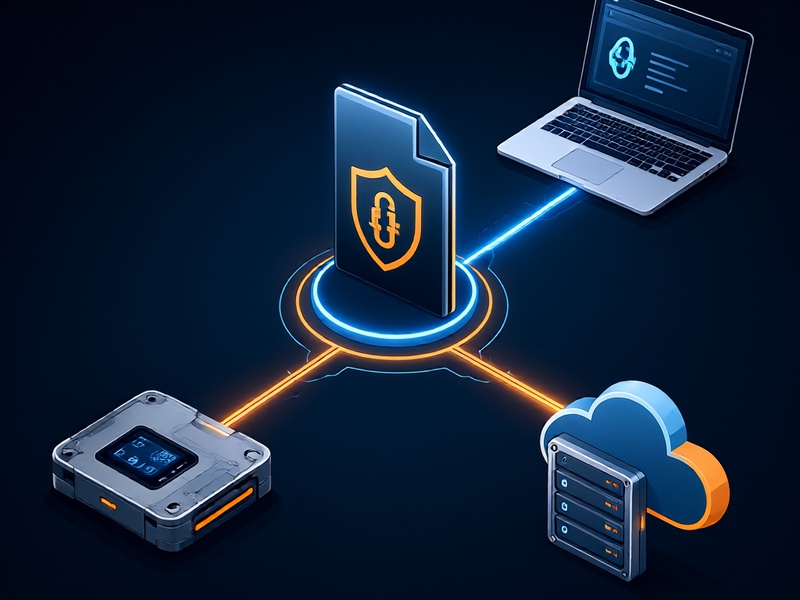
The official Bither app should be the first stop for most users. It is designed around Bither's own backup and cold wallet workflows, so it usually has the best compatibility with Bither-specific data.
Strengths:
- Closest match to Bither's original wallet format.
- Supports normal hot wallet and cold wallet recovery flows.
- Familiar interface for existing Bither users.
- Less need to export raw private keys.
Weaknesses:
- Requires trust in the app build and installation source.
- Older backups may not restore cleanly after major app changes.
- A compromised phone or computer can still expose recovered keys.
Practical advice: Download Bither only from an official source, verify the publisher, update the device, and restore on a clean machine when possible. After recovery, compare derived addresses with your old records before moving funds. If the balance looks wrong, stop and investigate rather than sending a test transaction from an uncertain wallet.
2. Dedicated Bither Recovery Utility
A dedicated Bither recovery utility is useful when the official app cannot read a backup, when a user needs to extract keys for migration, or when an older backup format is involved. The category is powerful but also risky because recovery tools often ask for the two most sensitive items in Bitcoin: the backup file and its password.
Strengths:
- Can target Bither-specific backup formats directly.
- Often useful for legacy or edge-case recovery.
- May provide clearer export options such as WIF or extended private keys.
Weaknesses:
- Many fake recovery sites exist.
- Closed-source utilities are difficult to audit.
- A tool that works with one backup version may fail with another.
Practical advice: Prefer an open-source utility with a verifiable release, checksum, and reproducible build instructions. Run it on an air-gapped or freshly booted machine. Inspect network activity if you are technically able. Never enter a Bither backup password into a website that promises instant recovery. Test the output with a small amount before migrating a full balance.
3. Third-Party Bitcoin Wallets
Third-party wallets are not Bither recovery tools in the strict sense, but they are often the final destination after recovery. If a dedicated utility exports a private key, WIF, xprv, or descriptor, a standard wallet can import it and help the user move funds to a safer long-term setup.
Strengths:
- Mature, widely reviewed Bitcoin wallets are available.
- Good for migrating away from a legacy or uncertain recovery workflow.
- Supports offline signing and watch-only setups.
Weaknesses:
- Bither backup formats may not import directly.
- Address derivation paths and script types can differ.
- A wrong import can create a wallet that shows no balance even when funds exist.
Practical advice: Confirm the exact export format before choosing a wallet. If you have a WIF key, import it into a wallet that supports single-key import. If you have an extended private key, verify the derivation path and address type. For cold storage, restore on an offline device and pair only the watch-only wallet with an online machine. Do not paste seed phrases or private keys into web wallets.
4. Manual Offline Recovery
Manual recovery is the last resort for advanced users. It may involve decrypting a backup, deriving keys, checking addresses, and signing transactions on an air-gapped system. This route can be the most secure in expert hands and the most dangerous in inexperienced hands.
Strengths:
- Maximum control over every step.
- No dependence on a third-party recovery service.
- Suitable for high-value wallets and forensic analysis.
Weaknesses:
- High technical barrier.
- Easy to make irreversible errors.
- Requires reliable documentation and independent verification.
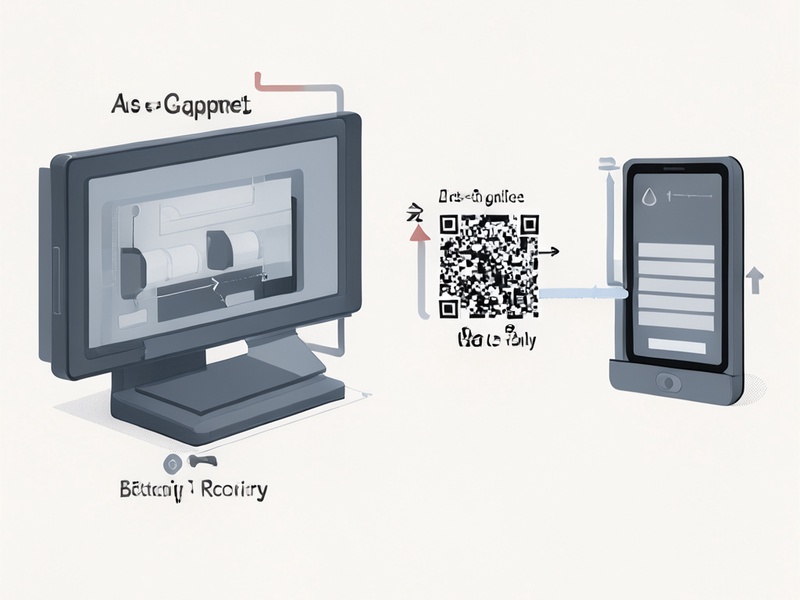
Practical advice: Use a dedicated offline computer, verify all software hashes, and document each step. Derive addresses first and compare them with known Bither addresses before signing anything. If you are not confident with command-line tools or wallet internals, use the official app or a verified recovery utility instead.
Evaluation Criteria
When comparing Bither recovery tools, weigh these factors:
- Security: Does the tool run offline? Is it open source? Are releases signed?
- Compatibility: Does it support your exact Bither backup version and export format?
- Transparency: Can you verify the code, checksum, and build process?
- Ease of use: Can you recover without exposing keys to unnecessary risk?
- Recovery outcome: Does it produce addresses that match your original wallet?
- Support and maintenance: Is the tool maintained, documented, and used by a credible community?
Recommended Recovery Workflow
- Identify the backup type before choosing a tool.
- Try the official Bither app on a clean, updated device.
- If the official app fails, use a verified dedicated recovery utility offline.
- Compare recovered addresses with old records before moving funds.
- Send a small test transaction first.
- Migrate to a well-tested standard wallet with a documented backup plan.
- Never share seed phrases, private keys, or backup passwords with a recovery service.
Final Verdict
For most Bither users, the official app is the safest first choice because it is built for Bither's own wallet structure. A dedicated Bither recovery utility is valuable when the official route fails, but it should be treated as sensitive offline software, not as a convenient web service. Third-party wallets are best used after recovery for migration and long-term storage. Manual recovery should remain a specialist option.
The best Bither recovery tool is not the one with the most features. It is the one that matches your backup format, runs in a controlled environment, and lets you verify the result before any funds move.
This article is educational and does not constitute financial or security advice. Always verify tools and test with small amounts.