A durable TronLink长期安全存储方案 (TronLink long-term secure storage plan) is essential if you hold TRX, TRC-10, or TRC-20 assets. TronLink is convenient, but convenience can become a liability when one device, one password, or one seed phrase backup controls everything. This guide explains how to build a layered, offline-first storage strategy that keeps your keys safe for years—and what to do if something goes wrong.
Why Long-Term TronLink Storage Is Different
TronLink is an HD wallet. It generates a 12- or 24-word BIP39 mnemonic that derives private keys for TRON addresses via BIP32/BIP44. That means the mnemonic is the master key. If you lose it, you lose access. If someone copies it, they own your funds. Long-term storage is not just backing up a file; it is protecting a seed, a password, and any hardware or software used to sign transactions.
Core risks: device failure, browser extension corruption, phishing, malware, forgotten password, lost seed phrase, fire/flood, and silent key leakage.
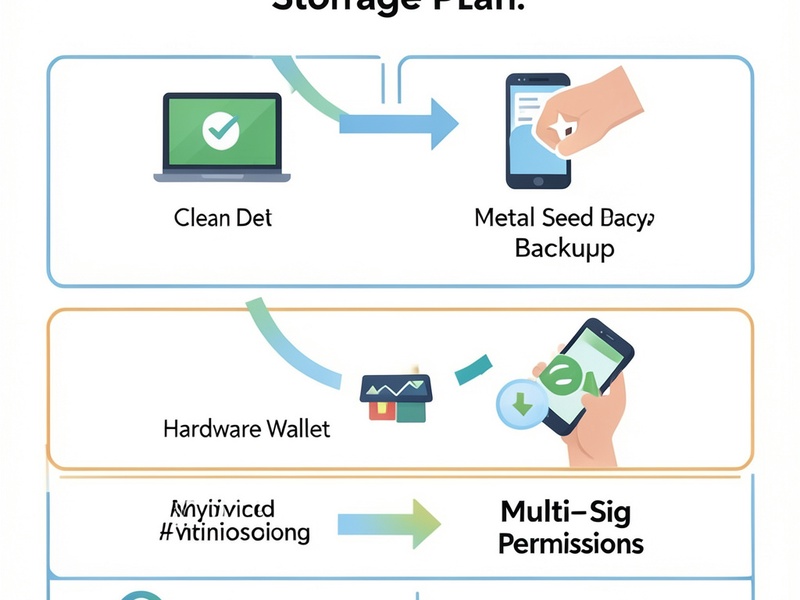
The 4-Layer TronLink Long-Term Storage Plan
Layer 1: Create TronLink in a Clean Environment
- Use a dedicated computer or phone with updated OS.
- Download TronLink only from official sources.
- Generate the wallet offline if possible; never let a website or support agent generate it for you.
- Write down the 12/24-word mnemonic on paper or metal. Do not screenshot, email, or store it in cloud notes.
- Add a strong, unique TronLink password. This password encrypts the local wallet file, but it does not replace the seed phrase.
Layer 2: Make Redundant Seed Phrase Backups
Your mnemonic is the ultimate recovery tool. Use at least two geographic locations and two media types.
- Paper backup: acid-free paper, sealed bag, fireproof safe.
- Metal backup: stamped steel or titanium plates resist fire and water.

- Split backup: use Shamir or a manual split-storage method. Never split so carelessly that one piece is useless.
- Verification: restore the mnemonic on a temporary offline wallet to confirm every word and order.
For TRON, TronLink seed phrases follow BIP39 wordlists. If you remember only part of a seed phrase, tools such as btcrecover, HashCat, and BIP39 recovery scripts can sometimes help. The Crypto Wallet Recovery Guide explains offline dictionary attacks, word-order reconstruction, and safe recovery workflows for wallets including TronLink, MetaMask, and Electrum.
Layer 3: Move Long-Term Holdings to Cold Storage
For meaningful long-term holdings, hot TronLink wallets should not hold everything. Use a hardware wallet or air-gapped signer when possible.
- Hardware wallet: Keep keys offline and confirm every transaction on the device screen. TronLink can work with supported hardware wallets for TRX and TRC-20 tokens.
- Air-gapped setup: Create an offline TronLink wallet, sign transactions on the offline device, and broadcast from an online watch-only wallet.
- Multi-signature permissions: TRON accounts support owner, active, and witness permissions. Use multi-sig for large balances so one compromised key cannot move funds.
- Watch-only wallet: Import the public address into an online TronLink instance for balance checks without exposing private keys.
Layer 4: Test Recovery Before You Need It
A backup is only useful if it restores. Once a year:
- Create a new temporary TronLink profile.
- Restore from your seed phrase backup.
- Confirm the address and a small test transaction.
- Wipe the temporary profile.
- Inspect backups for damage or fading.
Do this without exposing your main seed to an internet-connected device. If you need help, consult the Crypto Wallet Recovery Guide for recovery workflows and prevention checklists.
TronLink Security Best Practices for TRX and TRC-20
- Never share your mnemonic or private key. No legitimate admin, giveaway, or support channel needs it.
- Use a passphrase carefully. A BIP39 passphrase creates a different wallet. If you forget it, the standard seed alone will not restore the same addresses.
- Separate daily and long-term wallets. Keep spending money in a hot wallet and reserves in cold storage.
- Review token approvals. Revoke unused TRC-20 approvals to reduce contract risk.
- Beware fake TronLink apps and extensions. Bookmark the official site and verify developer details.
- Keep offline records of addresses, derivation paths, and backup locations. Store them separately from the seed.
- Consider inheritance planning. Leave clear, secure instructions for trusted family without revealing keys prematurely.
Common TronLink Storage Mistakes
The biggest mistake is treating a TronLink password as a backup. The password unlocks a local encrypted file; the seed phrase restores the wallet. Lose the seed, and the password may be irrelevant.
Other mistakes include storing seed phrases in Google Drive, iCloud, Telegram, or password managers without encryption; using one backup only; and testing recovery for the first time after a device dies.
Recovery Options If Something Goes Wrong
If you have lost your TronLink password, you may be able to restore from your mnemonic. If you have lost part of your seed phrase, recovery becomes a technical search problem. Depending on what you remember, recovery may involve:
- BIP39 wordlist filtering
- Known word positions and checksum validation
- Passphrase and derivation path testing
- GPU-assisted password cracking with HashCat
- Script-based wallet recovery with btcrecover or Pywallet
All recovery attempts should be done offline or on a trusted machine. The Crypto Wallet Recovery Guide covers these methods in detail, including how to avoid malware and fake recovery services.
Final Checklist for a TronLink长期安全存储方案
- [ ] TronLink created from official software
- [ ] 12/24-word seed phrase written down and verified
- [ ] Metal or fireproof backup stored in a second location
- [ ] Hardware wallet or air-gapped signer for large balances
- [ ] Multi-sig permissions configured for high-value accounts
- [ ] Recovery tested at least once
- [ ] No digital copies of the seed phrase in cloud or chat apps
- [ ] Inheritance or emergency instructions prepared
A strong TronLink long-term storage plan combines offline key generation, redundant backups, hardware signing, multi-sig, and regular recovery tests. Start with one improvement today, then layer the rest over time. If recovery is already needed, visit Crypto Wallet Recovery Guide for step-by-step, security-first recovery resources.