First: Clarify ColdCard Security Credentials (Avoid Confusion)
Before starting recovery, it’s critical to distinguish between the three core security credentials for ColdCard wallets, as many users mix them up:
- PIN Code: A 4-12 digit code used to unlock the ColdCard device and approve transactions. This is not the transaction password referenced in most recovery requests.
- 24-Word BIP39 Seed Phrase: The master backup for your wallet, generated during initial setup. It can restore full access to your main wallet on any BIP39-compatible hardware or software wallet.
- Transaction Passphrase (BIP39 Passphrase / "13th Word"): An optional, user-created extra password that generates a hidden "plausible deniability" wallet. Most users refer to this as the "transaction password" because without it, hidden wallet assets are completely invisible and unspendable. This guide focuses on recovering this specific passphrase.
Pre-Recovery Checks
Confirm these details first to avoid wasted time and security risks:
- ✅ You are locked out of a hidden passphrase wallet: You can unlock your ColdCard with your PIN and see your main wallet balance, but cannot access the hidden wallet holding your assets.
- ✅ You have your full 24-word seed phrase: Recovery is only possible if you have the complete, correctly spelled seed phrase (no missing or mixed-up words).
- ✅ You have passphrase clues (optional but highly recommended): Partial characters, length estimates, common password habits, old password manager entries, or physical note fragments can drastically reduce recovery time.
Official & Secure ColdCard Transaction Passphrase Recovery Methods
All methods below require offline, air-gapped execution to never expose your seed phrase or passphrase to online threats. ColdCard’s manufacturer Coinkite has no backdoor access to wallets and cannot reset or recover passphrases for users.
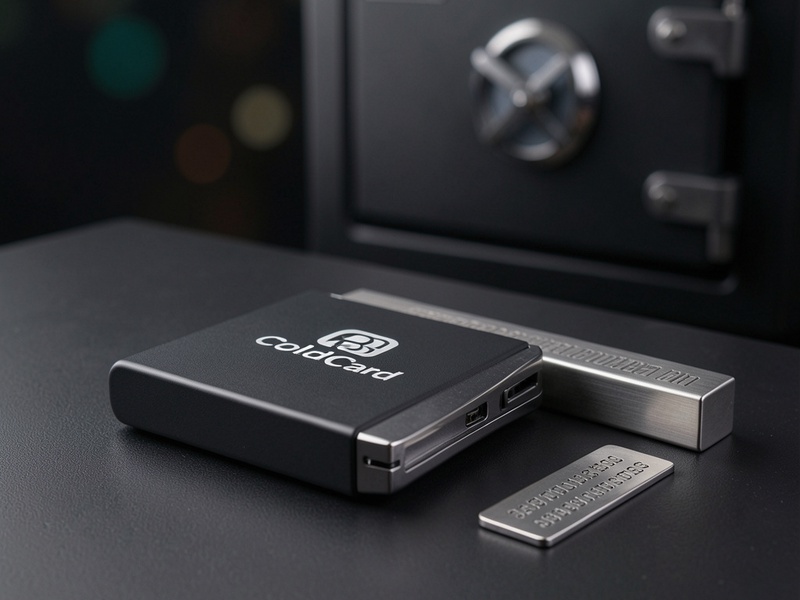
Scenario 1: You Have the 24-Word Seed Phrase + Partial Passphrase Clues
This is the most recoverable scenario, using open-source, audited offline tools to test potential passphrase combinations against a known wallet address.
- Set up an air-gapped recovery environment
- Use a spare computer that has never been connected to the internet, or boot a fresh Tails OS USB drive (disable all Wi-Fi and Bluetooth before powering on).
- Download the latest version of BTCRecover (open-source, community-audited BIP39 recovery tool) from its official GitHub repository on a trusted online device, then transfer it to the air-gapped machine via a clean, unused USB drive.
- Prepare your verification data
- Locate one public receiving address from your hidden wallet (you may have saved it for deposits, or have it in transaction records from centralized exchanges). This is used to verify the correct passphrase without any blockchain or internet access.
- Build a custom wordlist or character mask based on your clues: For example, if you know your passphrase starts with "Bitcoin" and ends with 2 numerical digits, set a mask of
Bitcoin?d?dto narrow down possible combinations.
- Run offline recovery
- Follow BTCRecover’s official documentation to input your 24-word seed phrase, verification address, and passphrase mask/wordlist.
- Run the entire recovery process on the air-gapped machine, never connecting it to the internet.
- Verify and re-backup
- Once a matching passphrase is found, enter it directly into your ColdCard to confirm you can access your hidden wallet and initiate a test transaction (if needed).
- Immediately create a secure physical backup of your passphrase, stored in a separate location from your 24-word seed phrase.
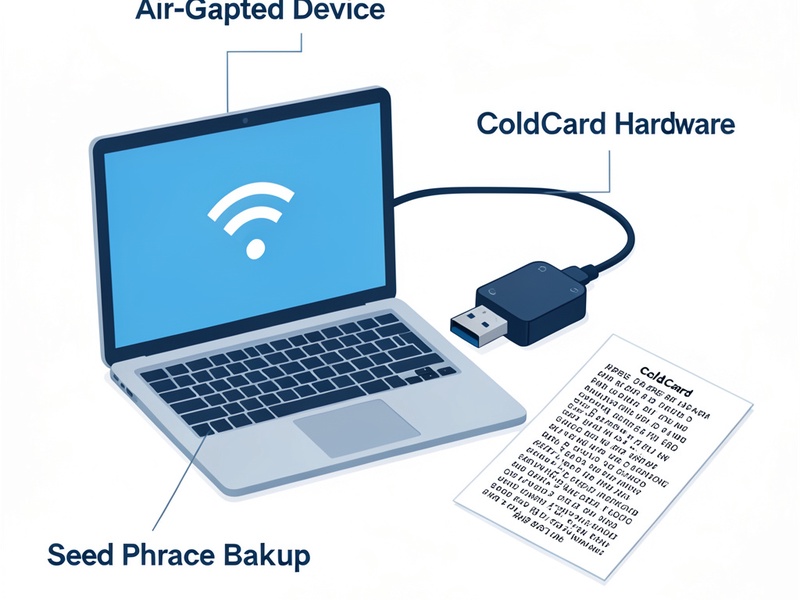
Scenario 2: You Have the 24-Word Seed Phrase + No Passphrase Clues
If you have no memory or records of your passphrase, recovery success depends entirely on the strength of your original passphrase:
- For weak passphrases (under 8 characters, common dictionary words): You can attempt a full brute-force attack using BTCRecover on a high-performance air-gapped machine. Note that even 8-character mixed-character passphrases can take years to crack with consumer hardware.
- For strong passphrases (10+ characters, mixed letters/numbers/symbols): Brute-force recovery is physically impossible with current computing technology. Do not waste money on "professional recovery services" that claim guaranteed success — these are almost always scams.
- Low-effort checks to try first:
- Search all password managers (1Password, Bitwarden, KeePass) for ColdCard-related entries, including archived, deleted, or historical versions.
- Check physical storage locations: Safe deposit boxes, home safes, encrypted physical notes, or hidden paper backups in unexpected locations.
- Test your most commonly used passwords (with variations like capitalization, number suffixes, or special characters) directly on your ColdCard. ColdCard has no lockout limit for passphrase attempts, so you will not permanently lock your device.
Scenario 3: You Lost Both Your PIN and Transaction Passphrase
If you cannot unlock your ColdCard at all, but still have your 24-word seed phrase:
- Restore your main wallet to a new ColdCard (or any BIP39-compatible hardware wallet) using your 24-word seed phrase — no PIN is required for restoration.
- If your assets are held in a hidden passphrase wallet, follow the recovery steps in Scenario 1 or 2 above to recover the passphrase, using the restored wallet to test combinations.
Post-Recovery Security Best Practices
To avoid future lockouts and protect your long-term asset security:
- Back up your passphrase physically: Engrave your passphrase on a fireproof, waterproof metal backup plate and store it in a separate secure location from your 24-word seed phrase. Never store passphrases on internet-connected devices, cloud storage, or phone notes.
- Test your recovery flow annually: Every 6-12 months, verify that you can restore full wallet access using only your seed phrase and passphrase backups, to catch any missing or incorrect backup details early.
- Use a memorable but strong passphrase: Choose a passphrase that is easy for you to recall (e.g., a line from a favorite poem + a unique personal number) but impossible for others to guess. Avoid random character strings if you struggle to back them up securely.
Critical Recovery Scam Warnings
ColdCard’s security design includes no backdoors, so no third party can recover your passphrase without your seed phrase and personal clues. Avoid these common recovery scams:
- ❌ Fake ColdCard "customer support" accounts on social media, forums, or email that offer password recovery help for a fee.
- ❌ Online "wallet recovery tools" that ask you to enter your 24-word seed phrase or partial seed words into a website or app.
- ❌ Services that demand upfront "recovery fees", "security deposits", or crypto payments to unlock your wallet access.
Final Thoughts
ColdCard’s passphrase system is designed to keep your crypto secure even if your device or seed phrase is compromised, but that security comes with responsibility: lost passphrases cannot be reset by Coinkite or any third party. The best recovery strategy is proactive, secure backup — but if you do lose your passphrase, following the offline, open-source methods above gives you the best chance of regaining access without risking your assets.