Introduction
Losing an O3 key file can feel catastrophic, especially when the file protects crypto assets. This O3 key file loss asset recovery guide explains what to do first, what recovery is realistically possible, and how to use offline tools without exposing your private keys. The exact O3 key file format can vary by app version and platform, but the recovery logic is familiar: if you still have a key file plus password, a mnemonic, a private key, or a usable backup, there is often a path forward. If every copy is gone and no seed or private key exists, recovery is usually impossible by design.
Work slowly, stay offline where possible, and treat every seed phrase, private key, keystore file, and password as highly sensitive. For a broader, structured learning path, the Crypto Wallet Recovery Guide at / is a useful companion.
What an O3 Key File Is and What Recovery Really Requires
An O3 key file is typically an encrypted export or keystore-like file that contains or unlocks access to a private key. It is not a server-side account that a support team can reset. In a self-custodial wallet, access depends on secrets you control:
- The O3 key file itself
- The password or passphrase used to encrypt it
- The mnemonic seed phrase, usually 12 or 24 words
- A raw private key or hardware wallet backup
- The correct derivation path under BIP32/BIP44-style standards
Recovery difficulty rises in this order: key file plus known password, key file plus forgotten password, missing key file but mnemonic available, missing key file with only a private key, and finally no key file, no seed, and no private key.
Immediate Steps After an O3 Key File Loss
- Stop writing new data to the drive or device where the file was stored. Deleted files can sometimes be recovered if the storage space has not been overwritten.
- Search every backup location: external drives, USB sticks, cloud backups, email attachments, password managers, old phones, laptops, tablets, and encrypted archives.
- Check for common wallet filenames such as O3, keystore, UTC--, wallet.json, .key, .json, and export files. Rename nothing until you have made copies.
- If the O3 app is still logged in, export a fresh backup, mnemonic, or private key immediately. Move it to offline storage.
- Do not post screenshots, seed words, key files, or password hints in chats, forums, or to so-called recovery agents.
Recovery Scenarios: Match What You Still Have
1. O3 Key File Exists, Password Is Missing
If you have the key file but forgot the password, you can test possible passwords in the O3 wallet or a compatible import screen. For deeper recovery, make a copy of the file and run offline password recovery with tools such as HashCat or btcrecover when the file format is supported. A targeted mask attack based on remembered patterns is often more effective than a random full brute-force attempt.
2. O3 Key File Is Missing, Mnemonic Is Available
A BIP39 mnemonic is the strongest recovery path. Restore the 12 or 24 words in a compatible wallet, then verify the receiving addresses before moving funds. If O3 used a non-standard derivation path, you may need to test multiple BIP32/BIP44 paths. MetaMask, MyEtherWallet, Electrum, and many hardware wallets can help validate Ethereum or Bitcoin addresses, but always test with a small transaction first.
3. O3 Key File Is Missing, Private Key Is Available
Import the private key into a trusted wallet that supports the relevant blockchain. Be aware that importing a private key into a hot wallet increases exposure. Prefer an offline or air-gapped process, and move assets to a new wallet if there is any chance the key was exposed.
4. Key File, Seed, and Private Key Are All Missing
If no backup or secret remains, there is no reliable way to recreate the private key from a public address alone. Avoid services that claim they can recover assets from an address only. That claim is a major red flag.
Using Recovery Tools Safely: btcrecover, HashCat, Pywallet
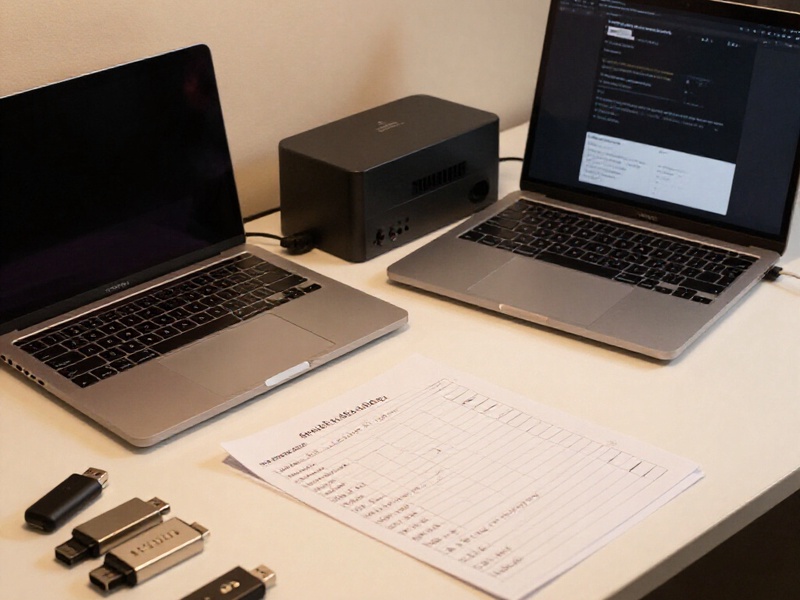
Recovery tools are powerful, but they must be used only on wallets you own and control. Set up an offline machine or a live USB system with no network connection. Keep the original file untouched and work from copies.
- btcrecover: useful for wallet password recovery and some seed recovery workflows, including partial mnemonic testing when configured correctly.
- HashCat: a high-performance password recovery tool that can accelerate attacks against supported encrypted wallet formats using CPU or GPU hardware.
- Pywallet: historically useful for certain Bitcoin wallet files and key extraction tasks. Verify that the tool matches your wallet format before running it.
Before running any tool, confirm the wallet type, encryption format, and derivation rules. A wrong script or wordlist can waste time, and an untrusted binary can steal keys. Check hashes and signatures when available.
BIP39/BIP32 and Partial Mnemonic Recovery

BIP39 defines how mnemonic words map to a seed, while BIP32 defines how child keys are derived. If you remember part of a 12 or 24 word phrase, recovery may still be possible with an offline dictionary attack.
- Write down every word you know and its likely position.
- Note whether the phrase used 12 words, 24 words, or an unusual length.
- Account for BIP39 passphrases, sometimes called the 25th word. A different passphrase creates a completely different wallet.
- Use the official BIP39 word list and a controlled script or trusted recovery tool.
- Verify candidates by checking derived addresses against a known transaction history or receive address.
This method works best when only a few words are missing. If most words are unknown, the search space becomes too large for most users.
O3 Wallet, MetaMask, MyEtherWallet, Electrum, and Ledger: Cross-Wallet Notes
Different wallets store secrets differently, but recovery often overlaps:
- MetaMask uses a mnemonic and encrypted vault. If the vault file is lost, the seed phrase is usually the main recovery route.
- MyEtherWallet and similar Ethereum tools may support keystore files, private keys, and mnemonics. Check the derivation path and address index.
- Electrum has its own seed format and wallet file structure. Do not assume a BIP39 phrase will restore an Electrum wallet unless it was created that way.
- Ledger and other hardware wallets are recovered from the device recovery phrase, not from the physical device alone. A damaged device can often be replaced if the seed phrase is safe.
If an O3 key file was used alongside a hardware wallet or cold wallet setup, identify whether the key file was a backup, a watch-only export, or the actual signing key. This distinction changes the recovery plan.
Hardware Damage, Cold Wallet, and Backup Recovery
Hardware damage does not always mean asset loss. If the device held a seed phrase and you have that phrase, restore it in a compatible hardware or software wallet. If the device is the only copy and the seed is gone, professional data recovery may sometimes extract files, but success is not guaranteed and privacy risks are serious.
Cold wallet and backup recovery should follow a 3-2-1 mindset: at least three copies, on two different media types, with one copy stored off-site. Test restores before you need them. A backup you have never tested is only a hope.

Security Rules and Common Mistakes
- Never enter a seed phrase into a website, chat, email, or support form.
- Do not run recovery software on an internet-connected computer if you can avoid it.
- Do not share the O3 key file with anyone offering paid recovery.
- Do not overwrite the original drive after deleting the file.
- Do not ignore BIP39 passphrases or alternate derivation paths.
- Do not assume O3 support can reset a forgotten wallet password.
- Do not test recovery by moving all assets at once. Use small test transactions.
Prevention: Stop the Next Key File Loss
- Store the mnemonic on metal or another durable offline medium.
- Split backups with a trusted scheme, but avoid overly complex plans that you may forget.
- Keep key files, passwords, and seed phrases in separate secure locations.
- Use a password manager for wallet passwords, but never for seed phrases unless the storage method is specifically designed for secrets.
- Document wallet type, derivation path, and backup location for your heirs or trusted executor.
- Re-test recovery every year.
Key Takeaways
An O3 key file loss asset recovery guide cannot promise miracles. The outcome depends on what you still hold: key file, password, mnemonic, private key, or backup. Start with backups and offline copies, use btcrecover, HashCat, and Pywallet only in a controlled environment, and apply BIP39/BIP32 knowledge when testing partial phrases or derivation paths. If no secret remains, focus on prevention and avoid scammers.
Conclusion
Losing an O3 key file is stressful, but a calm, offline, evidence-based approach gives you the best chance of recovery. Check every backup, preserve the original file, test candidates with small amounts, and never expose secrets to third parties. For more wallet-specific walkthroughs covering MetaMask, MyEtherWallet, Electrum, Ledger, cold storage, and hardware damage, visit the Crypto Wallet Recovery Guide at /.