A mobile wallet is convenient until the phone is lost, reset, or broken. If you used a Bitcoin Unlimited-compatible wallet and kept your mnemonic phrase, your funds are usually recoverable. This guide explains how to restore a mobile Bitcoin Unlimited wallet from a 12- or 24-word seed phrase, what to check when the balance does not appear, and how to protect your recovery phrase during the process.
What a mnemonic phrase does in a Bitcoin Unlimited mobile wallet
A mnemonic phrase, also called a seed phrase or recovery phrase, encodes the private keys that control your wallet. In most mobile wallets, including Bitcoin Unlimited-related wallets and BCH wallets, the phrase follows the BIP39 standard. The words allow the app to regenerate your addresses and spending keys on a new device.
Important: the mnemonic phrase is not a password. Anyone who has it can spend your funds. Never share it with support staff, websites, or apps that ask for it outside an official restore screen.
Before you begin
Prepare carefully before typing your seed phrase into any device.
- Install the official Bitcoin Unlimited mobile wallet or a trusted compatible wallet from its official website or app store listing.
- Use a private network and a device free from malware if possible.
- Have your mnemonic phrase ready in the exact order. Do not use a screenshot or cloud note if you can avoid it.
- Check the wallet network: Bitcoin Unlimited is associated with Bitcoin Cash (BCH), but some wallets also support BTC. Restoring on the wrong network will not show your funds.
- Set aside time. Address scanning and blockchain sync can take several minutes.
Step-by-step: recover a mobile Bitcoin Unlimited wallet
1. Install and open the wallet
Download the official app or a reputable wallet that supports the same coin and BIP39 standard. Avoid search ads and unknown APK files.

2. Choose the restore option
On the welcome screen, select Restore Wallet, Import Wallet, or Recover from Seed. Do not choose Create New Wallet unless you want a new seed phrase.
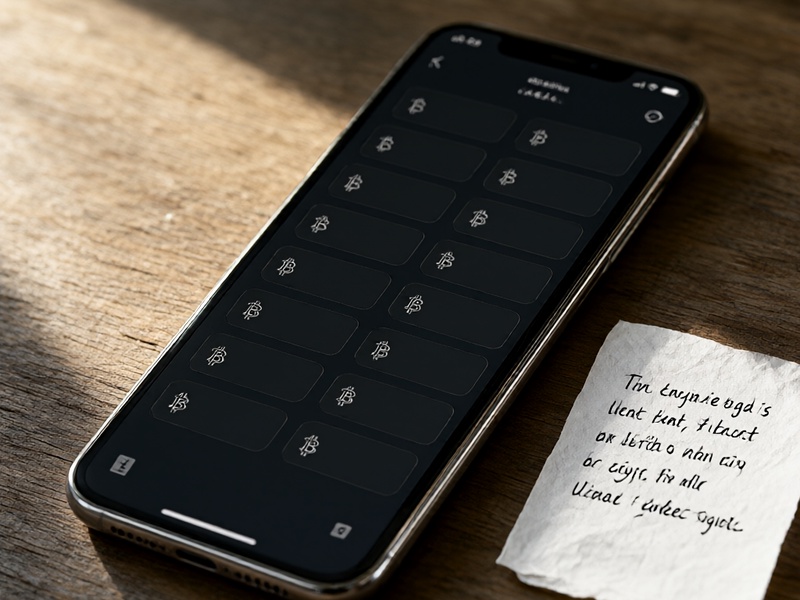
3. Enter the mnemonic phrase
Type each word in the original order. Most wallets use lowercase letters and a single space between words. Watch for:
- Misspelled words.
- Autocorrect changing a word.
- Extra spaces at the beginning or end.
- Words that are not in the BIP39 English word list, if your wallet expects English.
If your original wallet used a non-English word list, choose the matching language if the app supports it.
4. Select the correct coin and derivation path
This is the most common reason a recovery appears empty. A derivation path tells the wallet which addresses to generate.
- For Bitcoin Cash in many wallets, a common path is
m/44'/145'/0'. - For Bitcoin BTC, a common legacy path is
m/44'/0'/0'. - Some wallets use different paths, such as
m/0'or account-based variants.
If the app offers automatic detection, use it first. If not, restore with a wallet known to support your original wallet's derivation path. Do not randomly try paths on a wallet that holds significant funds without understanding the risk.
5. Set a new PIN or password
After recovery, create a strong PIN or password. This protects the device, but remember: it does not replace the mnemonic phrase.
6. Wait for synchronization
The wallet will scan the blockchain for addresses linked to your seed. Keep the app open and the internet connection stable. For older wallets, scanning can take longer. If the balance is still zero after sync, go to troubleshooting.
Troubleshooting common recovery problems
Invalid mnemonic phrase
Check the order, spelling, and number of words. A 12-word phrase is not the same as a 24-word phrase. If one word is wrong, the checksum will fail. Use the official BIP39 word list to verify spelling, but never enter your phrase into a random website.
Wallet restores but balance is zero
Possible causes:
- Wrong coin or network selected.
- Wrong derivation path.
- The wallet has not finished scanning.
- The original wallet used a BIP39 passphrase, sometimes called the 25th word.
- Funds were moved after the last backup.
BIP39 passphrase missing
A BIP39 passphrase is an optional extra secret added to the seed. It is not your PIN and not your seed phrase. If you used one, you must enter it during restore. Without it, the wallet will generate a different set of addresses.
Address format confusion
Bitcoin Cash addresses can appear in legacy or CashAddr format, but they can represent the same funds. For Bitcoin BTC, legacy, SegWit, and Taproot addresses use different derivation paths. Make sure the wallet supports the address type you originally used.
Security rules for mobile mnemonic recovery
- Never share your seed phrase. Legitimate support teams do not need it.
- Do not store your seed phrase in email, chat, cloud photos, or password managers unless you fully understand the risks.
- Check the app publisher before installing.
- If you think the phrase was exposed, restore the wallet and move funds to a new wallet with a new seed phrase as soon as possible.
- For large amounts, consider a hardware wallet. Mobile wallets are convenient but usually hot wallets.
- After recovery, consider sending a small test transaction before moving your full balance.
How to prevent future recovery stress
Store your mnemonic phrase offline on durable material, such as a metal backup, and keep it in more than one secure location. Avoid relying on phone backups alone, because some backups do not include wallet secrets or may be encrypted with a forgotten password. Label the backup with the wallet type, coin, and date, but never write the phrase where others can see it.
Final thoughts
Mobile Bitcoin Unlimited mnemonic recovery is usually straightforward when you have the correct phrase, the right wallet, and the right network. The main pitfalls are incorrect word order, wrong derivation paths, and entering the seed into an unsafe app. Slow down, verify every step, and treat your mnemonic phrase as the key to your funds.