Tezos wallets can display a seed phrase in English, Japanese, Spanish, French, Korean, Chinese, and other BIP39 wordlists. That flexibility helps users, but it also creates a common recovery mistake: translating words with a dictionary instead of converting BIP39 indices. This guide explains how to convert a Tezos mnemonic across different language environments safely, verify the result offline, and avoid mistakes that can make a valid seed phrase fail to restore. It is part of the Crypto Wallet Recovery Guide, which covers wallet recovery checklists and safe offline procedures at /.
Important: never enter a real mnemonic into a website, chatbot, search engine, or cloud note. Do the work on an offline, trusted device or an air-gapped computer. Treat every mnemonic as the key to funds.
Why Tezos Mnemonic Language Conversion Is Not Simple Translation
- BIP39 mnemonics are lists of words selected from a fixed wordlist; each word maps to a number from 0 to 2047. The phrase encodes entropy plus a checksum.
- Different language wordlists use different words but the same index space. Conversion means: source word to BIP39 index to target-language word at the same index.
- A literal translation, such as dictionary equivalents, will break the checksum and produce an invalid or different wallet.
- The BIP39 passphrase, sometimes called the 25th word or extension, is not translated. It must remain exactly as entered, including spaces, case, and Unicode normalization.
- Some Tezos wallets use BIP39; legacy Tezos fundraiser mnemonics may have their own activation flow. Confirm the exact scheme before converting.
Before You Convert: Safety and Compatibility Checklist
- Work offline. Disable network access, Bluetooth, and cloud sync. Use a clean, open-source tool or a small script you can audit.
- Identify the mnemonic standard: BIP39 or legacy Tezos fundraiser? Count words: 12, 15, 18, 21, or 24. Check wallet docs for the derivation path.
- Confirm language and exact spelling. BIP39 wordlists are controlled vocabularies. Do not autocorrect, translate, or replace similar words by guess.
- Check Unicode normalization. Japanese and some other wordlists may require NFKD normalization and specific spacing. Preserve the format your wallet expects.
- Verify checksum before and after conversion. A valid phrase must still pass BIP39 checksum validation.
- Test recovery on an offline wallet with the same derivation path and compare the Tezos address, such as tz1, tz2, or tz3. Do not send funds until the restored address matches.
- Keep the original backup. Do not destroy the original mnemonic after creating a converted version. Store both with strong encryption and physical separation.
Step-by-Step: Convert a Tezos Mnemonic to Another BIP39 Language
1. Record the source phrase exactly
Write down each word in order, with no numbering errors. If the source uses Japanese, note the exact spacing. Do not paste it into a browser.
2. Validate the source phrase offline
Use an offline BIP39 checksum tool or audited library. If the checksum fails, stop. Check for misspelled words, missing words, or the wrong wordlist. Do not proceed by guessing.
3. Map every word to its BIP39 index
Each BIP39 word corresponds to an index from 0 to 2047. Use the official wordlist for the source language. Record the indices in the same order. This index sequence is the bridge between languages.
4. Replace each index with the target-language word
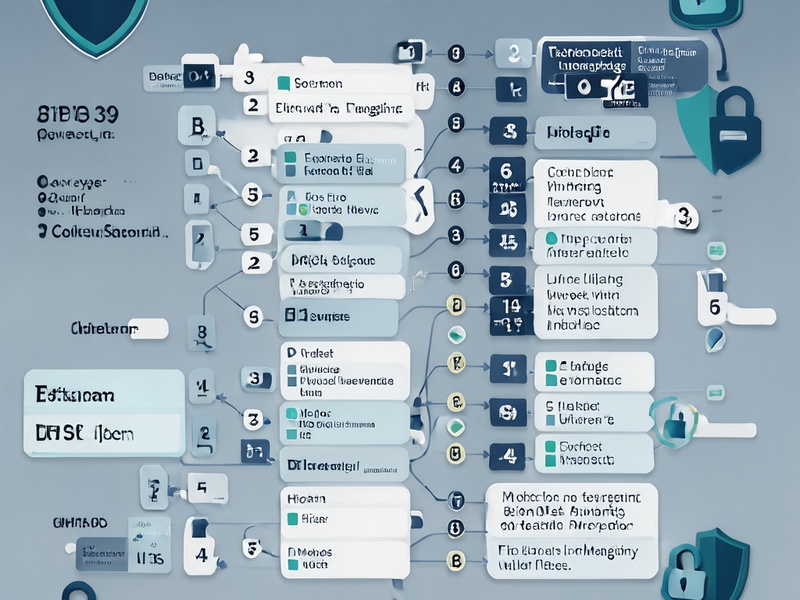
Use the official BIP39 wordlist for the target language. For each index, take the word at that index. Do not use synonyms. Do not translate the passphrase.
5. Re-validate the converted phrase
Check the BIP39 checksum again using the target-language wordlist. The converted phrase should encode the same entropy and checksum. If it fails, recheck indices, wordlist version, and Unicode normalization.
6. Restore in an offline Tezos wallet
Use an offline or air-gapped wallet that supports the target language and the correct Tezos derivation path. Common paths vary by wallet, but Tezos accounts often use a path under m/44'/1729'. Confirm the exact path in the wallet documentation; do not assume. Compare the derived public address with the original. Only after a match should you treat the conversion as successful.
7. Back up carefully
Store the converted mnemonic and original mnemonic separately, encrypted, with access control. Consider split backups or metal plates for long-term resilience. Never store a mnemonic in screenshots, email, chat, or unencrypted cloud notes.
Tezos-Specific Notes and Common Pitfalls
- Do not assume every 15-word Tezos phrase is standard BIP39. Legacy fundraiser mnemonics may require an activation code and official recovery flow.
- Derived Tezos addresses are wallet- and path-dependent. The same mnemonic can produce different addresses if the derivation path or curve is different.
- Japanese mnemonics may need NFKD normalization and specific spacing. A visually correct phrase can still fail if normalization is wrong.
- A BIP39 passphrase is case-sensitive and spacing-sensitive. It is not part of the wordlist and should never be converted.
- Autocorrect and translation apps are dangerous. They can silently replace valid BIP39 words with invalid ones.
- If you remember only part of the phrase, use offline checksum and wordlist constraints to narrow candidates. Avoid online recovery services that ask for the full phrase.
- Hardware wallets and wallets with language settings may show a translated interface but still use an English wordlist internally. Confirm both display language and mnemonic language.
Recovery and Verification Workflow
For broader wallet recovery tasks, use a structured offline workflow: identify the wallet type, confirm the standard and derivation path, validate the mnemonic checksum, derive the expected address, and compare before moving funds. The Crypto Wallet Recovery Guide at / includes related checklists for BIP39 and BIP32 recovery, password recovery, and hardware-wallet backup verification. Keep all sensitive steps offline, and document only non-secret metadata.
Key Takeaways
- Convert by BIP39 index, not by literal translation.
- Validate checksum before and after conversion.
- Preserve Unicode normalization, spacing, and passphrase exactly.
- Confirm the Tezos derivation path and compare the restored address.
- Keep the original backup and use offline, encrypted storage.
Conclusion
Tezos mnemonic conversion across language environments is possible and useful when done as a controlled BIP39 index mapping. The process is simple in theory but unforgiving in practice: one translated word, wrong wordlist, or incorrect derivation path can invalidate the restore. Work offline, verify every step, and test against the expected Tezos address before trusting the result. For more recovery checklists and safe procedures, consult Crypto Wallet Recovery Guide and the resources at /.